PSC Codes Lookup: A Nonprofit's Guide to Finding Funding
Master the PSC codes lookup process to find federal grants and contracts. Our step-by-step guide is tailored for nonprofits to unlock new funding opportunities.

Abdifatah Ali
Co-Founder
You know your nonprofit's work fits a federal priority. Maybe you run workforce training, behavioral health services, housing support, digital inclusion, or community research. You've heard that agencies buy services like yours, and you suspect there are grants, cooperative agreements, or contract-like opportunities sitting somewhere in government systems. Then you open SAM.gov, USAspending.gov, and a few agency pages, and everything starts to blur together.
That confusion is normal. Federal funding systems weren't built for first-time nonprofit users. They were built for classification, reporting, and procurement workflows. If you don't know the terms the government uses to describe your work, you can search for hours and still miss the best opportunities.
One of the fastest ways to cut through that noise is learning how PSC codes lookup works. PSCs give you a more direct path into how agencies describe need, how past awards were categorized, and where your services may fit. For nonprofits, that matters because good funding strategy starts before you draft a proposal. It starts with knowing how the buyer names the problem you solve.
If you're still building your federal pipeline, Fundsprout's guide to federal funding opportunities for nonprofits is a useful companion. PSC research won't replace program strategy, but it will make your search much sharper.
The Hidden Language of Federal Funding Opportunities
A nonprofit director usually reaches this point after a frustrating pattern. Your team searches for “youth mentoring,” “community health outreach,” or “homeless services,” and the results look thin, overly broad, or completely off target. Then another organization seems to find opportunities you never even saw.
That gap often isn't about eligibility. It's about classification.
Why nonprofits miss opportunities
Federal buyers don't always describe work the way nonprofits do internally. Your staff might say “digital equity support.” An agency might code the same need under a technical service category. Your team might say “reentry case management.” A federal office might frame the work through a broader purchased service category that doesn't use your preferred language at all.
That's why keyword searching alone can fail. It reflects your vocabulary, not necessarily the government's.
For nonprofits, this gets more complicated because many teams are balancing grants, contracts, subawards, and partnerships at the same time. Staff often assume PSCs are only for large contractors selling hardware or technical services. That's a mistake. If your organization delivers a service the government buys, PSC language can help you locate how that service appears in federal systems.
The practical shift is simple. Stop asking only, “What do we call our program?” Start asking, “What does the agency call the thing it buys?”
What this changes in practice
Once you use PSC codes lookup as part of your research, several things become easier:
- You search with the buyer's taxonomy: That usually surfaces opportunities and historical awards that plain-language searches miss.
- You see patterns across agencies: You can spot which offices repeatedly fund work adjacent to your mission.
- You build better positioning: Your capability statement, past performance summaries, and proposal framing can mirror the language agencies already use.
- You make better go or no-go decisions: If a code family shows no meaningful history for your work, that's a signal. If it shows steady purchasing, that's a stronger lead.
Nonprofits often enter federal funding later than for-profit vendors, but they have one advantage. They already know the outcomes they produce. PSCs help translate those outcomes into the government's purchasing language so your search becomes less random and more strategic.
What Are PSC Codes and Why They Matter for Your Mission
Think of PSCs as the government's filing system for what it buys. If NAICS tells the government what type of organization you are, PSC tells it what product, service, or research activity is being purchased.
That distinction is where many nonprofit teams get stuck.
The simple definition
Product Service Codes are four-digit codes used by the U.S. federal government to describe products, services, and research-and-development purchases. The official guide explains that these purchases are tracked in the Federal Procurement Data System, and the lookup tool can search by keyword, code, or federal spend categories in the Department of Defense PSC quick guide.
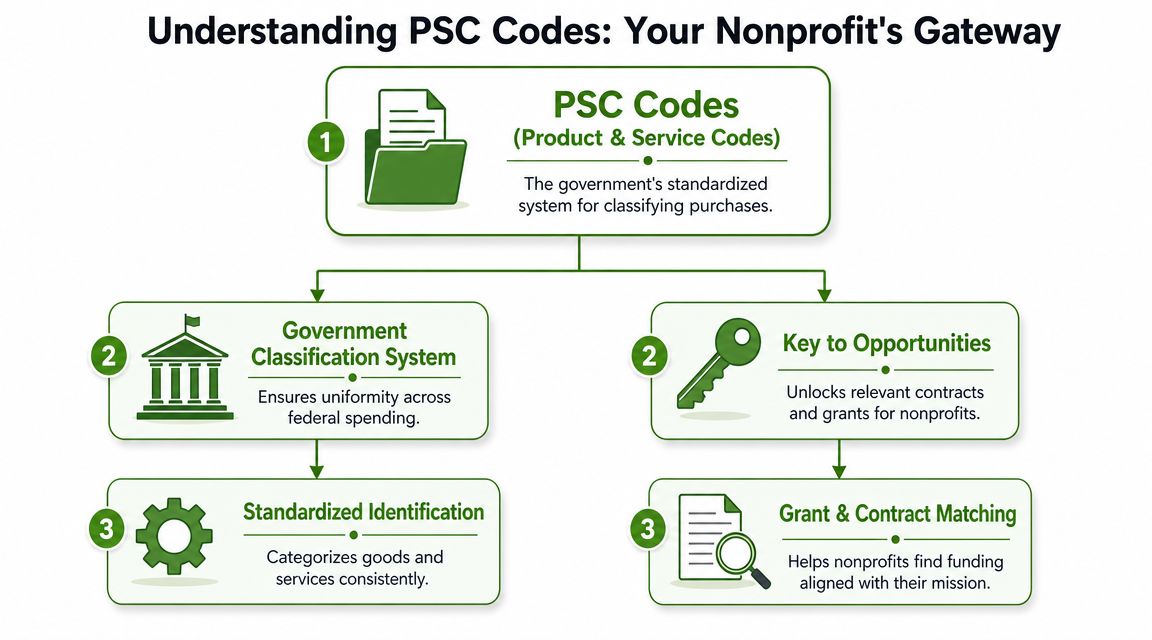
The same guide also makes an important operational point. PSCs aren't just labels. They're part of how procurement data is classified, compared, and reported across agencies. The taxonomy groups similar PSCs together so buyers can select them more consistently.
For a nonprofit, that means the code attached to an award or solicitation can shape how discoverable that opportunity is.
PSCs versus NAICS
A useful shortcut is this:
| Code type | What it describes | Why nonprofits care |
|---|---|---|
| NAICS | Your organization's industry | Helps define your organizational category in systems like SAM |
| PSC | The specific thing the government is buying | Helps you find relevant opportunities and interpret buying history |
If your nonprofit provides counseling, workforce development, housing support, research, training, or technical assistance, your NAICS and PSC won't necessarily point to the same concept. That's normal.
A nonprofit can have one organizational identity and still pursue multiple types of work. PSCs are often closer to the actual funded activity.
Why this matters beyond compliance
The strongest nonprofit teams don't treat PSCs as a registration chore. They use them to align mission language with purchasing language.
Here's where that helps most:
- Program expansion decisions: If you're considering a new federal line of work, PSC patterns can reveal whether agencies buy it.
- Partnership planning: If your nonprofit is often a subrecipient or subcontractor, PSC research helps you identify primes and incumbents.
- Proposal framing: Reviewing the PSC attached to similar awards can sharpen how you describe your service model.
- Board conversations: PSC-backed opportunity research gives leadership a more concrete way to discuss whether federal funding is worth pursuing.
Practical rule: NAICS helps describe who you are. PSC helps reveal what the agency is paying for.
The nonprofit-specific trap
Many nonprofits assume that because they're mission-driven, they should search only under grant language. But federal funding doesn't divide neatly between “grants” and “contracts” in the way many teams expect. Agencies may support mission-aligned work through several vehicles, and the language used to classify purchased services can still inform your grant strategy.
That's the core value of PSC codes lookup. It helps you read the market the way the agency records it.
How to Perform a PSC Codes Lookup on Key Platforms
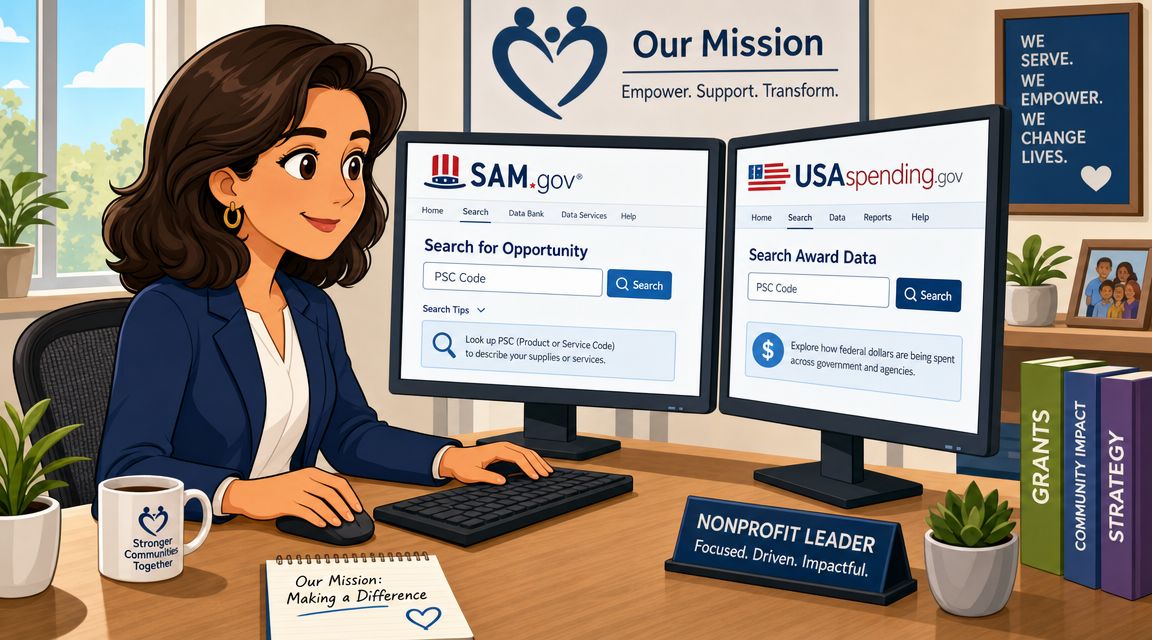
Most nonprofit teams need two platforms for this work. SAM.gov helps you find active opportunities. USAspending.gov helps you understand what agencies funded before. Those are different jobs, and you'll get better results when you use each platform for its actual strength.
If you're comparing software tools that sit on top of these workflows, this roundup of grant discovery platforms for nonprofits can help you think about where manual research ends and automation becomes worthwhile.
Use SAM.gov to find tomorrow's opportunities. Use USAspending.gov to understand yesterday's awards and inform today's strategy.
Using SAM.gov for active opportunity searches
Start in Contract Opportunities. Even if your nonprofit mainly thinks in grant terms, contract opportunity data can still reveal agencies, buying patterns, and language that affect your pipeline.
A workable approach looks like this:
Begin with your mission language
Search a few plain-English terms first. Use the phrases your program team uses every day. Don't try to guess the perfect code immediately.
Open records that look close, not only perfect
Nonprofits often skip opportunities too quickly because the title sounds technical. Open the notice and inspect the PSC field. That field is often more useful than the title.
Run a second search using the PSC
Once you find one relevant record, search by that code. This usually surfaces adjacent opportunities that your original keywords didn't catch.
Add filters carefully
Narrow by agency, place of performance, notice type, or posted date only after you've seen the broader overview. If you filter too early, you can hide useful signals.
Here's what works and what doesn't.
- Works well: Starting broad, then tightening around a discovered PSC.
- Usually fails: Entering one narrow keyword and assuming zero results means no market exists.
- Works well: Reviewing multiple records to see recurring language.
- Usually fails: Trusting the solicitation title alone.
Using USAspending.gov for historical intelligence
SAM.gov shows what's open. USAspending.gov helps you ask better questions about what has already been bought.
Search for awards related to your work, then inspect the PSC attached to those records. You're looking for patterns such as:
- Which agencies buy this type of work
- Which offices appear repeatedly
- Which organizations show up as incumbents or frequent awardees
- How the work is described in official records
From this, nonprofit leaders often gain the clearest strategic insight. You may find that your strongest federal path is not the agency you expected. Or you may discover that your work appears under a broader service category than the one your team usually uses.
A simple worksheet helps. For each relevant award, capture the agency, PSC, vendor or recipient name, short description, and any recurring service terms. After reviewing several records, patterns emerge fast.
A practical workflow nonprofits can repeat
Use this sequence when you're researching a new service line:
| Step | Platform | What to do |
|---|---|---|
| Start with demand | SAM.gov | Search mission keywords and inspect PSCs on relevant notices |
| Validate history | USAspending.gov | Review awards tied to similar work and note recurring codes |
| Refine language | Both | Compare your internal program terms with procurement language |
| Build a watchlist | SAM.gov or your tracking tool | Save searches using keywords and PSCs together |
A short walkthrough can help if your team is new to federal opportunity systems:
What nonprofit teams often overlook
A nonprofit rarely needs a perfect code on day one. It needs a repeatable search habit. The fastest improvement usually comes from combining mission keywords with PSC discovery, then using historical award data to validate whether the opportunity space is real.
That's what turns PSC codes lookup from a confusing lookup task into a disciplined funding research process.
Advanced Search Strategies to Uncover Hidden Opportunities
Basic PSC searching is useful. Advanced PSC searching is where nonprofits stop reacting to listings and start seeing the market more clearly.
The biggest missed tactic is simple. Don't search only the current code set when a code family has changed.
Why transition risk matters
A major issue in PSC codes lookup is the transition risk created by the April 2024 PSC Manual rewrite for IT services. The manual states that legacy D3xx codes were replaced by 40 new codes and 68 legacy codes were end-dated in the April 2024 PSC Manual.
For nonprofits working in digital inclusion, case management platforms, data systems, training technology, or community IT support, this matters more than it may appear. If you search only old codes, you can miss newer solicitations. If you search only new codes, you can miss the historical record that shows which agencies have funded adjacent work.
That gap affects planning. Historical spend patterns often shape your confidence about whether to invest staff time, build partnerships, or pursue registration and compliance steps.
A stronger search method
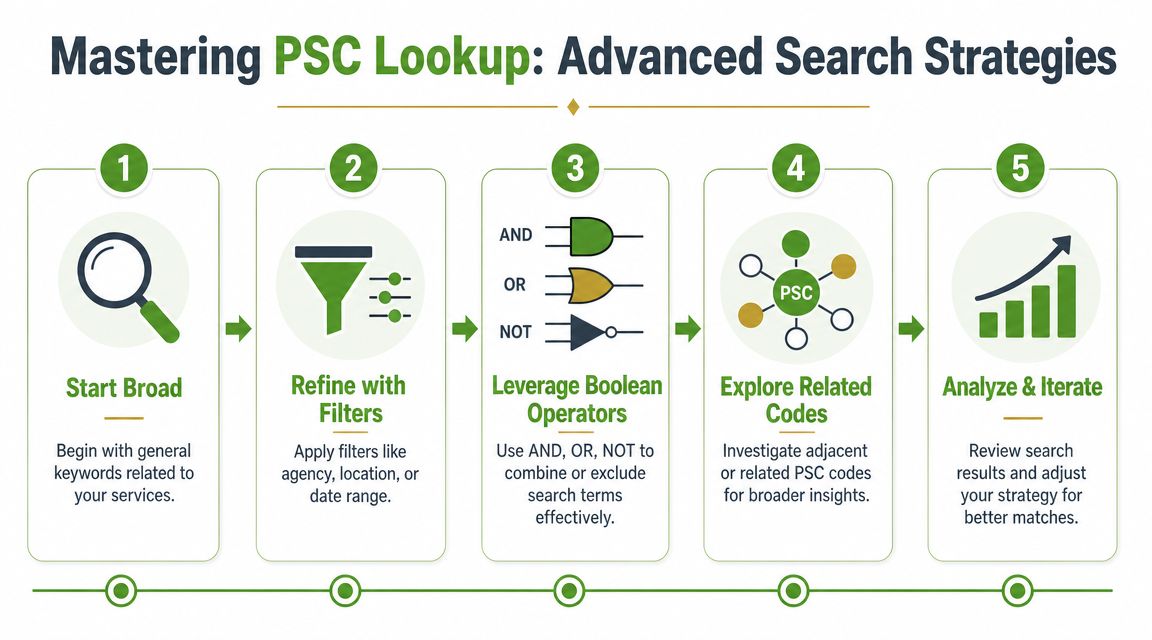
The best PSC codes lookup process for transition periods combines keyword logic, code discovery, and code family review.
Use this sequence:
- Start with a service phrase: Search the plain-language version of your work first.
- Inspect the PSC on relevant matches: Don't assume the first code you see is the whole picture.
- Look for related or predecessor codes: Especially in IT and reclassified service areas.
- Search both current and legacy terms during the transition: This gives you a fuller view of live opportunities and past awards.
- Update your saved searches after pattern review: Don't lock in alerts too early.
Searching one code can make the market look smaller than it is.
The search stack that works
Nonprofits usually do better with a layered stack than a single filter:
| Search layer | Purpose | Example use |
|---|---|---|
| Keyword search | Finds records using your mission vocabulary | “digital literacy,” “community outreach,” “behavioral health support” |
| PSC search | Finds records classified under a relevant service category | Expands beyond your preferred wording |
| Legacy and current code review | Protects against transition gaps | Especially important in IT-related service areas |
| Saved alert set | Creates repeatable monitoring | Tracks both language and code variations |
Saved searches need more than one input
A common nonprofit mistake is setting one alert and assuming the system will do the rest. Good alert design usually uses a mix of:
- A broad mission term
- A narrow service term
- One or more PSCs
- Agency filters only after you know who buys the work
If your organization serves multiple geographies or program lines, create separate alert sets. One giant search becomes hard to interpret. Smaller search groups tell you which service area is producing real leads and which one needs repositioning.
The deeper lesson is this. PSC codes lookup works best when you treat codes as clues, not as a single answer. That mindset helps you uncover opportunities that don't announce themselves in the language nonprofits expect.
Turning PSC Data Into Winning Grant Proposals
Finding a relevant code is useful. Turning that research into a stronger proposal is where the payoff happens.
The nonprofit teams that win more consistently use PSC findings before they write. They use them to test fit, study buyers, and sharpen how they describe their programs.
Use PSC research for competitive intelligence
When you review historical awards tied to a relevant PSC, you're not just making a list. You're learning how the federal buyer frames the need.
That helps you answer practical questions:
- Is this buyer funding work like ours repeatedly, or was it a one-time exception?
- Who keeps winning or receiving awards in this area?
- Do we look more competitive as a lead applicant, subrecipient, or subcontractor?
- Is our language too nonprofit-centric for the way the agency describes the work?
For nonprofit directors, that can prevent a lot of wasted effort. A strong mission fit doesn't automatically mean a strong procurement fit. PSC patterns help you tell the difference before your team spends weeks drafting.
Build a capability-to-PSC map
One of the most useful internal tools is a simple capability-to-PSC map. It doesn't need to be complicated. A spreadsheet is enough.
List each core program or service line, then pair it with:
- the plain-English service description your team uses
- the procurement language you've seen in notices and awards
- the PSCs that appear repeatedly
- the agencies or offices associated with those records
- the strongest past performance examples you can cite
That map becomes a strategic asset. It helps development staff, program leaders, and executive leadership talk about federal opportunity areas using the same language.
Good proposal strategy starts before the narrative. It starts when you prove that your services match how the buyer defines the work.
Turn research into proposal language
Once you know the code family and the buyer's terminology, you can tighten your draft in several ways:
- Need statement alignment: Mirror the agency's problem framing instead of relying only on your internal program language.
- Capability positioning: Emphasize the parts of your service model that fit the purchased activity.
- Partnership strategy: If incumbents are strong, your first move may be teaming rather than leading.
- Proposal operations: If your team is assembling repetitive compliance documents, tools that streamline document generation can reduce administrative drag and keep version control cleaner.
If you need a starting structure for shaping your narrative, a practical nonprofit grant proposal template can help organize the pieces once the opportunity is worth pursuing.
The bigger payoff
PSC research creates a better pipeline because it helps you pursue funding with intent. Instead of chasing every notice that sounds vaguely related to your mission, you focus on the agencies, service categories, and opportunity types that repeatedly align with what you deliver.
For a small nonprofit, that discipline matters. Time spent on the wrong opportunities is expensive, even when no invoice is attached.
Troubleshooting Common PSC Lookup Frustrations
Most PSC lookup problems aren't technical. They come from searching too narrowly, trusting one code too much, or using one platform as if it tells the whole story.
Independent federal contracting guidance warns against over-reliance on one code family or one source interface because that can understate market size, hide incumbents, and produce incomplete alerts. A stronger workflow is to query current opportunities, inspect the PSC on matched awards, then aggregate results across the full code family in this federal contracting guidance on IT PSC searches.
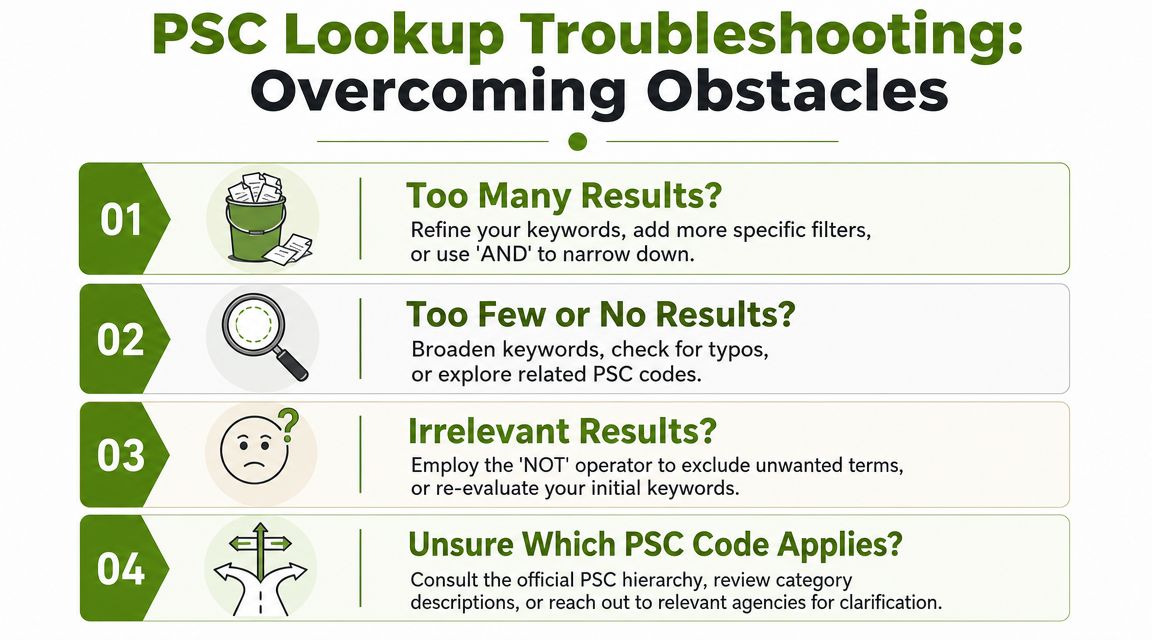
My search returned zero results
Usually, this means the search is too literal.
Try these fixes:
- Broaden the wording: Swap your internal program title for a more functional service description.
- Remove filters: Agency, location, and date filters often eliminate useful matches too early.
- Search the adjacent code family: One code may be too narrow to reflect the full market.
I found a strong PSC, but no open opportunities
That doesn't mean the market is dead. It may mean the buying cycle is quiet right now, or the work is appearing under a related code or different phrasing.
Use the pause productively:
- Review historical awards: See which agencies bought similar services.
- Identify likely partners: Incumbents may become collaborators before they become competitors.
- Create alerts around both keywords and PSCs: That catches future activity without requiring daily manual searching.
When open opportunities are thin, historical data becomes your planning tool.
My results are relevant, but incomplete
This is the most common advanced-stage frustration. You're finding some useful records, but not enough to trust your picture of the market.
That usually points to one of three issues:
| Problem | Likely cause | Better move |
|---|---|---|
| Too few results | Search relies on one code or one phrase | Add related terms and inspect adjacent PSCs |
| Missing incumbents | You searched live notices but not award history | Pair active opportunity search with historical review |
| Patchy alerts | Saved search is built around one narrow input | Create multiple alert sets by service line |
The fix is consistency. Search current opportunities, inspect matched awards, and expand across the related family rather than anchoring on a single code. Nonprofits that do this well don't magically find more time. They stop wasting time on incomplete searches.
PSC codes lookup won't remove every complexity from federal funding. It will give your team a far better map.
Fundsprout helps nonprofits turn that map into action. If you want a faster way to find mission-fit opportunities, organize proposal work, and keep compliance from slipping through the cracks, explore Fundsprout.
Try 14 days free
Get started with Fundsprout so you can focus on what really matters.