Unlock Success: Integrated Master Schedule for Nonprofits
Build an Integrated Master Schedule (IMS) for your nonprofit. Discover benefits, components, and steps to manage grants effectively and never miss a deadline.


Abdifatah Ali
Co-Founder
Often, when hearing integrated master schedule, people think of defense contractors, giant budgets, and software nobody at a nonprofit has time to learn.
That’s why one fact stops people in their tracks. A 2023 study cited in the planning notes around nonprofit scheduling found that 68% of small nonprofits miss grant deadlines due to poor task integration, and only 22% use networked scheduling (supporting reference). The problem usually isn’t effort. It’s that the work lives in too many places.
I’ve seen this up close. Program staff track deliverables in one spreadsheet. Development keeps proposal due dates on a shared calendar. Finance has its own budget timeline. Leadership assumes everyone is aligned until a report, renewal, or submission date suddenly lands three days away.
An integrated master schedule solves that by giving your team one connected view of what needs to happen, in what order, and by whom. For a nonprofit, that doesn’t need to mean a heavyweight corporate system. It can mean a practical operating rhythm for grant work that is clear enough for a three-person team and strong enough for a multi-grant portfolio.
The Hidden Cost of Disconnected Grant Timelines
Disconnected grant timelines rarely announce themselves with a dramatic failure.
They show up as small gaps that feel manageable in the moment. A program manager is waiting on outcome data. Finance is revising indirect cost numbers. Development assumes a draft can start anyway. By the time someone realizes those pieces were linked all along, the team is working nights to recover a date that was at risk weeks earlier.
In nonprofits, this happens for a simple reason. Grant work is shared across departments, but the timeline often is not.
One team keeps deadlines on a calendar. Another tracks tasks in a spreadsheet. Someone else is holding key dates in their inbox or memory. That setup can work for a single, simple application. It usually breaks down once you add renewals, reporting requirements, partner approvals, board review, budget signoff, and normal program delivery at the same time.
Missed deadlines are usually a systems problem
A grant deadline is a lot like a community event. The public only sees the start time on the flyer, but the event depends on room setup, speaker confirmation, printed materials, volunteer coverage, food delivery, and final reminders all happening in the right order. Grant timelines work the same way. The due date is only the visible tip of the work.
What many nonprofits lack is not effort or commitment. They lack a shared structure that shows which tasks depend on other tasks, who owns each handoff, and what slips when one step moves.
That creates a reactive culture.
Common signs include:
- Writing begins before inputs are ready: The narrative starts, then stalls while staff wait for budget figures, partner letters, or updated program outcomes.
- Dependencies stay hidden: A report cannot be submitted until data is cleaned and approved, but no one connected those steps on one timeline.
- Staff duplicate work: Development requests documents that program or finance already produced, but stored somewhere else.
- Leaders see dates, not risk: An executive director knows the deadline, but not the chain of unfinished work underneath it.
If those patterns sound familiar, this guide on why nonprofits keep missing grant application deadlines walks through the operational breakdowns behind them.
Practical rule: A missed grant deadline usually starts as an invisible handoff problem, not a last-minute effort problem.
The true cost goes beyond one application
A late submission hurts. The larger cost is what disconnected timelines do to your team's operating rhythm over a full grant cycle.
People start building personal backup systems. They keep side spreadsheets. They save their own checklists. They send extra follow-up emails because the main timeline no longer feels trustworthy. Managers spend more time asking for updates than removing blockers. New staff need longer to get oriented because the process lives in several places at once.
I have seen nonprofit teams borrow scheduling habits from larger institutions without adopting the heavy process that comes with them. The part worth keeping is simple. Put the work in one place, show the sequence clearly, and make handoffs visible early enough to fix them. That is how an integrated master schedule becomes useful for grant management. It gives a nonprofit one working timeline for applications, reports, renewals, and compliance tasks, without requiring a corporate-sized project office.
What Is an Integrated Master Schedule Exactly
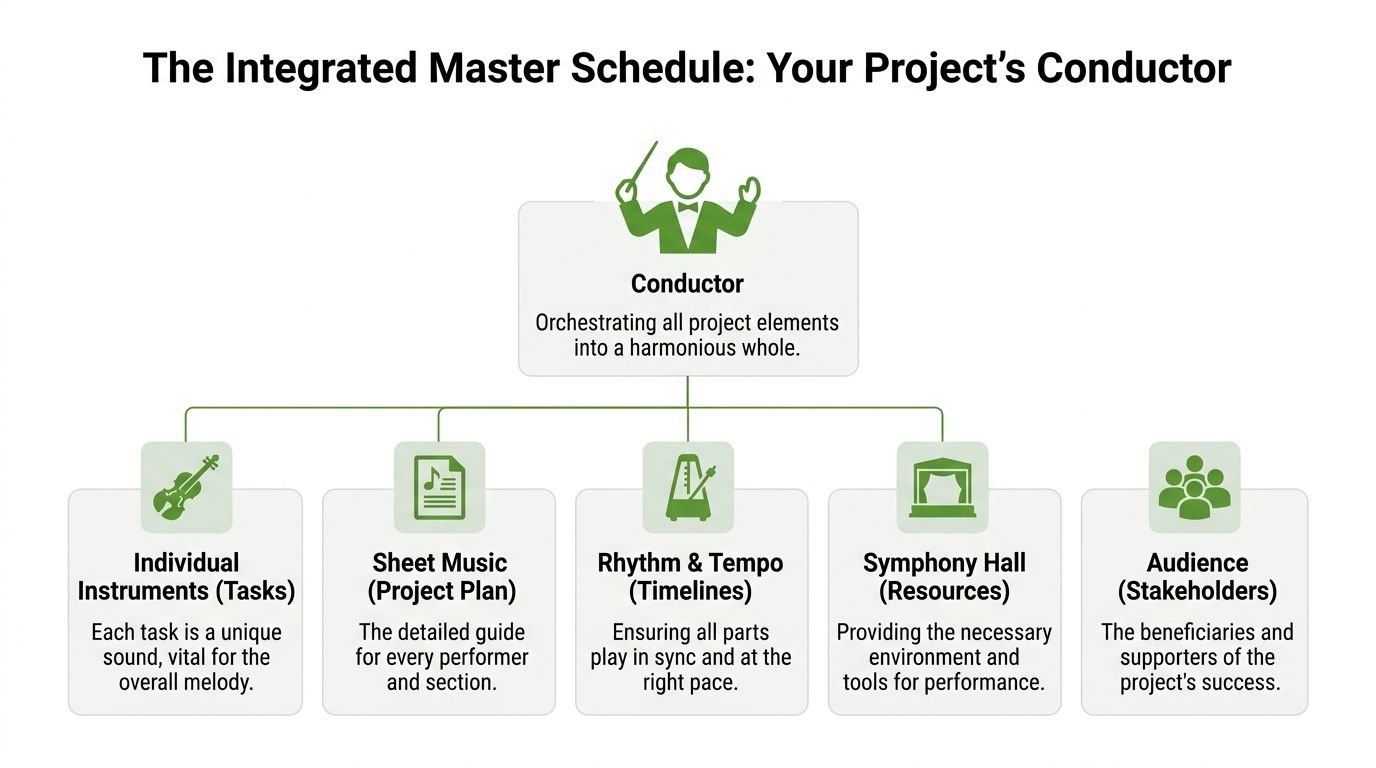
A helpful analogy is a construction project.
A general contractor doesn’t manage a building with a list of disconnected dates. They need one master plan showing how the foundation, framing, electrical work, inspections, and finishing all connect. If the electrical crew slips, the inspection moves. If the inspection moves, the next trade can’t start.
An integrated master schedule does that for work that has many moving pieces.
It started in complex government programs
The integrated master schedule didn’t come from the nonprofit world. It originated as a critical tool in U.S. Department of Defense acquisition programs, with formal documentation established through Data Item Description DI-MGMT-81650 so the schedule could verify contract objectives and evaluate progress (background reference).
That origin matters for one reason. The tool was built for environments where missed handoffs are expensive, dependencies matter, and leaders need a reliable view of progress.
Grant work isn’t the same as defense acquisition. But the coordination challenge is familiar. You still have milestones, handoffs, staffing limits, reviews, and deadlines that don’t move.
What it means in nonprofit language
For a nonprofit, an integrated master schedule is a connected grant operations plan.
It’s more than a calendar because a calendar only tells you that something is due. An integrated master schedule also shows:
- What has to happen first
- Which tasks can run in parallel
- Who owns each step
- Where one delay will affect another task
- What the team must finish to stay on time
Think of it as the difference between “proposal due May 1” and “program data due first, budget review next, narrative draft after that, final approval before submission.”
A good integrated master schedule doesn’t just store dates. It shows cause and effect.
Why people get intimidated by the term
The phrase sounds technical because it came from formal program management. That makes many nonprofit teams assume it’s too heavy for them.
It isn’t. You don’t need defense-grade complexity. You need the core idea.
A simplified nonprofit version can be built around your grant pipeline, active applications, reporting deadlines, and renewal cycles. The value comes from linking the work, not from using specialized language.
The Four Core Components of a Nonprofit IMS
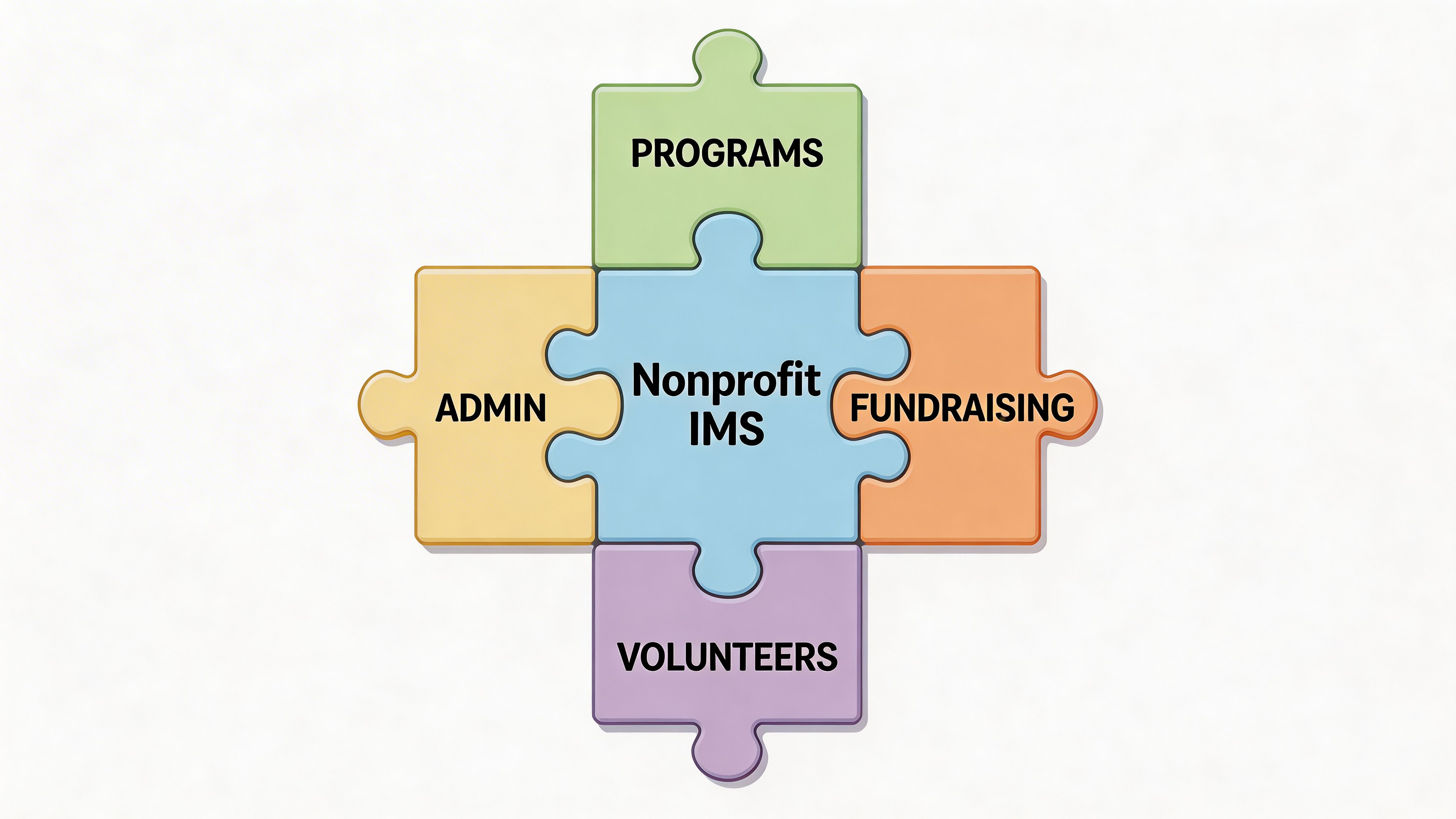
The formal version of an IMS uses a hierarchy aligned to the work breakdown structure, with Events, Accomplishments, Criteria, and Tasks to maintain vertical and horizontal traceability (reference). For nonprofit teams, I recommend translating that into four practical parts your staff can use without a glossary.
Milestones anchor the work
A milestone is a major finish line.
For a grant team, that might be:
- Application submitted
- Board approval completed
- Grant agreement signed
- Interim report delivered
- Renewal package ready
Milestones matter because they keep the schedule outcome-focused. Staff don’t just see a pile of tasks. They see what each task is building toward.
Tasks make the work visible
A milestone without tasks is just hope.
Tasks are the specific pieces of work that move a proposal or report forward. Examples include eligibility review, pulling program outcomes, drafting the budget narrative, gathering attachments, routing for approval, and uploading to the portal.
Here, many nonprofit systems break down. Teams track the final deadline but skip the detailed steps, so the schedule looks tidy while the work stays fuzzy.
Dependencies show the order that matters
A dependency means one task relies on another.
You can’t finalize a budget narrative until the budget numbers are settled. You can’t submit a report until program staff finish data collection. You shouldn’t send a proposal for signature until leadership review is complete.
When you map dependencies, hidden risks become visible. You stop treating every task as separate and start managing the sequence.
Field note: If your team says, “We’re waiting on one piece before we can move,” you’ve found a dependency that belongs in the schedule.
Resources answer the ownership question
Every task needs a real owner.
Not “development team.” Not “programs.” A person, or at minimum a clearly defined role. That’s how you prevent duplicate work and silent assumptions.
Resources in a nonprofit IMS often include:
- Program staff for impact data and delivery details
- Finance for budgets and cost narratives
- Development for writing, packaging, and submission
- Executive leadership for approvals and signatures
- Partners or volunteers for letters, documents, or supporting materials
When ownership is visible, capacity conversations get more honest. You can see when one person is carrying too many critical tasks at once.
Benefits of an IMS for Grant and Program Management
The main benefit of an integrated master schedule is predictability.
That may sound modest, but predictability changes how a nonprofit operates. It reduces deadline panic, improves cross-team coordination, and gives leadership a better way to judge what the organization can realistically pursue.
Better forecasting and calmer execution
The strongest proof point in the verified data comes from complex project environments. Honeywell reported greater than 95% forecast accuracy through disciplined IMS implementation, showing how an integrated schedule can support proactive execution and reduce risk (reference).
Most nonprofits won’t copy that environment directly. But the underlying lesson holds. When teams build one connected schedule and maintain it, they make fewer decisions in the dark.
That leads to practical advantages:
- Fewer last-minute scrambles: Staff know which tasks must start earlier than the deadline suggests.
- Stronger team communication: Programs, finance, and development work from the same operating picture.
- Clearer executive visibility: Leaders can see what’s at risk before a deadline passes.
- More reliable funder follow-through: Reports, renewals, and compliance tasks don’t sit in separate systems.
Capacity becomes visible
A nonprofit rarely has a shortage of worthy opportunities. It usually has a shortage of time and attention.
An integrated master schedule helps teams choose. If two applications are due close together and rely on the same program lead or finance reviewer, the conflict becomes visible early.
That’s especially useful when your organization is exploring new funding areas. For example, a team researching UK sports funding grants can use the same scheduling discipline to compare opportunity timing, document needs, and internal workload before committing to a new application path.
Grant management improves after submission too
Many nonprofits think scheduling ends when the proposal goes out.
In practice, some of the most important work starts after award. Reporting, compliance, renewals, and internal tracking all benefit from the same connected structure. This roundup of grant management best practices is useful if your team needs to tighten operations beyond the application stage.
A good integrated master schedule supports the full grant lifecycle. That’s where it becomes a management system, not just a deadline tracker.
How to Build Your First Grant Application IMS
Start with one grant. Don’t begin with your entire funding portfolio.
The fastest way to make the integrated master schedule useful is to apply it to a real application your team already plans to submit. That keeps the process grounded and prevents overdesign.
The governing principle is straightforward. All authorized work should be time-phased, linked by interdependencies, and assigned resources so you have a usable baseline for tracking performance (reference).
Step 1 to 3 for a clean first draft
Begin with the funder’s RFP or application instructions.
Pull out hard dates and required deliverables
Mark the submission date, internal approval date, attachment needs, budget requirements, and any partner commitments.Convert requirements into milestones
Examples include “eligibility confirmed,” “budget approved,” “narrative complete,” and “application submitted.”Break milestones into tasks
Keep tasks concrete. “Draft need statement” is better than “work on narrative.” “Collect letters of support” is better than “outreach.”
If your team currently works from a spreadsheet, this grant tracking spreadsheet template can be a practical starting point before you move into a more connected scheduling setup.
Step 4 to 6 for sequencing and ownership
Once the tasks exist, build the logic.
Identify dependencies
Ask, “What must happen first?” If the answer is yes, connect the tasks. Budget approval before budget narrative. Program metrics before outcomes section. Final review before upload.Assign one owner to each task
Shared responsibility sounds collaborative, but it often causes drift. Give each item one clear owner.Estimate duration in working days
Don’t overthink this. The first version just needs to be realistic enough to expose timing pressure and handoffs.
Here’s a simple example.
| ID | Task Name | Duration (Days) | Depends On | Resource |
|---|---|---|---|---|
| 1 | Review RFP and confirm eligibility | 2 | None | Development Director |
| 2 | Kickoff with program and finance | 1 | 1 | Executive Director |
| 3 | Gather program outcomes and participant data | 4 | 2 | Program Manager |
| 4 | Draft project narrative | 5 | 3 | Grant Writer |
| 5 | Build project budget | 3 | 2 | Finance Manager |
| 6 | Draft budget narrative | 2 | 5 | Finance Manager |
| 7 | Collect attachments and letters | 4 | 2 | Development Coordinator |
| 8 | Internal review and revisions | 2 | 4, 6, 7 | Executive Director |
| 9 | Final upload and submission | 1 | 8 | Development Director |
What to watch once the schedule is live
The moment you link tasks, you get better visibility.
You can see which items sit on the effective critical path. You can also see where a delay will cascade. If budget work slips, review slips. If review slips, submission is at risk.
That’s why teams that handle formal bids often invest in workflow discipline before they buy software. This overview of bid management software is useful if you want to compare how other deadline-driven teams organize submissions, approvals, and document control.
Don’t aim for a perfect schedule. Aim for one that reveals the next likely problem early enough to do something about it.
Common IMS Pitfalls in Nonprofits to Avoid
Most nonprofits don’t fail at the integrated master schedule because the concept is wrong.
They fail because they either make it too elaborate or too loose. I’ve watched both happen.

Making it too complex
A small team doesn’t need a DoD-style scheduling artifact.
If you build dozens of tiny tasks, too many status labels, and layers of administration, people will stop updating it. Keep enough detail to manage the handoffs that matter. Leave out the rest.
Setting it up once and never touching it
An integrated master schedule is a live management tool.
Grant work changes. Staff availability shifts. Funder portals go down. Partner documents arrive late. If the schedule isn’t updated, the team starts working around it, and then it loses credibility.
A simple weekly review often works better than an overly complex but stale system.
Ignoring resource constraints
This is one of the most common mistakes in nonprofits.
Leaders approve a proposal calendar without checking whether the same program lead is also preparing a board report, running an event, and closing out another grant. The schedule may look fine on paper while the people carrying it are overloaded.
Writing vague tasks
Tasks like “finish proposal” or “work on budget” don’t help.
Clear tasks create accountability. “Draft outcomes section,” “confirm match documentation,” and “obtain executive signature” are easier to assign, update, and troubleshoot.
The schedule should answer three questions quickly: What’s next, who owns it, and what’s blocking it?
Frequently Asked Questions About Nonprofit IMS
Is an integrated master schedule too complicated for a very small nonprofit
No. A small nonprofit usually needs a simplified version, not a full enterprise model.
If your team manages multiple grant deadlines, recurring reports, or shared staff dependencies, the integrated master schedule can help. Start with one application cycle and a short list of milestone-driven tasks.
How is this different from a Google Calendar
A calendar shows dates.
An integrated master schedule shows the relationships between tasks. It tells you that data collection must finish before drafting starts, and that drafting must finish before review can happen. That logic is what helps teams prevent deadline surprises.
How much time does it take to set up and maintain
The first version takes some focused setup time because you’re making hidden work visible.
After that, maintenance is mostly a discipline issue. Teams usually do best when they review the schedule at a regular cadence and update task status as part of normal grant operations, not as a separate administrative chore.
Can I use a spreadsheet instead of special software
Yes.
A spreadsheet can work well if your grant portfolio is still manageable and someone owns the updates. The limit appears when dependencies, approvals, and cross-team coordination become hard to track manually. At that stage, the team usually needs a more structured work management tool.
What’s the best first use case
Pick a grant that is important enough to matter but not so large that it overwhelms the team.
A single application with a budget, attachments, internal review, and a firm due date is usually the best starting point. You’ll learn quickly where your process is strong and where work goes missing.
From Chaos to Clarity Your Path Forward
The integrated master schedule sounds like a big-program term because it is. But the core idea is practical for nonprofits. Connect the work, assign the owners, map the dependencies, and keep the schedule current.
That shift changes grant management from deadline chasing to coordinated execution. Your team gets fewer surprises, better visibility, and more confidence in what it can deliver.
Start small. Build one grant application schedule. Use it, refine it, and let the system earn trust through daily work.
Fundsprout helps nonprofits put these ideas into practice with AI-powered grant planning, deadline tracking, proposal support, and compliance workflows built for real nonprofit teams. If you want a clearer way to find funding, organize applications, and keep every milestone visible from submission to renewal, explore Fundsprout.
Try 14 days free
Get started with Fundsprout so you can focus on what really matters.