Grant: Grant Tracking Spreadsheet Template to Manage your Grants Pipeline
Download our grant tracking spreadsheet template and easily manage your grants pipeline from prospecting to final reporting. Free and editable.

Abdifatah Ali
Co-Founder
Juggling grant deadlines, reporting requirements, and funder communications can feel like a constant scramble. If you’re not ready for costly software, a well-built grant tracking spreadsheet template is your best friend. It’s the perfect, accessible starting point for bringing order to the chaos and creating a single, reliable hub for your entire team.
Why A Spreadsheet Is Your Best First Step In Grant Tracking
For a lot of nonprofits—especially smaller shops or those just dipping their toes into grant-seeking—jumping straight to specialized software feels like a huge leap. The real, immediate need is just a simple, clear system to make sure nothing critical falls through the cracks.
I’ve seen it happen: a small arts organization nearly lost a multi-year grant because an interim report deadline was buried in an old email chain. That kind of preventable panic is far too common.
A grant tracking spreadsheet is your command center. It gives you a bird's-eye view of your entire funding pipeline, from the first spark of prospect research all the way to post-award reporting. By having one standard place to store information, you can finally stop the frantic search through old emails and random documents every time a board member asks for an update.

Establishing Your Foundational System
The biggest wins with a spreadsheet are accessibility and control. Chances are, everyone on your team already knows their way around Excel or Google Sheets, which means there’s no steep learning curve. This is huge for getting your system up and running fast.
The core advantages really boil down to this:
- No initial cost: You can get organized right now without needing a budget line.
- Complete customization: You can design columns and fields that perfectly match how your nonprofit works and the language you use.
- A single source of truth: All your key dates, contacts, and statuses live in one shareable, easy-to-find place.
A spreadsheet isn't just a list; it's the foundational building block for a disciplined and scalable fundraising operation. It enforces a process where none may have existed before.
Of course, spreadsheets have their limits. As you grow, the manual data entry can become a real time-sink. That's why the grant management software market is expanding so quickly—to solve those exact problems. But mastering a spreadsheet first is what builds the operational discipline you'll need for any system you adopt down the road.
Setting Up Your Grant Pipeline From Scratch
Okay, let's take that blank spreadsheet and turn it into the command center for your entire grant strategy. This isn't just about making a list; it's about building a living, breathing pipeline that shows you exactly where every single opportunity stands, from that first flicker of an idea to the final impact report. I'll walk you through how I set up my own grant tracking spreadsheet template, column by column, so you can build a system that genuinely works for your team.
A simple list of funders is better than nothing, but a true pipeline shows you momentum. The secret sauce is using status labels that mean something—that tell you what’s actually happening. This helps you ditch the useless "In Progress" tag that drives every development director crazy.
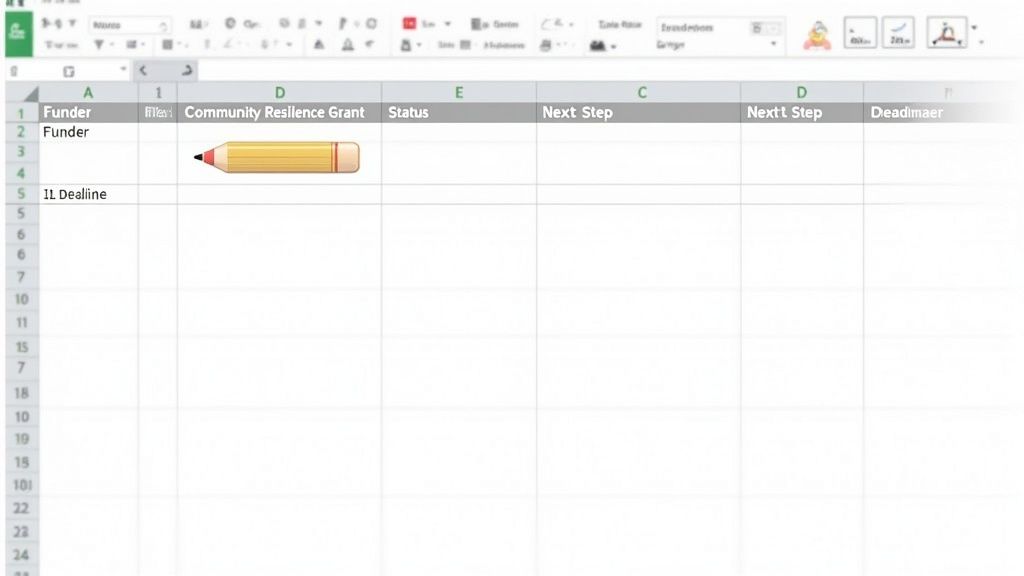
Defining Your Core Data Fields
Every column in your tracker should answer a crucial question. When you’re juggling 20 potential grants, you need to see deadlines, who’s responsible, and what’s next without having to dig. Don’t hesitate to add columns that are unique to how your nonprofit operates.
To get started, here’s a breakdown of the essential data points every nonprofit should track for effective grant management, complete with real-world examples.
| Critical Fields for Your Grant Tracking Template |
| :--- | :--- | :--- |
| Field Name | Purpose | Example Entry |
| Funder Name | The foundation or organization you're applying to. | The Evergreen Foundation |
| Grant Name | The specific funding opportunity. | Community Resilience Grant |
| Deadline | The hard-and-fast submission date. This is your most critical column! | 10/15/2024 |
| Requested Amount | How much money you're asking for. | $50,000 |
| Status | A clear, action-oriented stage in your workflow. | LOI Submitted |
| Next Step | The single most important task to move this grant forward. | Await response from Program Officer |
| Owner | The team member responsible for completing the "Next Step." | Sarah D. |
With these fields, a single line tells a complete story, which is exactly what you need when you're short on time.
Your spreadsheet is only as good as the data you put into it. The goal is clarity at a glance—anyone on your team should be able to open the file and understand the exact status of your entire grant portfolio in seconds.
Building An Action-Oriented Status Pipeline
Your "Status" column is the engine that powers this whole system. Forget vague terms. You need to create a workflow that mirrors the actual grant application journey. This is what transforms a static list into a powerful pipeline management tool.
A robust status workflow will give you a real-time overview. Here are the stages I recommend:
- Prospecting: You’ve found a potential funder but haven't vetted them yet. Checking a free grant database for nonprofits is a great way to fill this stage.
- Qualifying: You're actively digging in to confirm they're a good fit and that you meet the eligibility requirements.
- LOI Submitted: The Letter of Intent is in. Now you wait.
- Proposal in Progress: You got the green light! The team is actively writing the full proposal.
- Proposal Submitted: The application is officially off your desk and in the funder's hands.
- Awarded: Pop the champagne! The funding was approved.
- Declined: It happens. The application wasn't successful this time around.
- Report Due: For any awarded grants, this status signals an upcoming reporting deadline you can't miss.
This level of detail is a game-changer. It helps you accurately forecast your team's workload, spot bottlenecks before they become crises, and report progress to your board with total confidence. Instead of just saying, "we're working on grants," you can say, "we have three proposals in the works, four awaiting a decision, and we’re qualifying two new prospects this week." That kind of strategic clarity all starts with setting up your spreadsheet the right way from day one.
Making Your Grant Tracker Work For You
A static list of grants is a good start, but let's be honest—it's just a list. The real magic happens when you turn that list into a dynamic dashboard that actively helps you manage your pipeline. We're going to move beyond simple data entry and make your grant tracking spreadsheet template a true workhorse.
By setting up a few smart features, you can automate tedious tasks, cut down on manual errors, and get a crystal-clear picture of your funding landscape in seconds. These small tweaks will transform your tracker from a passive log into an intelligent assistant, saving you a ton of time. We’ll focus on three high-impact upgrades: visual status coding, data validation, and automatic financial calculations.
Use Conditional Formatting for At-A-Glance Status Updates
Are you tired of scanning a giant wall of text to figure out what’s been awarded or what’s still pending? This is where conditional formatting comes in. It’s a simple but powerful tool that automatically color-codes rows based on the grant's status, giving you an instant visual snapshot.
Think about your "Status" column for a second. You can create a rule that makes any row with the status "Awarded" immediately turn green. It’s a small thing, but that visual cue makes your wins pop, which is incredibly useful when you need to quickly show your board what's going well.
Setting it up is a breeze:
- First, select your entire data range—from the top-left cell to the bottom-right.
- In your spreadsheet tool, find the menu for
Format > Conditional formatting. - Create a rule that says if the text in the "Status" column is exactly "Awarded," the background color should be green.
- Then, just repeat the process for your other statuses. I like to use yellow for "Pending," red for "Declined," and maybe a light blue for "Report Due."
This simple change makes your tracker so much easier to digest, especially on those days when you're jumping from one task to another.
Create Dropdown Menus to Keep Your Data Clean
Inconsistent data entry is the bane of every grant manager's existence, especially when multiple people are updating the sheet. One person might type "Declined," while another writes "Rejected." These tiny differences will wreak havoc on your filters and formulas. The fix? Data validation, which lets you create dropdown menus.
This feature essentially "locks" a column—like your "Status" or "Funder Type" columns—so that users can only pick from a list you've already defined. This is a fundamental part of good grant management because clean, consistent data is the only way to get accurate reports. If you want to go deeper on this, exploring broader grant management best practices really highlights why this level of detail matters so much.
By standardizing inputs with dropdown menus, you eliminate guesswork and ensure every entry is clean and uniform. This single step is one of the most effective ways to maintain the integrity of your grant data over time.
Build Formulas to Instantly Calculate Your Key Metrics
Finally, it's time to let your spreadsheet do the math for you. Instead of pulling out a calculator every time your executive director asks for an update, you can build a few simple formulas that calculate your progress in real-time. I recommend putting these right at the top of your sheet to create a mini-dashboard.
Here are the three formulas I consider essential:
- Total Requested:
=SUM(D2:D100)(This assumes your requested amounts are in column D. Adjust the range as needed!) - Total Awarded:
=SUMIF(E2:E100, "Awarded", D2:D100)(This one is smart—it only adds up the amounts in column D if the corresponding status in column E is "Awarded.") - Success Rate:
=[Cell with Total Awarded] / [Cell with Total Requested](Just make sure you format this cell as a percentage.)
With these formulas in place, your tracker evolves from a simple list into a powerful analytical tool, giving you an immediate, high-level overview of your fundraising performance whenever you need it.
See the Entire Grant Lifecycle in a Single Place
Good grant management is so much more than just a to-do list for getting applications out the door. It's a living, breathing cycle. Your grant tracking spreadsheet should be the central nervous system for this whole process, taking you from the first spark of a potential funder all the way to filing that final report and hopefully, securing a renewal.
A truly effective system breaks the grant journey into clear, distinct stages. I’ve found the best way to do this is by using different tabs within the same spreadsheet. This creates a clean, logical flow that perfectly mirrors how grants actually move forward. It’s like moving a task card across a Kanban board, just inside your spreadsheet.
This little diagram shows a few simple but powerful upgrades that make this workflow much easier to manage.
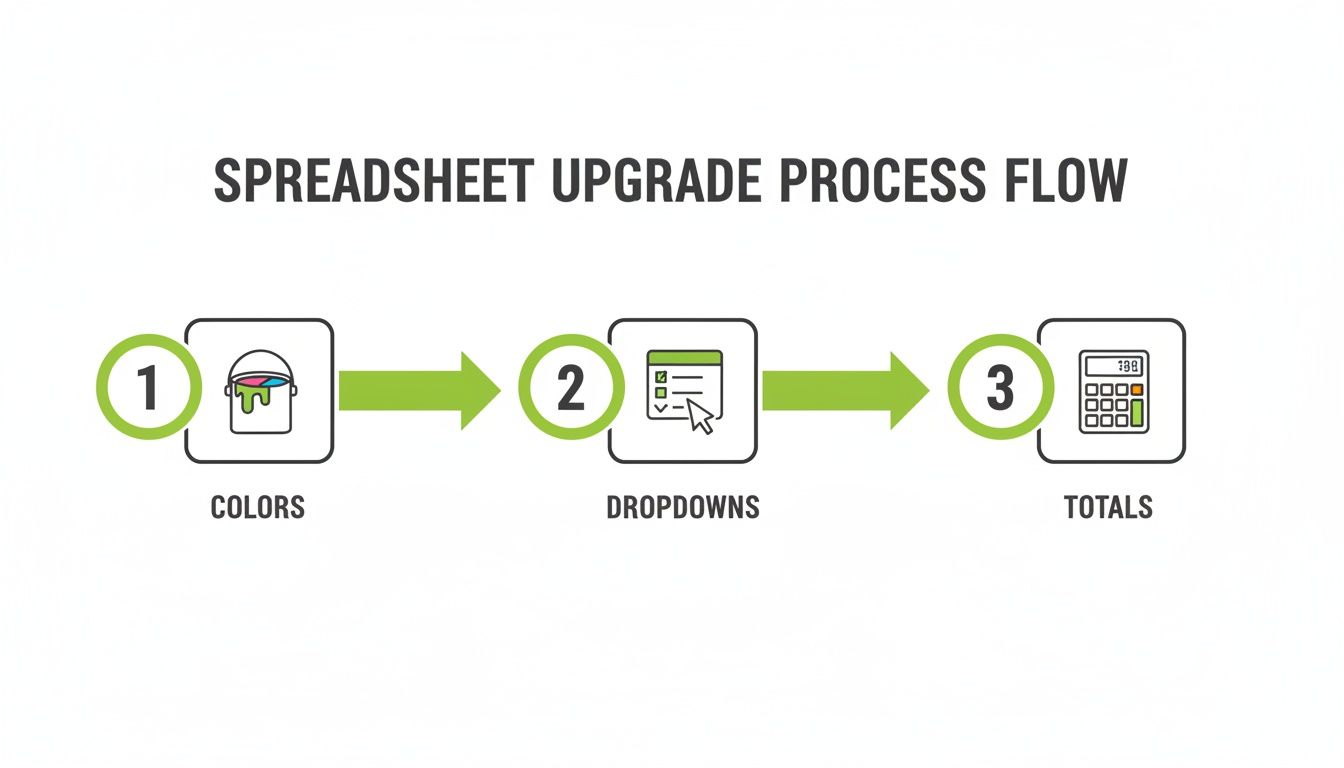
As you can see, layering in features like color-coding, dropdowns, and automatic totals builds a much smarter system. Each addition brings more clarity, turning a flat list of data into a tool you can actually use to make decisions.
From Prospecting to Active Applications
Start your workflow with a tab dedicated solely to "Prospects." Think of this as your brainstorming space for potential funders. You’ll want columns that help you quickly assess their alignment with your mission, jot down initial contact details, and make a rough guess at their potential funding level.
When you decide a prospect is worth pursuing, you’ll physically move that entire row over to a second tab: "Active Applications." This is your action zone. This tab is where you track the nitty-gritty details we’ve been talking about, using statuses like 'LOI Submitted' or 'Proposal in Progress.'
The key is to keep these two pipelines separate. Your prospecting list might swell to 50 or more names, but your active list needs to be a tightly focused group of your best shots. This separation is crucial for preventing overwhelm and keeping your team locked in on what needs to happen right now.
Managing Awarded Grants and Reporting
The second you get that "yes," the grant gets its own promotion. It graduates to a dedicated "Awarded Grants" tab. The job of this tab is completely different. The focus here shifts from the chase of securing funds to the crucial work of compliance and relationship management.
Here, you'll meticulously track every reporting deadline, log all communications with your program officer, and keep a close eye on spending against the budget. For any multi-year awards, this tab isn't just nice to have—it's absolutely essential for keeping complex schedules straight.
- Log Every Touchpoint: Keep a simple, running log of calls and emails with the funder. Note any key takeaways or action items that come up.
- Track Reporting Schedules: Set up columns for each required report (interim, final, etc.) along with their due dates. I highly recommend using conditional formatting to make upcoming deadlines pop with color.
- Analyze Feedback: Even a "no" is useful data. On your "Active Applications" sheet, add a column for "Funder Feedback" to capture any insights that could make your next proposal stronger.
This level of discipline is your best defense against compliance headaches. It's shocking, but some estimates show that nearly 20% of grants face issues simply because of missed interim reports. Using a well-structured template that visualizes these stages is critical for avoiding these simple but costly mistakes. If you want to dig deeper, you can find more insights about how grant tracking templates support compliance.
By managing the whole lifecycle in one place, your spreadsheet becomes more than a logbook. It becomes a strategic asset for your entire development team.
Knowing When You've Outgrown Your Spreadsheet
That grant tracking spreadsheet you’ve built is a lifesaver, especially in the early days. It’s free, familiar, and perfectly capable when you’re a small team juggling a handful of grants. But as your nonprofit scales and your funding pipeline gets more crowded, that trusty tool can start to feel less like an asset and more like an anchor.
Knowing when you've hit that tipping point is crucial for growing your fundraising efforts without letting important deadlines or relationships slip through the cracks.
The first and most obvious sign is the sheer volume of work. From my experience, trying to manage more than 50 active grant applications in a spreadsheet is where things start to break down. It becomes a real coordination nightmare. You’re suddenly dealing with version control issues, real-time updates are clunky at best, and the risk of someone accidentally deleting or overwriting critical information goes through the roof. At this stage, manual tracking isn't just inefficient—it actively slows you down.
Key Pain Points to Watch For
When your team is spending more time in the tracker than they are pursuing funding, you’ve got a problem. A good system should save you time, not become a time-suck itself. Keep an eye out for these tell-tale signs that it might be time for an upgrade:
- You Can't Get the Reports You Need: Leadership starts asking for sophisticated reports—like pipeline forecasting or a map of funder relationships—and you find yourself wrestling with pivot tables for hours just to get a basic snapshot.
- Compliance Becomes a Constant Worry: You're managing multiple federal or multi-year grants, each with its own labyrinth of reporting deadlines. Keeping track of it all without automated reminders and a clear audit trail feels like a high-stakes gamble.
- Collaboration Is Causing Confusion: Multiple people need to access and update grant information at the same time, leading to constant questions about who owns the next step or which entry is the most current.
If your weekly team meeting is spent just figuring out which version of the spreadsheet is the "real" one, you've officially outgrown it. The tool should provide clarity, not create another problem to solve.
This is a common growing pain, and it’s a big reason why the global grant management software market is projected to hit $7.44 billion by 2034. Think about it: when massive organizations like the NIH are processing over 60,000 applications annually, you can see why manual systems just can't keep up.
For a nonprofit managing fewer than 10 active funds, a spreadsheet is often the perfect fit. But beyond that, the lack of automation really starts to hurt. In fact, a 2024 survey showed that 40% of small nonprofits lose over 15 hours a week to manual data entry alone. That’s time that could be spent building relationships with funders, and it’s a key driver behind the growth you can see in grant management market trends.
Your Top Grant Tracking Spreadsheet Questions, Answered
Once you've got your grant tracking spreadsheet set up, the real work begins. As your team dives in, you'll inevitably run into those nitty-gritty questions that can make or break how useful the tool actually is. Getting these details right is the secret to turning a decent spreadsheet into the command center for your entire fundraising operation.
Let's walk through a few of the most common challenges I see nonprofits face and how to solve them.
How Do I Share This With My Team and Board Without Causing a Mess?
This is probably the first and most critical hurdle. The last thing you want is five different versions of your tracker floating around in emails, or a well-meaning board member accidentally sorting a column and scrambling all your data. Chaos.
The only real solution here is to use a cloud-based platform. I'm talking about Google Sheets or Excel Online. This ensures there is only one source of truth.
From there, you need to be strategic with permissions. Your core development team—the people in the trenches—will need full "edit" access to update deadlines, statuses, and notes. For board members, program staff, or anyone else who just needs to stay informed, give them "view only" access. No accidental deletions, no mess.
A pro tip for board reporting: create a separate "Dashboard" tab. This can be a clean, simple summary that pulls in the big numbers—like ‘Total Awarded’ or ‘Success Rate’—from your main data sheet using a few basic formulas. It gives them the high-level view they need without dropping them into the weeds.
What's the Best Way to Track Funder Relationships?
A grant tracker handles the what and when of an application, but we all know that successful fundraising is built on relationships. Jamming every phone call, email, and coffee meeting into your main tracking sheet, however, will make it completely unreadable.
My preferred method is to create a separate "Communications Log" tab. It's a simple but powerful way to keep a running history of every touchpoint.
Here’s what I include in that log:
- Date: When did you connect?
- Funder: Which organization?
- Contact Person: Who did you talk to?
- Type: A dropdown menu with options like Email, Call, Meeting, or Event.
- Key Takeaways: A quick note on what was discussed and any next steps.
Then, back on your main grant tracking tab, you can add a "Last Contact Date" column. A simple VLOOKUP or MAXIFS formula can pull the most recent date from your communications log for that specific funder. This gives you a clean, at-a-glance view of your engagement without cluttering up your primary workspace.
Your grant tracker should tell the whole story—not just the deadlines, but the human connections that are the real drivers of funding.
Can I Use This Template for Corporate Sponsorships, Too?
Of course! A well-designed tracker should be able to manage your entire revenue pipeline, not just traditional foundation grants. It’s all about a little customization.
The easiest way to do this is to add a "Funding Type" column with a dropdown menu. You can populate it with all your different revenue streams: ‘Foundation Grant,’ ‘Corporate Sponsorship,’ ‘In-Kind Gift,’ ‘Government Contract,’ etc.
When you're tracking a sponsorship or an in-kind donation, the "Amount" column can simply reflect the cash value or the fair market value of the contribution. This small tweak transforms your grant tracker into a comprehensive system, giving you a complete, holistic view of your entire fundraising landscape in one place.
Ready to move beyond the limitations of spreadsheets? Fundsprout uses AI to automate your entire grant workflow—from finding the perfect funders to writing winning proposals and managing compliance. See how you can save time and win more funding at https://www.fundsprout.ai.
Try 14 days free
Get started with Fundsprout so you can focus on what really matters.