Your Guide to the Federal Information Security Management Act FISMA
Master the federal information security management act fisma. Our guide helps nonprofits achieve compliance and secure federal funding in 2026.

Abdifatah Ali
Co-Founder
When you're running a nonprofit, seeing an acronym like FISMA in a grant agreement can be daunting. It sounds complex and bureaucratic, and frankly, like another hurdle between you and your mission.
So, let's cut through the noise. The Federal Information Security Management Act (FISMA) is essentially a set of security rules for any organization that handles U.S. government information. If you receive a federal grant, you're often handling data tied to that funding, which makes you responsible for protecting it.
Think of it this way: FISMA is the digital building code for federal data. Just as a building must meet safety codes to protect people, your organization must meet security standards to protect the information it manages. It’s not about adding red tape; it's about being a trusted steward of public funds and the data that comes with them.
From Legal Mandate to Funding Prerequisite
Understanding FISMA is no longer optional—it's directly tied to your ability to win and keep federal grants. When you can prove you have a solid plan for protecting information, you're not just checking a box. You're showing federal agencies that you're a reliable, professional partner worthy of their investment.
This mindset shift is key. Compliance isn't a barrier; it's a bridge to long-term financial stability.
FISMA compliance is your proof of performance. It’s the tangible evidence that shows you are a responsible steward of federal funds, building the trust needed to secure grant renewals and new opportunities.
Failing to secure this data can do more than just cause a technical headache. It can jeopardize your current funding, harm your reputation, and shut you out of future awards. By embracing FISMA's principles, you're building resilience and proving you’re ready for the big leagues of government funding. If you're actively looking for new sources of support, knowing these requirements is essential. You might find our guide on finding federal funding opportunities helpful.
To help you get started, here’s a quick overview of what FISMA’s core components mean for your day-to-day operations.
FISMA at a Glance for Nonprofits
| FISMA Component | What It Means for Your Nonprofit |
|---|---|
| System Inventory | You need a complete list of all hardware and software that touches federal data. |
| Risk Categorization | You must classify the data you handle based on its sensitivity (Low, Moderate, High). |
| Security Controls | You'll implement specific safeguards (technical, physical, administrative) based on the data's risk level. |
| Risk Assessments | This involves regularly identifying and evaluating potential threats to your systems and data. |
| Continuous Monitoring | You need to have processes in place to continuously check that your security controls are working. |
| Certification & Accreditation | This is the formal process of getting approval to handle federal data, proving you meet the standards. |
This table shows that FISMA is a structured, risk-based process—not just a vague directive to "be secure."
The Core Goal of FISMA
At its heart, FISMA is all about adopting a risk-based approach to security. It doesn't force a one-size-fits-all solution on every organization. Instead, the process is logical and scalable. It requires you to:
- Assess your specific risks: First, figure out what sensitive information you hold and what threats could realistically compromise it.
- Implement appropriate safeguards: Next, put security controls in place that are proportional to those risks. You don't need Fort Knox security for low-risk data.
- Continuously monitor effectiveness: Finally, you have to regularly check that your security measures are actually working as intended. Security isn't a "set it and forget it" task.
The law was updated in 2014 (and renamed the Federal Information Security Modernization Act) to put a much stronger emphasis on this continuous monitoring. The update also better aligned the requirements with the well-known NIST Cybersecurity Framework.
Don’t feel discouraged if this seems like a high bar. Even federal agencies are still working to get it right. The White House's FY23 FISMA Report noted that only a few agencies had achieved the highest level of maturity. You can explore the full government report on federal agency security performance to see just how high the standards are. For your nonprofit, the goal is to show a good-faith effort and steady progress toward meeting these requirements.
Navigating the NIST Risk Management Framework
If the Federal Information Security Management Act (FISMA) is the law telling you what to do—protect federal information—then the National Institute of Standards and Technology (NIST) gives you the instruction manual for how to do it.
Think of it this way: FISMA is the government order to protect your coastal home from a hurricane. NIST provides the step-by-step guide for boarding up the windows, reinforcing the foundation, and stocking the right supplies.
For anyone navigating FISMA, that guide is the NIST Risk Management Framework (RMF). It’s a structured, repeatable process that turns the vague goal of "being secure" into a series of logical, manageable steps for managing risk across your entire organization.
The RMF as Your Action Plan
The RMF can look intimidating and technical at first glance, but its core logic is actually quite simple. It’s designed to break the huge task of cybersecurity into a lifecycle you can follow. This approach makes sure your security efforts are not only comprehensive but also cost-effective and tied directly to the real-world risks your nonprofit faces.
Here are the key stages of the RMF, translated into a practical process:
- Prepare: This is the groundwork. It's where you get your organization ready to manage risk by defining roles, hammering out a risk management strategy, and getting a clear picture of your specific compliance duties.
- Categorize: Next, you have to figure out how sensitive the federal information you handle really is. You'll categorize your information systems based on the potential impact—low, moderate, or high—if a security breach were to happen.
- Select: Based on that category, you choose an initial set of security controls from the massive catalog in NIST Special Publication 800-53. These are the specific safeguards and countermeasures you’ll need to put in place.
- Implement: Time to get your hands dirty. This is where you actually implement the controls you selected. It could mean anything from configuring software and updating network settings to writing new security policies and training your team.
- Assess: Once the controls are in place, you have to check your work. This step involves testing and reviewing the controls to make sure they are implemented correctly and are actually effective.
- Authorize: A senior official in your organization reviews the assessment results. They then make a formal decision to authorize the system to operate, officially accepting whatever residual risk remains.
- Monitor: Security isn’t a one-and-done project. This final, ongoing step involves continuously monitoring your controls, keeping an eye out for new risks, and regularly reporting on your security posture.
This flowchart shows how following FISMA's data protection requirements is a direct pathway to securing federal funding.
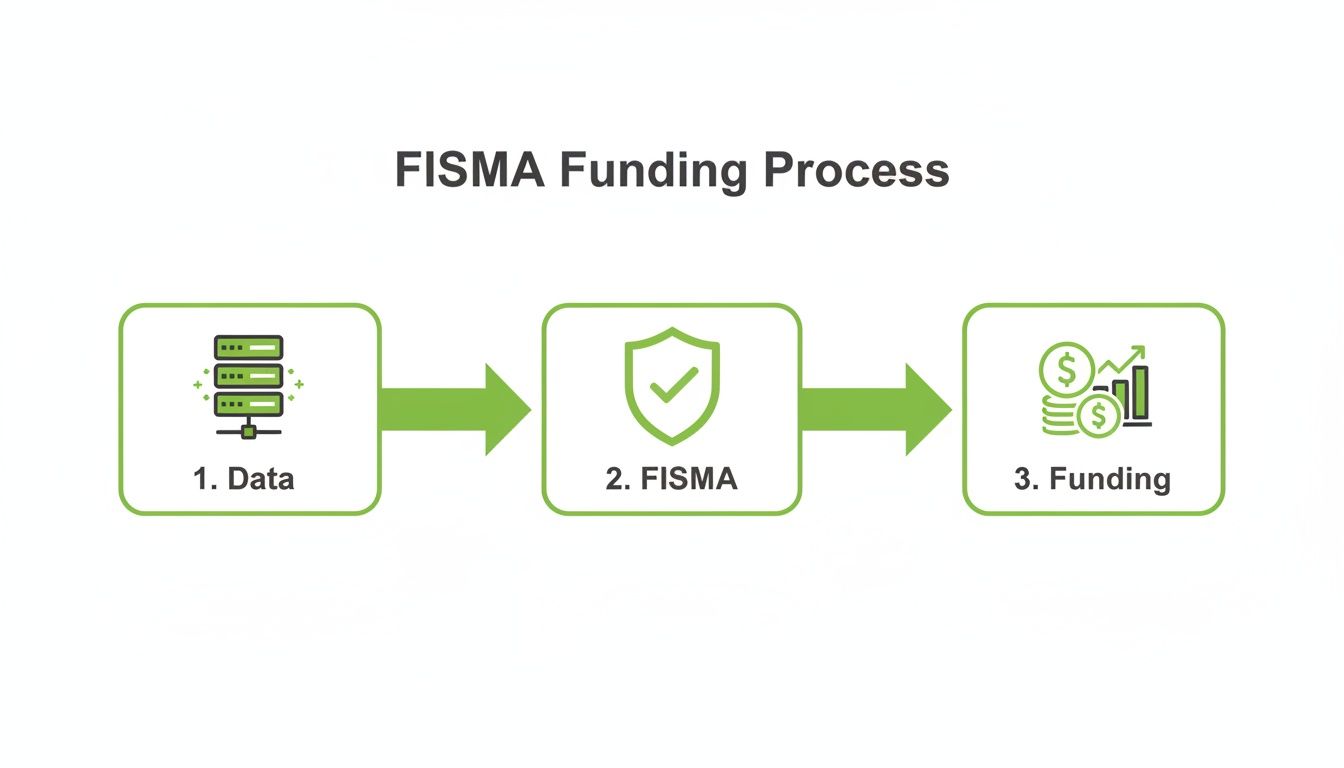
The path from data to compliance to funding makes it clear: security isn't just a hurdle, it's a fundamental part of the grant lifecycle.
From Theory to Practical Application
Following this framework is how you build a security program that works in the real world and holds up under the scrutiny of an audit. While the list of security controls in SP 800-53 is long, it gives you clear instructions. To make sense of it all, many organizations lean on a good NIST 800-53 compliance guide to turn the technical standards into a checklist they can actually use.
The RMF transforms cybersecurity from a guessing game into a methodical practice. By following its steps, you build a resilient program that protects your data and demonstrates due diligence to funders.
Don't be discouraged if it seems tough—even federal agencies struggle. Since 2014, Inspector General audits have consistently found gaps. For example, a recent audit rated the Department of Labor 'not effective' in key areas like identifying threats and protecting data, citing weaknesses in access controls. The goal for a nonprofit isn't instant perfection. It's about showing you have a structured plan and are committed to continuous improvement, which is exactly what the RMF helps you do.
Your Five Core FISMA Compliance Processes
Tackling the Federal Information Security Management Act (FISMA) can feel overwhelming. The key is to break it down into a practical, repeatable plan. Instead of seeing it as one giant legal hurdle, think of it as a cycle of five core processes. This approach turns an abstract requirement into a concrete series of actions your nonprofit can follow to protect sensitive data and prove your diligence to funders.
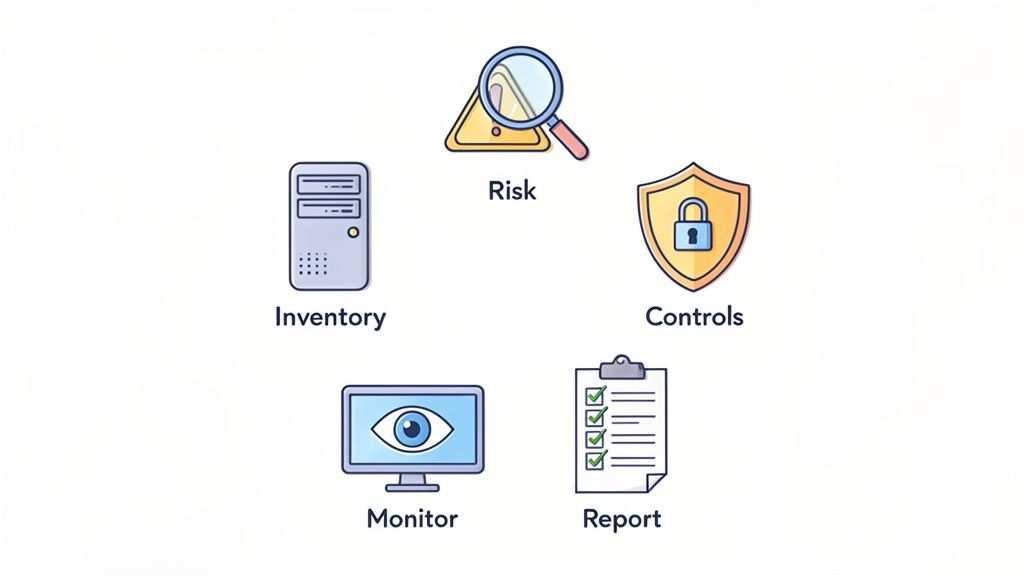
This framework gives you a clear path forward, starting with what you have and ending with how you prove it's protected. Let’s walk through each of these five essential steps.
1. Create Your System Inventory
You can't protect what you don't know you have. It's an old saying, but it's the absolute foundation of any good security program. The first step is to create a thorough system inventory. This is basically a census of every digital asset that stores, processes, or transmits information related to your federal grant.
Think beyond just the obvious, like laptops and servers. Your inventory needs to be comprehensive and should include:
- Hardware: Laptops, desktops, servers, and any mobile devices used for work.
- Software: All applications, operating systems, and databases.
- Cloud Services: Where does your data live in the cloud? Think platforms like Google Drive, Microsoft 365, or specialized database software.
- Network Connections: A basic map of how these systems connect to each other and the internet.
This inventory becomes the map for your entire FISMA compliance effort. Without it, you’re flying blind.
2. Conduct a Comprehensive Risk Assessment
Once you know what’s in your digital "house," the next step is to find the weak spots. A risk assessment is like having a professional inspector check for unlocked doors, open windows, or an outdated alarm system. It's all about identifying your vulnerabilities.
This process involves looking at each item from your inventory and asking some tough questions. What are the potential threats? What would be the real-world impact if this system were compromised? Based on the answers, you’ll categorize the risk level for each system as Low, Moderate, or High, depending on how sensitive the data is. This categorization is a cornerstone of the Federal Information Security Management Act (FISMA) and dictates how much security you'll need to apply.
3. Implement Appropriate Security Controls
Now that you have a clear picture of your risks, it's time to install the right "locks and alarms." This step is all about implementing security controls—the specific safeguards you put in place to address the risks you just identified.
These controls aren't one-size-fits-all. They are selected from the NIST 800-53 catalog based on the risk level you assigned to your systems. For a small nonprofit, this might include a practical mix of:
- Technical Controls: Enforcing strong password policies, using antivirus software, and encrypting sensitive files.
- Administrative Controls: Creating an Acceptable Use Policy for employees and conducting annual security awareness training.
- Physical Controls: Simply locking the server room and ensuring visitor access is controlled.
The goal here is to apply security measures that are proportional to the risk. This ensures you focus your limited resources where they'll have the biggest impact.
4. Establish Continuous Monitoring
Cybersecurity isn't a one-and-done project; it’s more like a constant patrol. Continuous monitoring is the ongoing process of checking to make sure your security controls are working as intended and adapting to new threats as they appear.
This means you’re actively looking for signs of trouble, reviewing system logs for unusual activity, and running periodic vulnerability scans. It's about creating a living security program that evolves over time.
“Continuous monitoring transforms compliance from a static, point-in-time snapshot into a dynamic, ongoing process. It’s the difference between checking the locks once and regularly patrolling the perimeter.”
This is also where many organizations stumble. While FISMA's strict reporting has driven major federal cybersecurity investments, government audits often reveal gaps between policy and practice. One audit found that continuous monitoring was ineffective simply because operators failed to follow up on known issues. This is a critical lesson: your processes must be actively managed, not just documented. You can learn more from these FISMA implementation findings-Implementation-Process-%5BCIO-IT-Security-04-26-Rev-4%5D.pdf) to avoid common pitfalls.
5. Report on Your Security Posture
The final step is creating the paper trail that proves your hard work to funders. Reporting is how you document your inventory, risk assessment findings, security controls, and monitoring activities. This documentation is your evidence of compliance.
Your two most important reports will be the System Security Plan (SSP), which describes your entire security program, and the Plan of Action & Milestones (POA&M), which lists identified weaknesses and your concrete plan to fix them. These documents show federal agencies that you're a responsible steward of their information, building the trust needed to secure future funding.
Achieving FISMA Readiness on a Nonprofit Budget
When you're running a nonprofit without a big IT team or a ton of cash, the Federal Information Security Management Act (FISMA) can feel like an impossible mountain to climb. But here's the good news: you don't need an army of security experts to get started. The secret is to take it one step at a time, focusing on practical actions that give you the biggest bang for your buck.
You can start showing funders you’re taking this seriously right now. Instead of trying to boil the ocean, just focus on what you can control today. Progress, not perfection, is the name of the game.
Start with Data Mapping
Your first, most critical move is a simple data mapping exercise. Before you can protect your grant-related data, you have to know where it is and how it moves around. This isn't some complex technical audit—it's a fact-finding mission that any program manager can lead.
Just grab a whiteboard or a spreadsheet and start answering these questions for each of your federally-funded projects:
- Where is the data first created? (e.g., On a field staffer's laptop, in a web form)
- Where is it stored? (e.g., A shared Google Drive, a folder on the office server)
- Who can access it? (e.g., Just the project team, all staff, an external partner)
- How is it shared? (e.g., Through email attachments, a Slack channel, a cloud link)
This simple process creates an inventory and a map of your risk areas. It answers the "what" and "where," so you can then figure out the "how" of securing it all.
Let Secure Cloud Services Do the Heavy Lifting
One of the smartest moves a budget-conscious nonprofit can make is to offload some of the security work. Instead of trying to lock down an old server in a closet, it’s often easier and safer to use well-known cloud services that have security built right in.
Platforms like Microsoft 365 or Google Workspace spend millions on security and can give you enterprise-grade protection for a fraction of the cost. Look for features like multi-factor authentication (MFA), data encryption, and detailed access controls. Using them is a huge practical step toward aligning with the principles of FISMA.
The NIST Cybersecurity Framework, which was recently updated to version 2.0, offers a fantastic roadmap for organizing this work into six core functions.
The addition of the "Govern" function in CSF 2.0 really drives home the point that cybersecurity isn't just an IT problem—it's a leadership responsibility. Even a small nonprofit can embrace this by creating clear policies and making security a regular topic of discussion.
Create Your Foundational Security Documents
Documentation doesn't have to be a 100-page binder to be useful. You can make a huge impact with two straightforward documents that prove to funders you're not just winging it.
- Acceptable Use Policy (AUP): This is just a simple set of rules for your team. It covers the basics, like how to create strong passwords, what not to click on, and how to handle sensitive information properly.
- Basic Incident Response Plan: What do you do when something goes wrong? This is your playbook. It can be as simple as defining who gets the first phone call, how to take an infected computer offline, and what to tell stakeholders.
A well-documented plan, no matter how basic, is infinitely better than having no plan at all. It demonstrates foresight and responsibility to federal grantors.
Your Team Is Your Best Defense
Finally, one of your most powerful and cost-effective security measures is staff training. We're all human, and mistakes happen—in fact, human error is behind a huge number of security breaches.
Training your team to spot phishing emails, use strong passwords, and think before they click empowers them to be your first and best line of defense. This is far cheaper than cleaning up after a data breach. You can find plenty of free or low-cost cybersecurity awareness training online. Investing just a few hours into education can prevent a world of hurt and show funders you're building a culture of security from the ground up.
As you look to invest in better tools, you may be able to get help with the cost. To learn more, check out our guide on finding nonprofit technology grants.
Building Your Essential FISMA Audit Trail
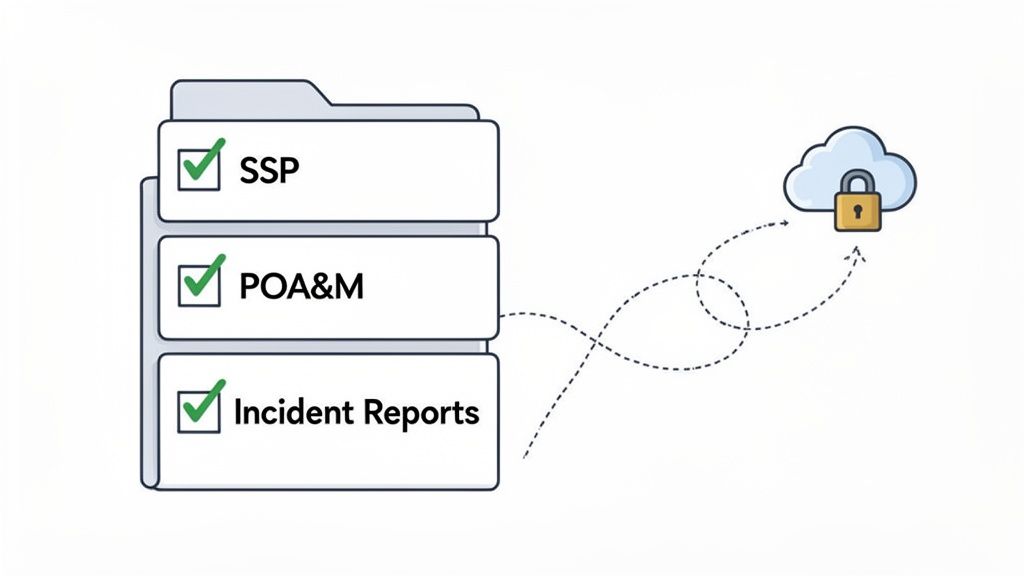
Let's be honest, documentation can feel like a chore. But when it comes to Federal Information Security Management Act (FISMA) compliance, your paperwork is your most powerful tool. It’s not just about ticking boxes; it's about creating an audit trail—the clear, organized evidence that proves you’re a responsible steward of federal information.
Think of it this way: when a federal funder asks how you're protecting their data, these documents are your answer. They demonstrate that you have a plan, you're actively managing risks, and you're ready to handle incidents. This paper trail is absolutely essential for securing grant renewals and building trust.
The System Security Plan: Your Program Blueprint
The cornerstone of your audit trail is the System Security Plan (SSP). This is the master blueprint for your entire security program. It’s a living document that explains exactly how your organization's security controls meet the specific requirements of FISMA.
Your SSP shouldn't be a dry, technical manual collecting dust on a shelf. It’s a strategic document that connects your security efforts directly to your mission, detailing how you safeguard the information vital to your federally-funded work.
A solid SSP clearly lays out:
- The system’s purpose and a description of the information it handles.
- The outcome of your risk categorization (Low, Moderate, or High).
- A detailed rundown of every security control you have in place.
- The roles and responsibilities of the people who manage and protect the system.
This plan is the main piece of evidence you'll present to funders, proving you have a structured and thoughtful approach to security.
The POA&M: Your To-Do List for Improvements
No security program is perfect, and that’s okay. The Plan of Action & Milestones (POA&M) is the document that shows you know this and are doing something about it. In simple terms, it's your prioritized to-do list for fixing security weaknesses you find during risk assessments.
Think of it as your roadmap for continuous improvement. Every time you uncover a vulnerability—whether it's an unpatched server or a gap in employee training—it gets logged in the POA&M.
A well-maintained POA&M is actually a sign of a mature security program. It tells funders that you’re not just finding risks, but you're also actively working to fix them. It’s all about transparency and accountability.
For each weakness, your POA&M should track:
- A clear description of the vulnerability.
- The resources needed to resolve it (time, budget, personnel).
- A realistic timeline for completion, including key milestones.
- The specific person or team responsible for getting it done.
Auditors and federal program officers love to see a healthy POA&M. It turns potential weaknesses into proof of a proactive, responsive security culture. Preparing for an audit can feel daunting, but having these documents in order makes it far more manageable. To get a better handle on the process, you can learn more about how to prepare for an audit for a small organization.
Incident Response Reports: Your Proof of Preparedness
The final critical piece of your audit trail is your collection of Incident Response Reports. These documents are your after-action reviews, showing what you did when a security event—like a data breach or malware attack—actually happened.
A good report walks through the entire incident, from the moment it was detected and contained to how it was eradicated and what you did to recover. This documentation proves you have a tested plan and can respond effectively under pressure. It gives funders confidence that even when things go wrong, you have the processes to minimize damage and learn from the experience, making your nonprofit stronger in the long run.
Key FISMA Compliance Documents
To help you get started, here’s a quick summary of the essential documents your nonprofit needs to demonstrate FISMA readiness to federal funders. Having these prepared will put you on solid ground.
| Document Name | Purpose | Who Is Responsible? |
|---|---|---|
| System Security Plan (SSP) | The master blueprint that describes your security program and all the controls in place. | IT/Security Team Lead, with input from Program Managers. |
| Plan of Action & Milestones (POA&M) | A living document that tracks identified weaknesses and the plan to remediate them. | Security Officer or designated compliance lead. |
| Incident Response Reports | Detailed records of security incidents, from detection to resolution and lessons learned. | Incident Response Team or designated security personnel. |
These three documents form the narrative of your security efforts. They tell a story of diligence, accountability, and resilience that federal agencies want to see from their partners.
Frequently Asked Questions About FISMA
Let's be honest, navigating the Federal Information Security Management Act (FISMA) can feel overwhelming, especially if you're a nonprofit leader without a dedicated cybersecurity team. Here are some straightforward answers to the questions we hear most often from grant managers and executive directors.
Does FISMA Apply to My Small Nonprofit?
More often than not, yes. If your federal grant involves handling any kind of government data, those security requirements almost always get passed down to you.
Your grant agreement will have the specifics, but it's always smart to assume you need to protect that data to a high standard. Taking this proactive stance is one of the best ways to ensure you stay eligible for future funding and get those crucial renewals.
What Is the First Step for FISMA Compliance?
Before you do anything else, you need to create a system inventory. It’s a simple but powerful concept: you can't protect what you don't know you have.
This just means making a list of every single place grant-related data lives or is accessed. Think laptops, cloud services like Google Drive or Dropbox, and any servers you might use. This inventory is the absolute foundation of your entire security plan.
Your system inventory is the map for your entire security program. Without it, you are trying to secure your organization's data while flying blind. This foundational step is non-negotiable for real compliance.
How Can We Manage FISMA Without an IT Department?
You don't need a huge IT department to get started. The key is to take a risk-based approach and focus on the fundamentals first.
- Create simple security policies: Write down the rules for how your team should handle data.
- Train your staff: Teach everyone basic cybersecurity hygiene, like how to spot phishing emails and use strong passwords.
- Use secure tools: Stick with reputable cloud platforms that have strong, built-in security features.
Most importantly, write down every step you take. The goal isn't perfection overnight. It's about showing funders you’re taking this seriously and making continuous improvements. Progress is what really counts.
Do We Really Need a Plan of Action & Milestones?
Yes, you absolutely do. The Plan of Action & Milestones (POA&M) is a non-negotiable part of the process. Think of it as your roadmap for fixing security gaps.
After a risk assessment finds weaknesses, you list them in the POA&M. For each item, you'll detail how you plan to fix it, who is responsible, and the deadline for getting it done. Funders look at this document as proof that you’re actively managing your security risks.
When building your audit trail, implementing an effective and auditable framework for compliance is essential, and the POA&M is a central piece of that puzzle. It shows you're not just finding problems—you're actively solving them.
Fundsprout is an AI-powered grant success platform designed for mission-driven nonprofits. From finding the right federal opportunities to maintaining your audit trail for compliance, we provide the tools to help you secure and manage funding with confidence. Learn how you can streamline your grant lifecycle at https://www.fundsprout.ai.
Try 14 days free
Get started with Fundsprout so you can focus on what really matters.