What Is OSD? Guide to Grant Funding Terms
Learn what is OSD for grant applications. Understand its meanings, like Office of the Secretary of Defense, and how OSD impacts your funding chances in 2026.


Abdifatah Ali
Co-Founder
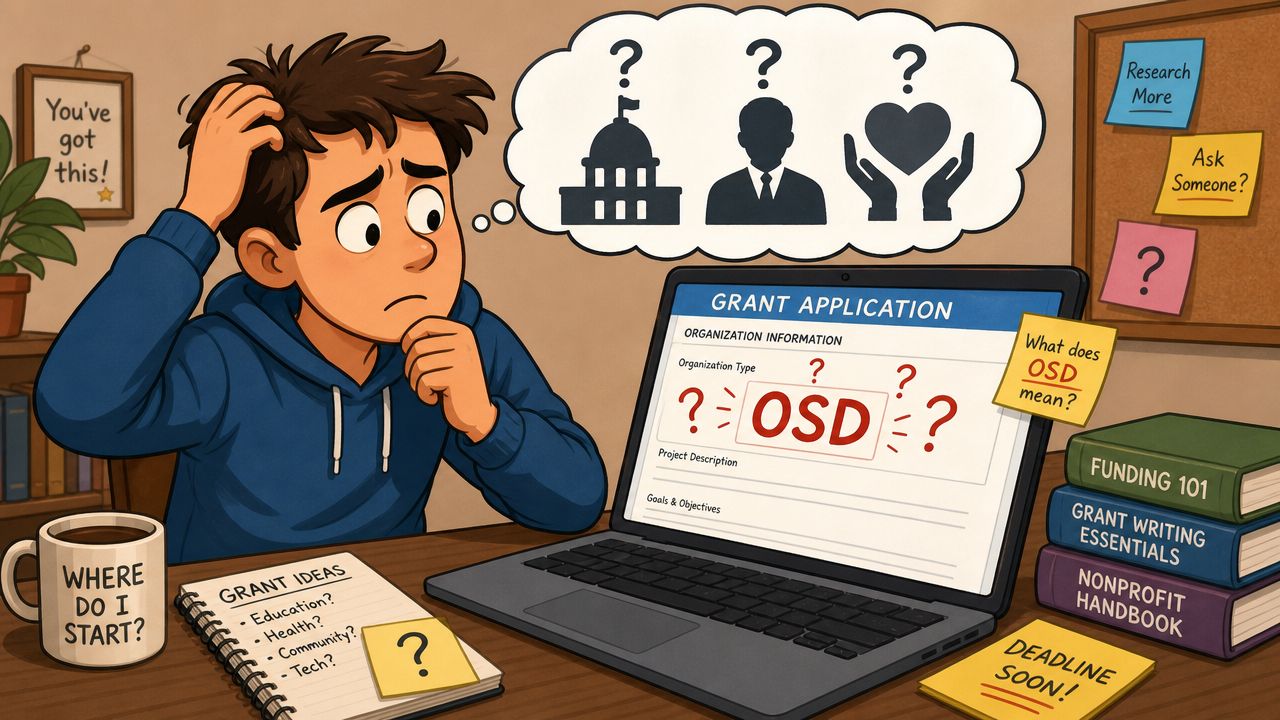
You open a promising grant document, skim the eligibility section, and then hit a small but stopping phrase: OSD. That's often the moment a good application slows down. You don't know whether you're looking at a federal office, a technical requirement, or an acronym that means something completely different in another field.
That confusion is normal. Acronyms in funding documents work like street signs with missing arrows. The letters are real, but without context, they don't tell you where to go. If you searched “what is OSD,” you probably noticed the problem right away. Search results often jump to electronics, while funding documents may be pointing to government or regulatory language instead.
For nonprofit teams, the practical question isn't just what OSD means in general. It's which OSD applies to this document, this agency, and this next decision. That's the difference between moving forward confidently and wasting time following the wrong interpretation.
That Confusing Acronym in Your Grant Application
A new nonprofit director might see OSD in a request for proposals and assume it must be a technical compliance term. A program manager might think it's a federal office. A development lead might open three browser tabs and come back with three different answers.
That happens because OSD is highly ambiguous, and many existing explanations define only one meaning without helping readers decide which one fits their situation, as noted in this discussion of the OSD content gap. In grant work, that's not a small issue. It can affect how you read eligibility, who you think the funder is, and whether you understand the scope of the opportunity.
Why one definition isn't enough
If you're reading a grant notice, “what is OSD” isn't really a dictionary question. It's a context question.
Consider the word “board.” In one room, it means a board of directors. In another, it means a piece of wood. In a third, it means getting on a plane. The right meaning comes from the setting, not the letters alone.
Practical rule: When an acronym appears in a funding document, don't define it first. Identify the document's setting first.
That simple shift saves time. Before you click the first search result, look at the issuing agency, the program title, and the surrounding terms. If the document comes from a defense-related office, OSD likely has one meaning. If it appears in a technology equipment specification, it likely has another.
The nonprofit angle
Nonprofit leaders run into this more often than they expect because grant documents pull language from multiple worlds at once. A single application packet can include program guidance, compliance requirements, technology instructions, and references to federal offices. That mix creates perfect conditions for acronym confusion.
The good news is that OSD is very learnable once you know how to sort the possibilities.
Unpacking the Most Common OSD Meanings
The easiest way to understand OSD is to stop treating it like one thing. It's more like a shared last name used by people in different professions. Same letters. Different jobs.
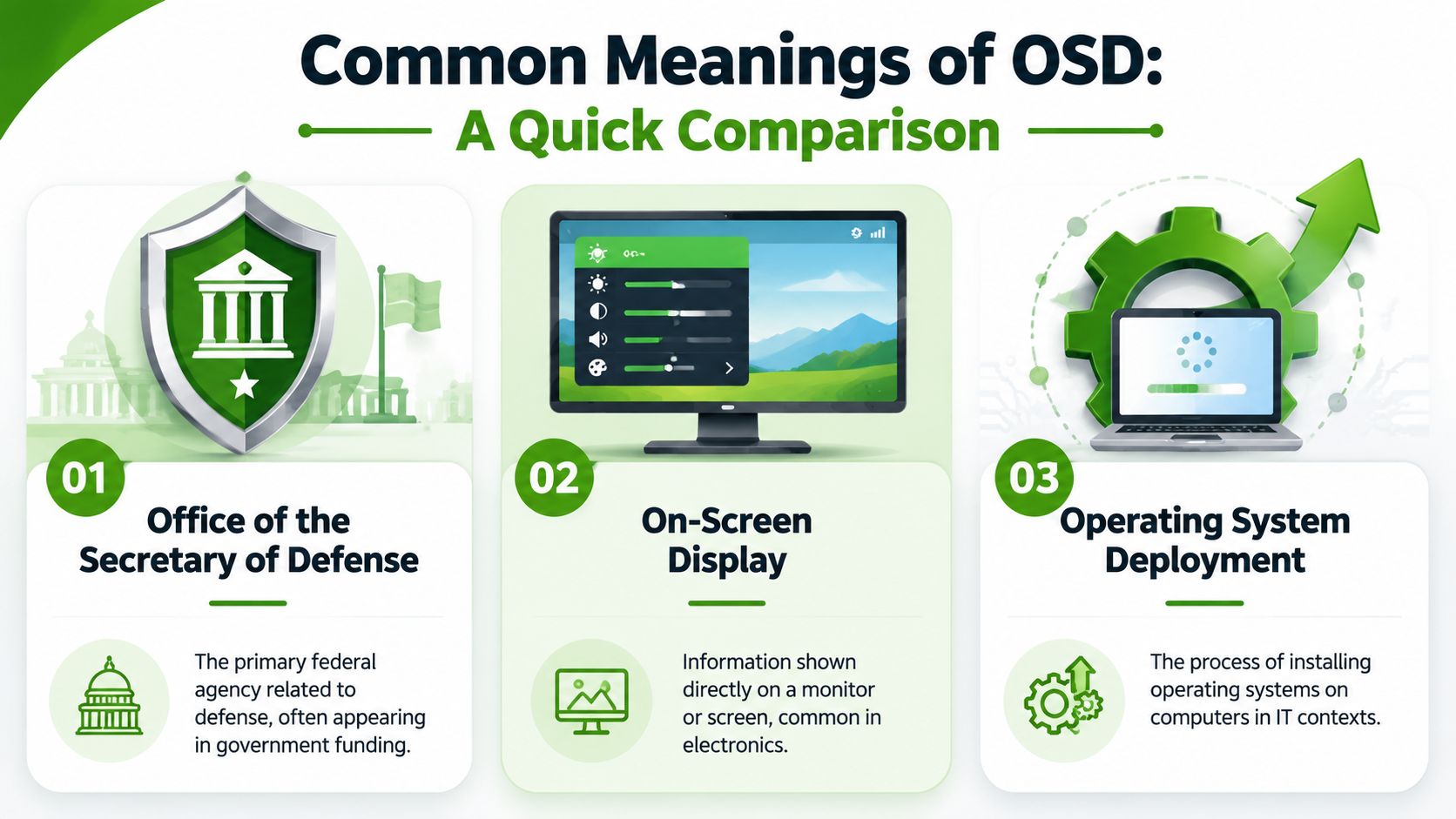
The quick comparison
| Acronym | Full Name | Field / Industry | What It Is |
|---|---|---|---|
| OSD | Office of the Secretary of Defense | U.S. government, federal funding, defense | A headquarters-level civilian staff inside the Department of Defense |
| OSD | On-Screen Display | Consumer electronics, hardware | The on-screen overlay used to adjust settings on devices |
| OSD | Operating System Deployment | IT, device management | The process of installing operating systems on computers |
On-Screen Display in electronics
In digital hardware, OSD commonly stands for On-Screen Display, which is the overlay menu used on monitors, televisions, projectors, cameras, and smartphones to adjust settings like brightness, contrast, input source, resolution, and color, according to this explanation of on-screen display in consumer electronics.
This is the meaning many people see first because it's common in everyday devices. If you've ever pressed the menu button on a monitor and watched a settings box appear on screen, you've used an OSD.
That's useful knowledge, but for many nonprofits reading federal opportunities, it's also a distraction. A search engine may serve you monitor settings when what you really need is help decoding a government acronym.
Office of the Secretary of Defense in government
In federal and defense contexts, OSD means the Office of the Secretary of Defense. This is usually the meaning that matters most when a nonprofit sees OSD in a government-related funding document, especially one tied to defense policy, military communities, research, readiness, or national security.
A quick clue is the surrounding language. If the document mentions the Department of Defense, service members, military families, defense priorities, or secretary-level oversight, you're not dealing with a monitor menu.
OSD in a grant document should be read the same way you read an unknown job title. You look at the organization chart around it, not just the letters.
Other meanings that can still appear
OSD also shows up in other technical fields. One example often mentioned in search coverage is Object Storage Device in Ceph and related software discussions. In IT circles, people may also use OSD for Operating System Deployment.
The lesson isn't that you need to memorize every expansion. The lesson is simpler. The acronym has multiple valid meanings, so the first search result isn't automatically the right one for your funding search.
For nonprofit teams, that's the whole point of disambiguation. You're not trying to become an expert in every field. You're trying to avoid a wrong turn.
OSD and Federal Funding for Nonprofits
When OSD appears in a defense-related grant context, the meaning you usually need is Office of the Secretary of Defense.
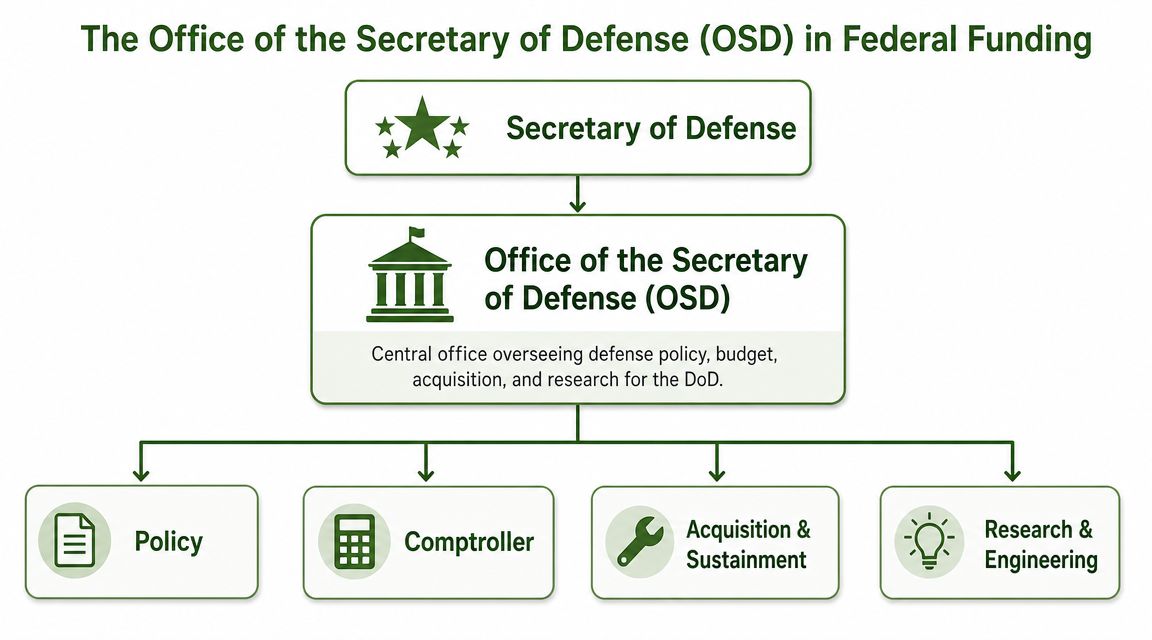
According to the Office of the Secretary of Defense overview, OSD is the headquarters-level civilian staff for the Department of Defense. It supports the secretary in policy development, planning, resource management, fiscal oversight, and program evaluation. It includes the immediate offices of the secretary and deputy secretary, plus under-secretary offices for areas such as research and engineering, acquisition and sustainment, policy, comptroller, personnel and readiness, and intelligence and security.
Why a nonprofit might see OSD at all
At first glance, some nonprofit leaders assume anything tied to defense must be meant only for military contractors. That's too narrow.
Nonprofits may encounter OSD-connected opportunities when their work overlaps with military families, veterans, behavioral health, resilience, education, research partnerships, community services, or policy-focused initiatives. Even when your organization isn't “defense-facing” in its identity, your program might align with a defense-related funding stream or a collaboration that sits within that wider ecosystem.
A practical example helps. If your organization supports caregiver services near a military installation, runs workforce transition programming, or participates in applied research with universities, you may see OSD language because the opportunity sits inside a Department of Defense structure.
What OSD signals in a funding document
When a notice refers to OSD, it often tells you something about authority and alignment. It suggests the program is connected to higher-level defense administration rather than a local office or a generic federal label.
That matters because your proposal strategy changes. You'll likely need to read the opportunity with more attention to policy fit, official priorities, and administrative requirements. This is also where strong internal controls matter. Teams handling federal applications often need clean approvals, documentation, and role clarity, much like the broader discipline of protecting your company's assets through sound internal controls and oversight.
Key takeaway: In funding language, OSD usually tells you where the decision-making frame sits. It points upward to defense leadership and structure.
How to research it without getting lost
Start with the funding office named in the notice, then identify whether OSD is the direct issuer, a parent office, or part of the oversight chain. After that, map your work to the office's priorities and vocabulary.
If your team needs a broader grounding in the federal environment before going deeper, this guide to federal grants for nonprofits is a useful companion. It helps place defense-related opportunities within the larger federal funding environment.
How to Decode OSD in Funding Documents
Once you know OSD can mean different things, the next step is learning how to identify the right one quickly. Experienced grant readers distinguish themselves through this. They don't guess. They gather clues.
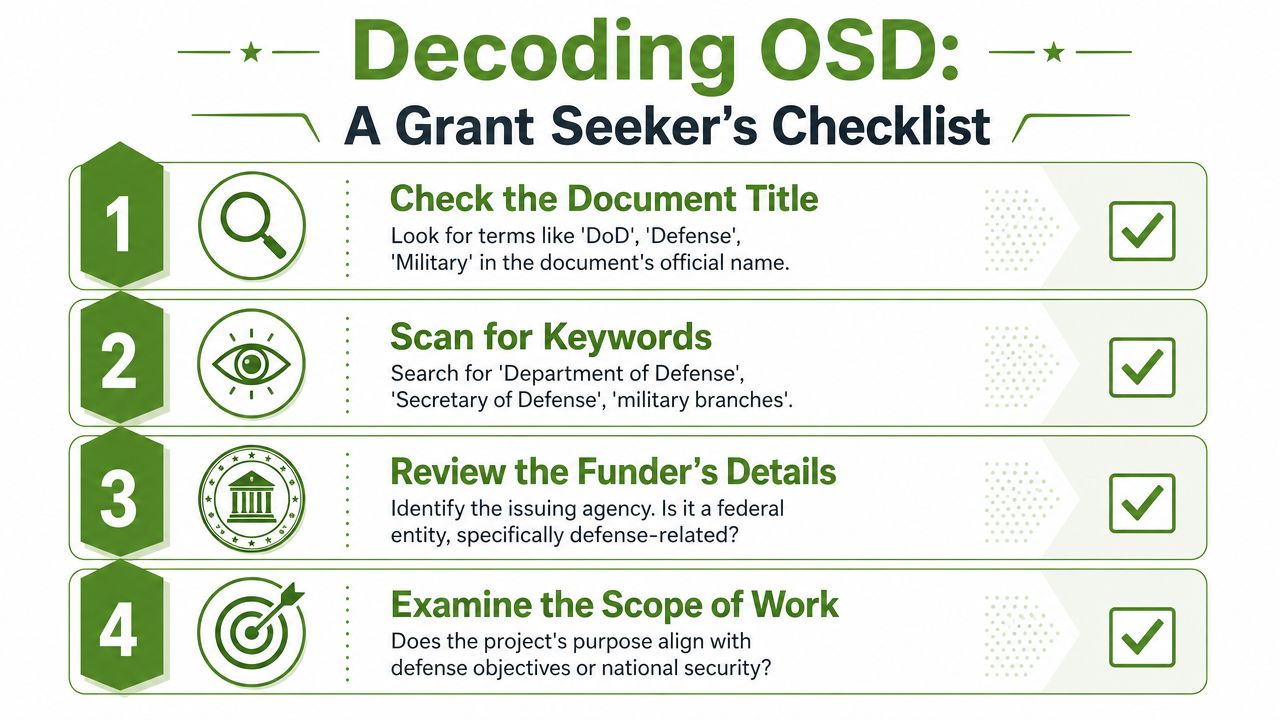
Use the document like a detective would
Read the acronym the way you'd read an unfamiliar abbreviation in a contract. Start with the evidence around it.
Check the issuing agency
If the funder is the Department of Defense or a defense-related office, OSD probably refers to the Office of the Secretary of Defense.Scan the nearby vocabulary
Terms like military, readiness, secretary, defense, personnel, acquisition, or research point toward the federal meaning.Look at the type of document
A grant notice, notice of funding opportunity, or federal policy memo will use acronyms differently from a device manual or software guide.Ask what the program is trying to do
If the document is about services, research, training, or operations in a defense context, that narrows the field fast.
A helpful comparison from another field
In aviation, OSD means Operational Suitability Data, a certification artifact required by EASA and tied to the aircraft type certificate, as explained in this Skybrary article on Operational Suitability Data. You don't discover that meaning by staring at the letters. You discover it by noticing the source is an aviation authority and the subject is aircraft certification.
That's the exact skill nonprofit teams need for grant reading. The meaning sits in the source, purpose, and surrounding language.
When an acronym is unclear, the fastest answer usually isn't in search. It's in the header, footer, and terminology of the document you already have.
A practical workflow for busy teams
If your staff reviews long PDF opportunities, build a simple acronym check into your intake process.
- Flag unknown terms early: Highlight acronyms during your first skim, before anyone starts drafting.
- Record the likely meaning: Keep a short glossary in your proposal notes.
- Tie each acronym to a source: Note the issuing office and the paragraph where the term appears.
- Standardize your review: If you already automate data entry from invoices or other document-heavy tasks, apply that same operational mindset to grant intake and acronym tracking.
This also helps with budgeting language. If your team is sorting through federal terminology, indirect cost language often creates similar confusion. A resource on how to calculate indirect costs can help your staff decode another common pressure point in funding documents.
Practical Steps When You Encounter OSD
Once you've identified OSD correctly, don't stop at definition. Use it to sharpen your application strategy.
Turn the acronym into an action list
First, identify the specific office or sub-office behind the term. “OSD” may point to a broad administrative structure, but your application usually lives in a more specific program lane. The closer you get to the actual office, the clearer the priorities become.
Second, rewrite your project summary in the funder's language. If the opportunity sits in a defense context, your narrative should reflect that setting without forcing jargon. A community program can still be described in terms of readiness, support systems, research value, or operational relevance when those ideas are appropriate.
Third, review your internal process before you write. Federal opportunities often reward disciplined coordination. Program, finance, and leadership should agree on scope, compliance responsibilities, and documentation needs before the draft starts moving.
Context keeps paying off
As TechTarget's discussion of on-screen display shows, even the tech meaning of OSD keeps evolving from simple settings menus into richer overlays and status panels. That's a good reminder for grant work too. Acronyms don't stay neatly fixed in one universal meaning, so context remains your safest guide.
Next move: Treat every unclear acronym as a signal to verify source, scope, and purpose before your team commits time to drafting.
If you want a structured place to keep those notes, deadlines, and document decisions, grant management best practices can help your team build a cleaner process. Tools can support that workflow too. Fundsprout, for example, analyzes grant and RFP documents, extracts requirements, and helps organize proposal tasks, which can make acronym-heavy opportunities easier to manage.
From Confusion to Confidence Your OSD Action Plan
By now, the question “what is OSD” should feel less like a trap and more like a sorting exercise.
Sometimes OSD means On-Screen Display. In other contexts, it means Office of the Secretary of Defense. In specialized fields, it can point to something else entirely. The letters alone don't decide the meaning. The document context does.
For nonprofit leaders, that's the practical takeaway. When you see OSD in a funding notice, pause and ask three things: Who issued this document? What field does it belong to? What is the program trying to accomplish? Those answers usually point you to the right interpretation faster than a generic web search.
This is the skill behind reading grant opportunities well. Experienced grant professionals don't know every acronym by memory. They know how to place language inside the right system. Once you do that, confusing terms stop blocking your momentum.
The next time OSD appears in an RFP, you won't need to guess. You'll know how to decode it, confirm it, and use it to shape a smarter response.
If your team wants help sorting through acronym-heavy government notices, identifying fit, and turning complex RFPs into organized proposal plans, Fundsprout gives nonprofits a practical way to analyze funding documents, track requirements, and manage the work from search through submission.
Try 14 days free
Get started with Fundsprout so you can focus on what really matters.