Best Fundraising Software for Small Nonprofits 2026
Find the best fundraising software for small nonprofits. Explore key features, pricing, & tips to maximize donations & impact in 2026.

Abdifatah Ali
Co-Founder
Running a small nonprofit often feels like a masterclass in stretching every dollar and every minute. Your mission is big, but your team and budget might be... well, not so big. That's where fundraising software for small nonprofits comes in. It’s not just another expense; it's a strategic investment that acts like a much-needed extra team member.
Think of it as your secret weapon—automating the repetitive tasks, organizing all your precious donor data, and ultimately helping you build stronger relationships to secure the funding you need to thrive, not just survive.
Your Guide to Fundraising Software for Small Nonprofits
Let's be honest: the idea of adopting new software can be overwhelming, especially when you're already wearing multiple hats. Juggling donor lists in spreadsheets, sending emails from one platform, and processing payments on another creates a tangled web of disconnected information. It's a time-sink that pulls you away from what truly matters—your mission.
This is precisely the problem fundraising software is built to solve. It pulls everything into one central hub. Instead of piecing together supporter information from different sources, you get a single, clear picture of everyone who engages with your organization. This isn't just about collecting donations; it's about understanding the people who make your work possible.
What to Look for at a Glance
The market for these tools is booming. Valued at USD 3.7 billion in 2023, the global nonprofit fundraising software industry is expected to explode to over USD 9.5 billion by 2033. This incredible growth isn't just a number; it shows how vital these platforms have become for building relationships and growing revenue. You can explore the research on this market trend to see the data for yourself.
To help you sift through the options, we’ve put together a quick guide on what to prioritize when you start looking.
Quick Guide to Evaluating Fundraising Software
When you're evaluating your options, it's easy to get lost in feature lists. This table cuts through the noise and focuses on the factors that will make the biggest difference for a small team like yours.
| Evaluation Factor | What to Look For |
|---|---|
| Donor Management & CRM | A system that tracks every interaction—every gift, email, and phone call—to give you a complete supporter history. |
| Cost & Pricing Model | Transparent pricing (per-user, tiered, or a flat rate) with no surprise fees that could blow your budget. |
| Ease of Use | An intuitive, user-friendly interface that your team can learn quickly without needing a dedicated IT person. |
| Key Integrations | Seamless connections to the tools you already use, like QuickBooks for accounting or Mailchimp for email. |
| Reporting & Analytics | Clear, easy-to-understand dashboards that show you how your campaigns are performing and what your donors are responding to. |
Focusing on these key areas will help you find a tool that genuinely serves your needs, rather than creating more work.
The right software doesn’t just store data; it helps you build relationships. It handles the administrative busywork, freeing you up to focus on the human connection that turns a first-time donor into a passionate, lifelong supporter of your cause.
By keeping these core principles in mind, you can choose fundraising software for small nonprofits that empowers your team to do more with less. This guide will walk you through exactly how to assess these factors, ensuring the platform you pick helps you punch above your weight and drive real, measurable impact.
The Essential Features Your Nonprofit Actually Needs
If you're running a small nonprofit, you've probably felt that dizzying sensation when you start looking for fundraising software. Every platform seems to have a million features, and they all sound important. It’s easy to get lost.
So let’s cut through the sales pitches. Instead of chasing every shiny object, we're going to focus on the core tools that actually make a difference for a small team like yours. These aren't just items on a checklist; they're the engine room of a modern, efficient fundraising program.
Your Digital Memory: Donor Management and CRM
At the very core of any good software is a donor management system, often called a CRM (Customer Relationship Management). The best way to think of it is as your organization's collective memory. It's the one place where every single piece of information about your supporters lives.
Think about how things work now. Are you hunting through old spreadsheets, email inboxes, and sticky notes to piece together a donor's history? A CRM ends that chaos by centralizing every interaction.
- Donation History: It logs every single gift, whether it’s a one-time $25 donation or a sustained monthly pledge.
- Communication Log: It keeps track of every email you've sent, phone call you've made, and meeting you've had.
- Engagement History: It remembers which events they came to, what campaigns they clicked on, and even the volunteer shifts they worked.
With this full picture, you can finally stop sending generic "Dear Friend" emails. You can thank a donor for their specific gift, reference their years of support, and invite them to a volunteer day you know they'd love. That's how you build real relationships and turn casual givers into true champions for your mission.
A strong CRM doesn't just store data; it provides the context you need to build genuine relationships. It transforms anonymous donors into well-understood partners in your mission, boosting retention and long-term value.
Your Always-On Donation Jar
Next up is online donation and payment processing. This is your digital donation jar—always open, always ready to capture a supporter's generosity the moment inspiration strikes. In 2026, nothing kills the giving spirit faster than a clunky, confusing, or slow donation page.
Your software has to make giving easy, fast, and secure. Look for tools that are PCI-compliant (to protect sensitive donor data) and accept a range of payment options, from credit cards and bank transfers to digital wallets like Apple Pay. The experience must be seamless. A crucial part of this is the ability to easily manage recurring gifts. For a fantastic walkthrough on setting this up, check out this guide to recurring billing with Stripe. This kind of steady, predictable income can be a lifesaver for small nonprofits.
Your Strategic Funding Navigator
For any organization that depends on institutional funding, grant management tools are an absolute game-changer. This feature is your strategic navigator for the complex world of grants. It helps you tame the beast of managing applications, reporting, and deadlines—a process that can easily swallow a small team whole.
A good grant management module helps you:
- Track Deadlines: Juggling application due dates, reporting schedules, and follow-up reminders all in one calendar.
- Organize Documents: Creating a central library for proposals, budgets, letters of inquiry, and reports so they're always easy to find.
- Monitor Funder Relationships: Keeping detailed notes on program officers and foundation contacts to help you build and maintain those critical connections.
Without a system, grant seeking is a frantic, reactive scramble. With one, it becomes a proactive, strategic part of your fundraising plan.
Your Personal Assistant
Finally, think of automation and communication tools as your own tireless personal assistant. These features are designed to handle the repetitive, time-sucking tasks that eat up your day, freeing you to focus on work that requires a human touch.
For instance, you can set up automated thank-you emails and tax receipts that go out the instant a donation is made. This ensures every single donor gets acknowledged immediately—a simple act that is absolutely fundamental to making them feel valued and keeping them engaged.
Choosing the Right Platform on a Limited Budget
Let's be honest—for most small nonprofits, the budget isn't just a line item; it's the lens through which you see every single decision. So when you're looking at fundraising software for small nonprofits, it’s natural for your eyes to go straight to the price tag. But I've seen too many organizations learn the hard way that the cheapest option is rarely the best value.
The real goal is to find a tool that amplifies your work without becoming a financial drain. A clunky, cheap system that your team dreads using isn't a bargain; it’s a roadblock to your mission.
Beyond the Sticker Price: Total Cost of Ownership
When you start shopping around, you'll see all sorts of pricing: per-user fees, tiered plans, flat monthly rates. But the subscription cost is just the beginning. To truly understand the investment, you need to think about the Total Cost of Ownership (TCO).
This is where the "hidden" costs live. You need to factor in everything:
- Transaction Fees: What percentage of each donation gets skimmed off the top?
- Onboarding and Training Costs: Is there a fee to get your team set up and comfortable using the tool?
- Add-On Modules: Will you have to pay extra for core functions like event management or better reporting down the line?
- Time Investment: This is a big one. How many hours will your team spend learning the software instead of advancing your mission?
A platform that looks cheap at first glance can easily end up costing you a fortune in high transaction fees or essential add-ons. And for a small team, a steep learning curve means lost hours and frustrated staff—a price no nonprofit can afford to pay.
Renting vs. Buying a Home: Why the Cloud Wins
Not that long ago, getting new software felt like buying a house. A nonprofit had to shell out a huge sum for the software itself, install it on its own servers, and then pay someone to maintain it all. It was expensive, inflexible, and a huge technical headache.
Thankfully, those days are over. Today, we rent.
Modern fundraising software for small nonprofits is almost always cloud-based, what the tech world calls Software-as-a-Service (SaaS). Think of it as leasing a fully furnished office. You pay a predictable monthly fee, and the provider handles all the security, updates, and upkeep. No massive upfront investment, no server closet gathering dust.
This move to the cloud has been a game-changer. It gives small, scrappy organizations access to the same powerful tools that were once only available to the biggest players, offering the flexibility and affordability that dynamic teams need.
The numbers back this up. Cloud solutions are on track to make up 78.16% of the nonprofit software market's revenue by next year. For small nonprofits in particular, the trend is even stronger—cloud use is projected to grow at an 11.32% annual rate through 2031, mostly because it slashes costs and the need for an IT guru. You can read more about these nonprofit software market insights to get the full story.
Finding Value on a Tight Budget
So, how do you find a fantastic platform when your budget is tight? You're in luck—there are more powerful, affordable options on the market now than ever before. You can even find funding specifically for these tools. We've put together a guide on how to find and win nonprofit technology grants to help you get started.
While you're exploring, you might come across things like the best free CRM for small businesses and wonder if "free" is the way to go. Just be sure to read the fine print.
Many "free" platforms use a donor-tipping model, where your supporters are prompted to add a little extra to their donation to cover the software company's fees. While this means no subscription fee for you, those tips go straight to the tech company, not to your cause. Over a year, that can add up to thousands of dollars that could have funded your programs.
For a small nonprofit focused on building trust and lasting relationships with donors, a transparent, low-cost flat-fee model often delivers far more value and feels more honest for everyone involved.
Building Your Nonprofit's Digital Ecosystem
Your fundraising software should never be a lonely island. To really make an impact, it needs to be the heart of a connected network of tools—a digital ecosystem where information flows freely between all your essential platforms.
Think of it like this: your fundraising software is the quarterback, but it can’t win the game alone. It needs to be in constant communication with your accountant (running QuickBooks), your marketing lead (using Mailchimp), and your event coordinator. When these tools talk to each other, you eliminate the soul-crushing work of manual data entry, slash the risk of human error, and create one reliable source of information for your entire organization.
Why Integrations Are a Game-Changer
When your tools don't connect, you create data silos. This is what happens when crucial information gets trapped in one system, completely walled off from the others. For example, if your donation platform can't speak to your email software, you’re stuck manually exporting donor lists just to send a simple thank-you campaign. It’s a huge time-waster and a recipe for mistakes.
A connected system, on the other hand, puts these workflows on autopilot. A new donation can instantly create an entry in your accounting books and add that donor to a "Recent Supporters" email list. This kind of automation frees up your team to focus on what actually matters: building relationships and advancing your mission, not copying and pasting data.
Key Connections to Look For
As you’re evaluating fundraising software for small nonprofits, one of the first questions you should ask is, "What does it connect with?" Here are the absolute must-have integrations for building a smart, efficient workflow.
- Accounting Software: A direct link to platforms like QuickBooks or Xero is non-negotiable for financial health. This connection automates the reconciliation of donations, saving your treasurer countless hours and ensuring your books are always accurate and ready for an audit.
- Email Marketing Tools: Integrating with a service like Mailchimp or Constant Contact is vital. It lets you pull lists directly from your donor database, so you can easily segment your audience by giving history and send personalized messages that truly connect.
- Website and CMS: Your software has to play nicely with your website to offer a smooth, branded donation experience. This includes having great-looking, mobile-optimized donation forms. After all, with 57% of nonprofit web traffic coming from mobile devices and a 50% jump in mobile giving, a clunky process on a smartphone just won't cut it anymore. You can explore more on this trend here.
- Payment Gateways: Most platforms have built-in payment processing, but having the flexibility to connect with gateways like Stripe or PayPal is a huge plus. This can give your donors more ways to pay and sometimes even get you better processing rates.
A well-integrated system acts as a central nervous system for your nonprofit. It ensures that an action in one area—like a new online donation—triggers the correct responses across all other departments automatically, from finance to marketing.
To make all these connections work, you need a strong central hub. A powerful CRM is the foundation of this ecosystem, and finding the right one is a critical first step. For a deeper look, you might find our guide on the best CRM software for nonprofits helpful. By choosing platforms that work well with others, you're not just buying a tool; you're building a foundation for efficient, scalable growth.
How to Implement Your New Software Without an IT Team
Picking the right fundraising software for small nonprofits is a huge win. But let's be honest, the real work starts when you have to actually implement it. If you're a small team without a dedicated IT person, this part can feel pretty intimidating.
Don't panic. The secret is to take it one step at a time. Trying to launch everything at once is a recipe for burnout and frustration. A successful rollout is more like building with LEGOs—you start with a solid base and add pieces one by one. This approach prevents overwhelm and builds confidence along the way.
The First 30 Days: Clean Data and Early Wins
Your first month should be all about two things: getting your data clean and scoring a quick, tangible win. Your donor information is the heart of your fundraising, so migrating it correctly is absolutely essential.
Before you even think about importing anything, it's time for a data deep clean. Go through your existing spreadsheets and get them in order. That means merging duplicate contacts, fixing typos in names and addresses, and making sure your data fields are consistent. A clean import now will save you countless headaches down the road.
Think of data migration like moving into a new house. You wouldn't just throw all your old junk into boxes and unpack it in the new place. You'd sort through it first, deciding what to keep, what to fix, and what to throw away.
Once your data is sparkling clean, focus on launching just one core feature. For most small shops, the best place to start is your online donation page. Getting a new, modern donation form live gives you an immediate return on your investment and shows your team (and your board!) a real success story right out of the gate.
The Next 30 Days: Team Training and First Campaign
With your donation page up and running, the next 30 days are all about getting your team comfortable and putting the tool to work. Forget those long, boring training lectures. The most effective training is hands-on and tailored to each person's role.
Your development director needs to know how to pull fundraising reports, but a program manager might just need to see who registered for an event. Focus on what each person actually needs to do their job.
- Appoint a "Super User": Pick one person on your team to be the go-to expert. This person can get more in-depth training from the software provider and act as the first line of defense for internal questions.
- Use Real-World Scenarios: Base your training around everyday tasks. Walk through the exact steps for entering a new check, sending a thank-you note, or pulling a mailing list.
- Launch Your First Campaign: The best way to learn is by doing! Run a small, simple campaign to get everyone using the system in a low-stakes environment. A "Welcome to Our New System" appeal could be a perfect way to test the waters.
This timeline helps visualize the key phases: getting your data in, training the team, and launching that first campaign.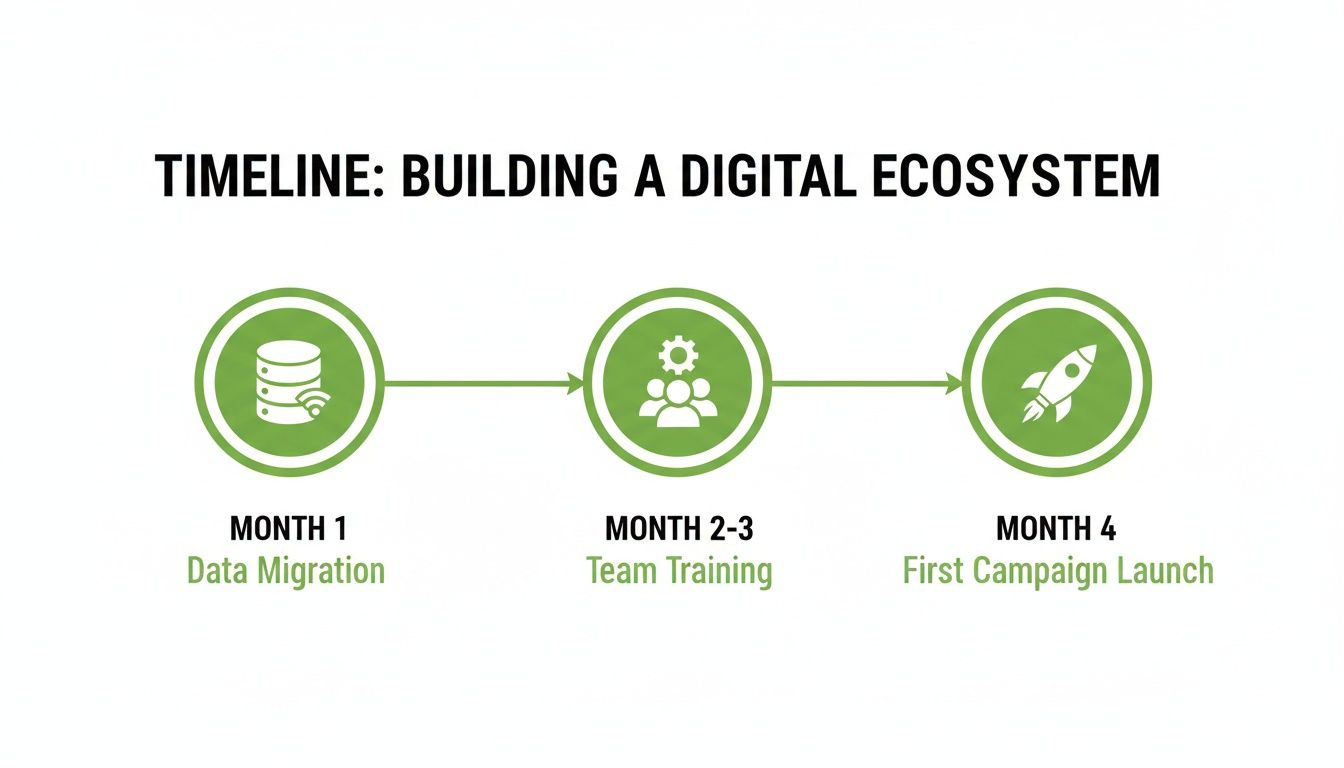
Each step builds on the last, giving you a clear path from unboxing your new software to making it an active part of your daily work.
The Final 30 Days: Automation and Optimization
You've made it to the 90-day mark! By now, your team should be settling in and feeling more confident. This last phase of your initial rollout is all about letting the software do more of the heavy lifting for you. It's time to explore automation.
Start by setting up automated thank-you emails and tax receipts. This ensures every single donor gets an immediate, personal acknowledgment without you having to lift a finger. You can also start building segmented email lists based on that clean data you imported. This is how you move from generic email blasts to targeted messages that really connect with your supporters.
This 30-60-90 day plan breaks implementation into manageable bites for any small nonprofit. By starting small, training smart, and gradually adding more features, your new software will become a powerful engine for your mission, not just another task on your to-do list.
Why Your CRM Isn't Enough for Grants (And What to Do About It)
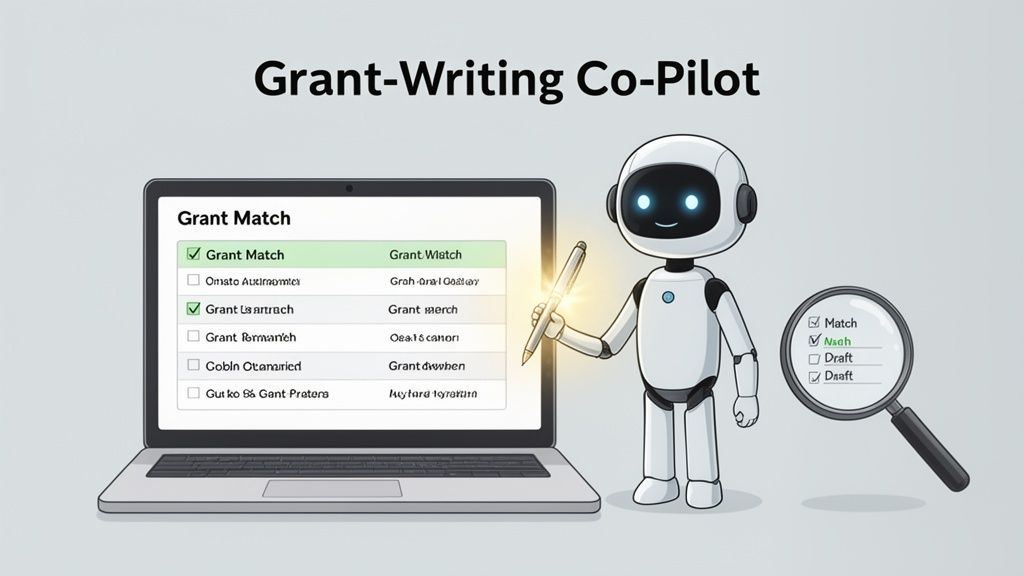
While your CRM is the heart of your individual donor relationships, trying to make it manage your entire grant-seeking process is like asking a Swiss Army knife to do a surgeon's job. It has some useful tools, but it just isn't built for the delicate, high-stakes work of institutional funding. The grant lifecycle is its own unique beast, and most general fundraising software for small nonprofits simply can't keep up.
A standard CRM is great at tracking individual donations, logging phone calls, and sending thank-you notes. But when you're juggling multiple grant deadlines, complex reporting schedules, and nuanced relationships with program officers, it quickly falls short. You’re left trying to jury-rig a system with spreadsheets and calendar alerts, which almost always leads to missed deadlines and administrative headaches.
Enter the Grant Management Specialist
This is where specialized grant platforms come into play. The best way to think about them isn't as a replacement for your CRM, but as an expert co-pilot for your grant team. These systems go way beyond simple task tracking; they’re designed from the ground up to help you find, write, and manage grants more effectively.
If your CRM is your organization's address book, a dedicated grant platform is your research assistant, project manager, and writing partner all in one. It speaks the language of grants fluently.
These specialized tools don't just help you manage grant information; they help you win more grants. By taking over the most tedious, time-consuming tasks, they free you up to focus on what really matters: building relationships with funders and telling your story in a way that secures funding.
For a small team, especially one without a full-time grant writer, this is a complete game-changer. It makes a professional, strategic grant program possible without needing a huge budget or a brand-new hire.
How Specialized Tools Help You Win
So, what do these grant-focused platforms actually do that your CRM can't? Modern tools like Fundsprout are built to support you at every single step of the process.
- Intelligent Funder Matching: Instead of you spending hours scrolling through databases, these tools use your mission to surface a curated list of funders who are a perfect fit for your programs.
- RFP Deconstruction: They can instantly analyze a dense Request for Proposal (RFP), breaking it down into a clear checklist of deadlines and requirements. No more wondering if you missed a key detail.
- AI-Assisted Drafting: Many platforms now help you get started on the writing itself. By learning from your past proposals and program info, they can generate solid first drafts for common sections, saving you countless hours staring at a blank page.
By pairing a powerful grant platform with your main CRM, you get the best of both worlds. Your CRM handles your grassroots support, while your grant tool puts your institutional fundraising on overdrive. Curious about what features to prioritize? Dive deeper with our complete guide to nonprofit grant writing software. With this two-system approach, you can be confident that no funding opportunity, big or small, ever slips through the cracks.
Frequently Asked Questions
If you're starting to explore fundraising software, you probably have a lot of questions. That’s completely normal. We hear the same concerns all the time from small nonprofit leaders, so let's tackle them head-on.
How Much Should a Small Nonprofit Budget for Fundraising Software?
This is always the first question, and for good reason. The honest answer is: it depends. But a solid starting point for a small but mighty nonprofit is to budget anywhere from $50 to $150 per month for a quality platform.
One word of caution: be very wary of "free" platforms. These often run on a donor-tipping model, where your supporters are prompted to add a tip for the software company—often 15% or more—on top of their gift to you. It might seem free upfront, but recent research shows a flat-fee subscription model can cost an organization 617% less in total fees over a year. That's a huge difference, and it's money that belongs to your mission.
The smartest budget move isn't finding the cheapest tool. It's investing in a platform with transparent, predictable pricing that actually helps you raise more in the long run.
Is It Realistic for One Person to Manage Our Fundraising Software?
Absolutely. In fact, most modern fundraising tools are built specifically for the "team of one." The best platforms for small nonprofits are designed to be intuitive, with straightforward dashboards and automations that feel like a second team member.
A solo Executive Director or Development Coordinator can absolutely run the show. The key is to be strategic:
- Start Small: Don't try to boil the ocean. Master one key feature, like getting your online donation forms perfect, before moving on to email campaigns or event management.
- Lean on Support: A good software partner comes with great customer support. Think of their help desk and training videos as your lifeline. Use them!
- Automate Everything You Can: Set up automated thank-you emails and receipts. Schedule recurring donation reminders. Build simple reports that run on their own. This is how you buy back hours in your week.
With the right system, a single person can manage it all, freeing them up to focus on building relationships with donors instead of fighting with clunky spreadsheets.
What Is the Single Most Important Feature for a New Platform?
If you have to prioritize just one thing, make it the donor management system (CRM). Hands down. This is the heart of your entire fundraising operation, acting as your organization's memory.
A strong CRM isn't just a nice-to-have; it's the foundation for everything else you do. It's the system that tracks every donation, every volunteer shift, every event registration, and every interaction you have with a supporter. That data is what lets you move beyond generic, one-size-fits-all appeals and start building the genuine, personal relationships that are proven to boost donor loyalty. Without a solid CRM, you’re just a transaction processor. With one, you’re a community builder.
How Do We Know When We Have Outgrown Free Tools?
You've outgrown your free tools the moment the workarounds start costing you more in time and missed opportunities than a paid subscription would cost you in dollars.
It's time to upgrade when you start seeing these warning signs:
- Data Chaos: You're juggling donor information across three different spreadsheets, and nobody is quite sure which one is the "master" list anymore.
- Manual Overload: Your staff (or you) are spending hours every week manually sending individual thank-you notes, pulling lists for your email platform, or trying to create tax receipts.
- A Total Lack of Insight: You have no quick way to answer basic questions like, "Who are our most loyal donors?" or "How did our last email campaign actually do?" or "What's our donor retention rate?"
When the friction of using free tools is visibly holding back your growth, that’s your signal. It's time to invest in a real solution.
Try 14 days free
Get started with Fundsprout so you can focus on what really matters.