Top community needs assessment tools for nonprofits
Discover community needs assessment tools to help nonprofits prioritize programs, collect insights, and measure impact.

Abdifatah Ali
Co-Founder
A community needs assessment is the bedrock of any successful grant proposal, transforming your mission from a hopeful idea into an evidence-backed solution to a documented problem. Gathering that crucial data, from community surveys to demographic mapping and stakeholder interviews, can feel overwhelming without the proper support. The right community needs assessment tools not only streamline this process but also provide the credible, compelling data funders demand to justify their investment. Choosing the wrong tool can lead to wasted time, incomplete data, and a weakened grant application.
This guide cuts through the noise to help you find the best platform for your organization's specific needs. We evaluate 12 essential community needs assessment tools, frameworks, and resources designed to help your nonprofit build a rock-solid needs statement. Whether you need a turnkey report builder like SparkMap, a powerful survey app like Esri ArcGIS Survey123, or a free data repository like County Health Rankings & Roadmaps, this list has you covered.
Each entry includes a concise description, ideal use cases, pros and cons, and pricing information to simplify your decision-making process. We’ve included direct links and screenshots to give you a clear view of each platform's interface and capabilities. Our goal is to equip you with the information needed to select the perfect tool, strengthen your next grant application, and demonstrate a clear, data-driven need for your programs. Let's dive into the resources that will help you build your most compelling case yet.
1. SparkMap (CARES, University of Missouri)
Developed by the Center for Applied Research and Engagement Systems (CARES) at the University of Missouri, SparkMap is a powerful, purpose-built platform for creating data-rich community health needs assessments (CHNA) and community needs assessments (CNA). It stands out as a top-tier community needs assessment tool because it moves beyond raw data, offering a turnkey solution that generates comprehensive, presentation-ready reports. This significantly reduces the staff time required for data collection and visualization, making it invaluable for nonprofits seeking to inform strategic planning or fulfill grant application requirements.

Core Features & Use Cases
SparkMap’s key offerings are its Assessment report builder and interactive Map Room. The Assessment tool allows you to select a geographic area (county, state, or even ZIP code on higher tiers) and instantly generate a detailed report with hundreds of demographic, socioeconomic, and health indicators. The Map Room provides access to over 29,000 data layers, allowing you to create custom, shareable maps that visualize community assets and challenges. This is ideal for visually communicating needs to stakeholders or a board of directors.
Pros & Cons
Integration with Grant Planning
Use SparkMap's assessment reports to generate the quantitative data needed for your grant proposal's "Statement of Need" section. Export specific charts and data tables to provide evidence of the community problem your project aims to solve. When crafting your Fundsprout grant calendar, you can use SparkMap data to identify high-need areas, justifying targeted funding requests for specific programs or locations. For more information, visit sparkmap.org.
2. County Health Rankings & Roadmaps (CHR&R)
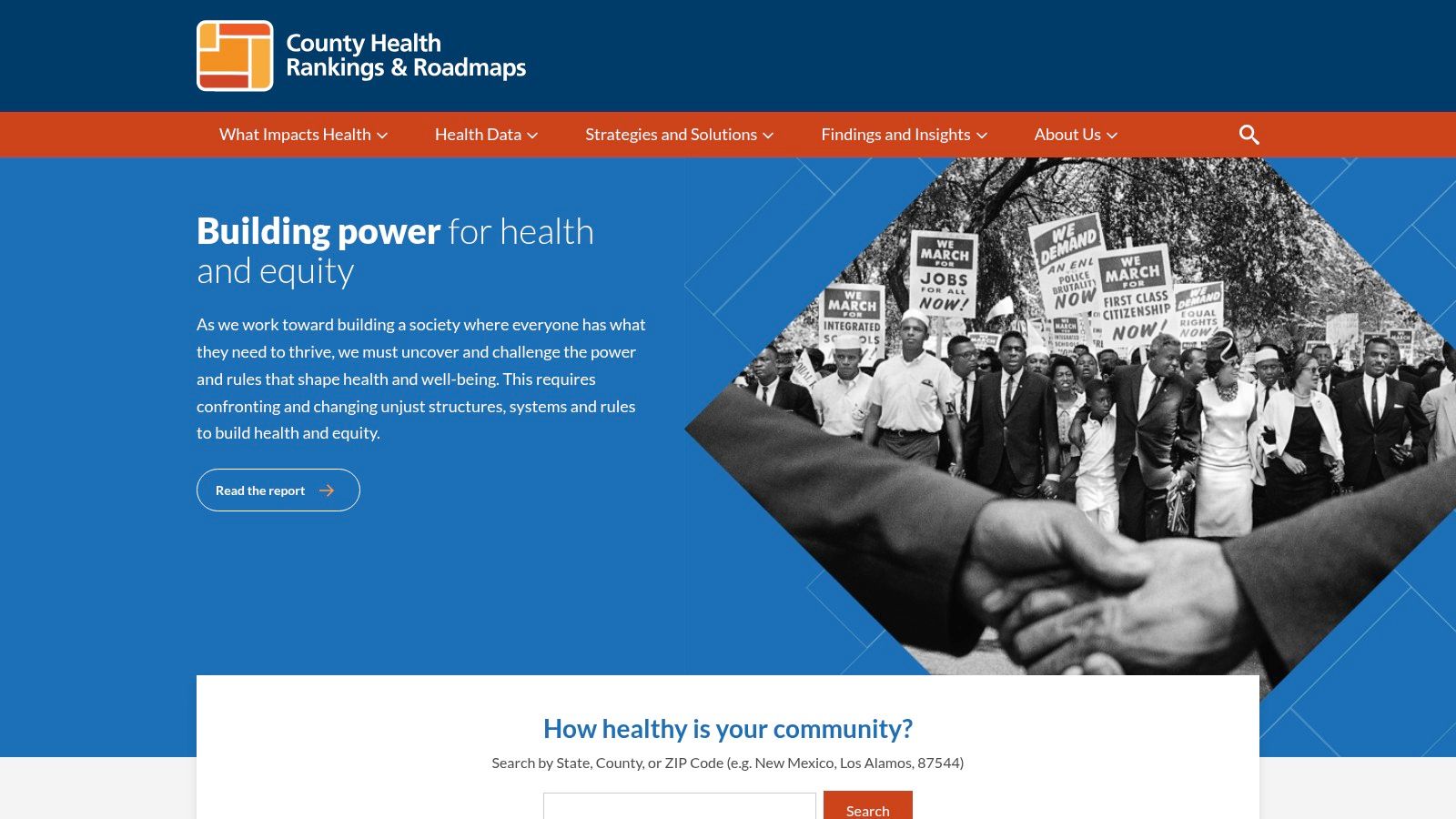
A program of the University of Wisconsin Population Health Institute, County Health Rankings & Roadmaps (CHR&R) is a foundational resource for U.S. community health assessments. While not a direct assessment-building platform like SparkMap, it provides the essential, high-quality secondary data that underpins them. Its strength lies in offering free, authoritative, county-level data and rankings that allow nonprofits to benchmark their community's health outcomes and influencing factors against others in their state or across the nation.
Core Features & Use Cases
CHR&R's core function is its annual data release, which ranks counties on a wide range of health factors like education, income, and access to care. Users can explore their county's snapshot, compare it to others, and download comprehensive datasets for deeper analysis. The platform also offers an "Action Center" with evidence-based strategies and toolkits. It's an ideal starting point for a nonprofit beginning its needs assessment process, providing the broad, quantitative context needed before diving into primary data collection.
Pros & Cons
Integration with Grant Planning
CHR&R is invaluable for establishing the "Statement of Need" in your grant proposals. Use its rankings and underlying data to demonstrate that your county faces significant challenges in a specific area, such as high rates of food insecurity or low educational attainment. When building your Fundsprout grant calendar, you can reference this data to justify why your organization is prioritizing certain programs and requires funding to address these well-documented disparities. For more information, visit countyhealthrankings.org.
3. ACHI / AHA Community Health Assessment Toolkit (American Hospital Association)
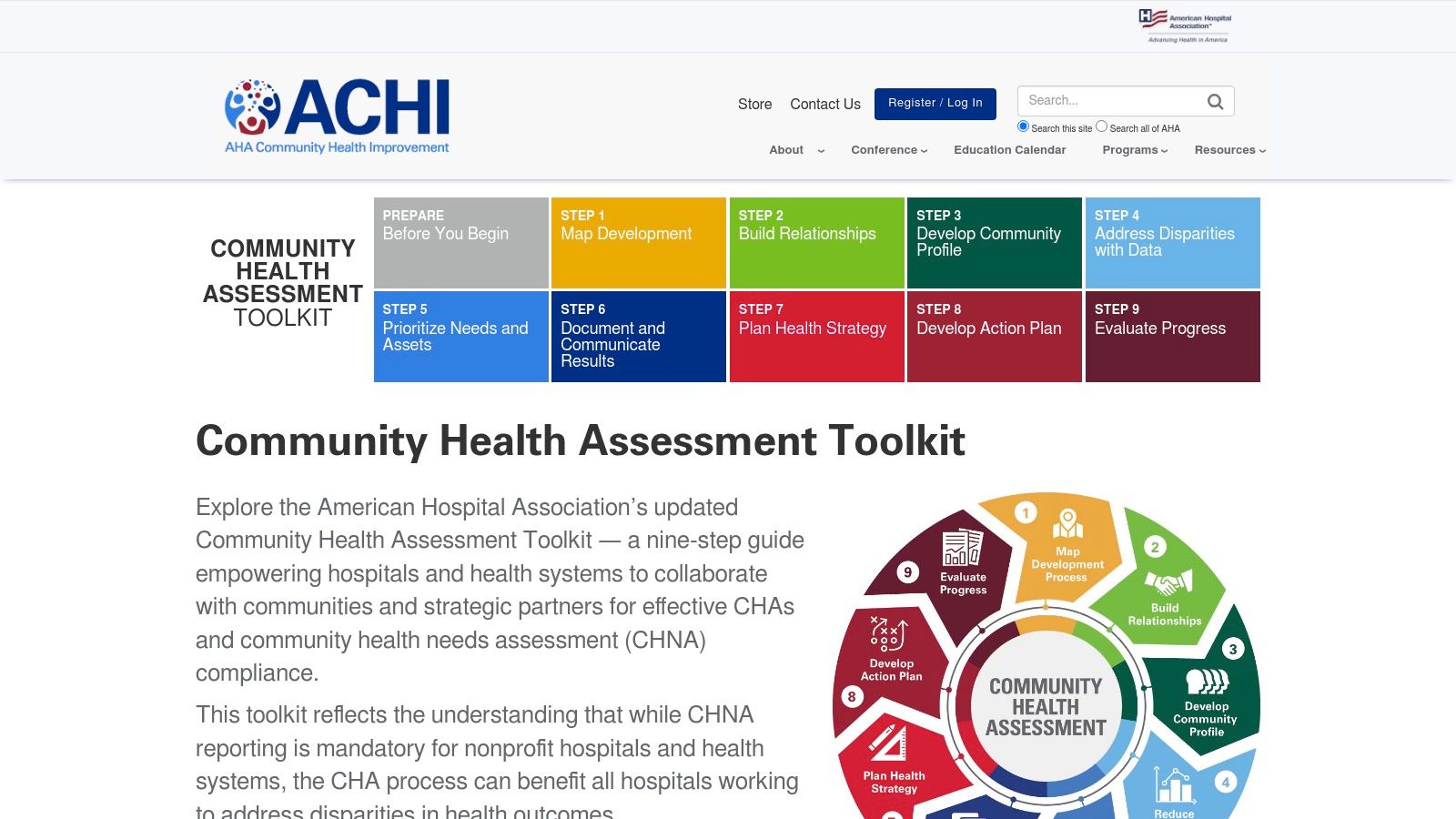
Developed by the American Hospital Association (AHA) and its Association for Community Health Improvement (ACHI), this toolkit is less of a data platform and more of a comprehensive, step-by-step guidebook. It provides a structured, nine-step process for conducting a Community Health Needs Assessment (CHNA), making it one of the most practical community needs assessment tools for organizations seeking process clarity. Its primary value lies in its curated resources, templates, and expert guidance, designed to support hospitals and their nonprofit partners in collaborative, compliant assessment efforts.
Core Features & Use Cases
The toolkit’s core is its structured nine-step CHA/CHNA process, which covers everything from assembling a team to evaluating impact. For each step, it offers a curated library of resources, including data sources, stakeholder engagement guides, and equity-focused materials. This is ideal for nonprofits partnering with local health systems or those new to the formal CHNA process, as it provides a clear roadmap and the materials needed to execute each phase effectively. It demystifies the assessment process by breaking it down into manageable actions.
Pros & Cons
Integration with Grant Planning
Use this toolkit to design a robust assessment methodology for your grant proposal. Citing the AHA's framework can add significant credibility to your project plan. The resources provided for stakeholder engagement can help you gather the qualitative stories needed to complement quantitative data, enriching your grant's needs statement. When building your Fundsprout plan, this toolkit can inform the project activities and evaluation metrics you propose. For more information, visit the AHA Community Health Assessment Toolkit.
4. NACCHO MAPP 2.0 (Mobilizing for Action through Planning and Partnerships)
Developed by the National Association of County and City Health Officials (NACCHO), MAPP 2.0 is not a single software tool but a comprehensive, community-driven strategic planning framework. It is designed to guide local health departments and their partners through the process of conducting a community health assessment (CHA) and developing a community health improvement plan (CHIP). This framework stands out for its emphasis on partnership and community engagement, making it one of the most effective community needs assessment tools for collaborative, system-level change.
Core Features & Use Cases
MAPP 2.0's core offering is its detailed handbook, which outlines a six-phase process for assessment and planning. This is supported by a robust toolbox of downloadable templates, worksheets, and guides available through the MyNACCHO portal. It is ideal for coalitions or public health organizations embarking on a comprehensive, multi-year community health improvement initiative. The framework provides the structure for gathering qualitative and quantitative data while ensuring authentic community participation.
Pros & Cons
Integration with Grant Planning
The MAPP 2.0 process generates the deep qualitative and quantitative evidence needed for large-scale federal or foundation grants. Use the findings from the "Four Assessments" phase to build a powerful narrative for your grant's Statement of Need. The framework’s emphasis on partnership can also satisfy funder requirements for collaborative proposals. To ensure your findings are presented effectively, you can learn more about how to write a needs assessment. For more information, visit the NACCHO MAPP website.
5. Community Tool Box (University of Kansas)
Maintained by the University of Kansas Center for Community Health and Development, the Community Tool Box is less of a software platform and more of an exhaustive online encyclopedia for community action. It serves as one of the most comprehensive community needs assessment tools by providing a detailed methodological playbook. Instead of generating automated reports, it empowers organizations with the knowledge, step-by-step instructions, and practical examples needed to design and execute a custom assessment from the ground up, making it ideal for groups that prefer a hands-on, educational approach.

Core Features & Use Cases
The site’s strength lies in its extensive "Toolkits," particularly the chapter on "Assessing Community Needs and Resources." This section offers detailed guidance on everything from conducting public forums and focus groups to analyzing community data and mapping assets. It includes downloadable checklists, presentation outlines, and real-world examples. Nonprofits can use these resources to train staff on assessment methodologies or to build a highly customized process that perfectly aligns with their community’s unique context and their organization's specific capacity.
Pros & Cons
Integration with Grant Planning
Use the Community Tool Box to design the qualitative portion of your needs assessment. The guides on conducting focus groups and key informant interviews provide a solid framework for gathering compelling stories and quotes for your grant proposal's "Statement of Need." When planning your Fundsprout calendar, you can reference its toolkit to select appropriate, low-cost assessment activities that fit your grant-seeking timeline, ensuring you have fresh, relevant community input to support your funding requests. For more information, visit ctb.ku.edu.
6. Esri ArcGIS Survey123
For organizations already embedded in the Esri ecosystem, ArcGIS Survey123 is one of the most powerful community needs assessment tools available for location-based data collection. This form-centric application excels at creating "smart surveys" that integrate geographic information from the outset. It is specifically designed for fieldwork, allowing teams to conduct in-person surveys, map community assets, or document neighborhood conditions directly on a mobile device, even when offline. This capability makes it ideal for reaching populations that are difficult to engage through online-only methods.

Core Features & Use Cases
Survey123’s core strength lies in its ability to build complex forms with smart logic, such as conditional branching and calculations, using either a simple web designer or the more advanced XLSForm standard. Every survey response can be automatically geotagged, providing precise location data for each entry. A primary use case is conducting door-to-door surveys where field staff can pinpoint households on a map, fill out a survey, and have the results instantly sync with a centralized ArcGIS dashboard for real-time analysis and visualization.
Pros & Cons
Integration with Grant Planning
Use Survey123 to gather hyperlocal, qualitative data that complements the quantitative data from other sources. When your grant proposal identifies a specific neighborhood, you can deploy a field team with Survey123 to collect testimonials, photos, and observational data that provide a rich, on-the-ground narrative for your Statement of Need. This geo-located evidence can be presented in an ArcGIS StoryMap, offering funders an interactive and compelling look at the community challenges your project will address. For more information, visit the Esri ArcGIS Survey123 Blog.
7. KoboToolbox (and Kobo Academy)
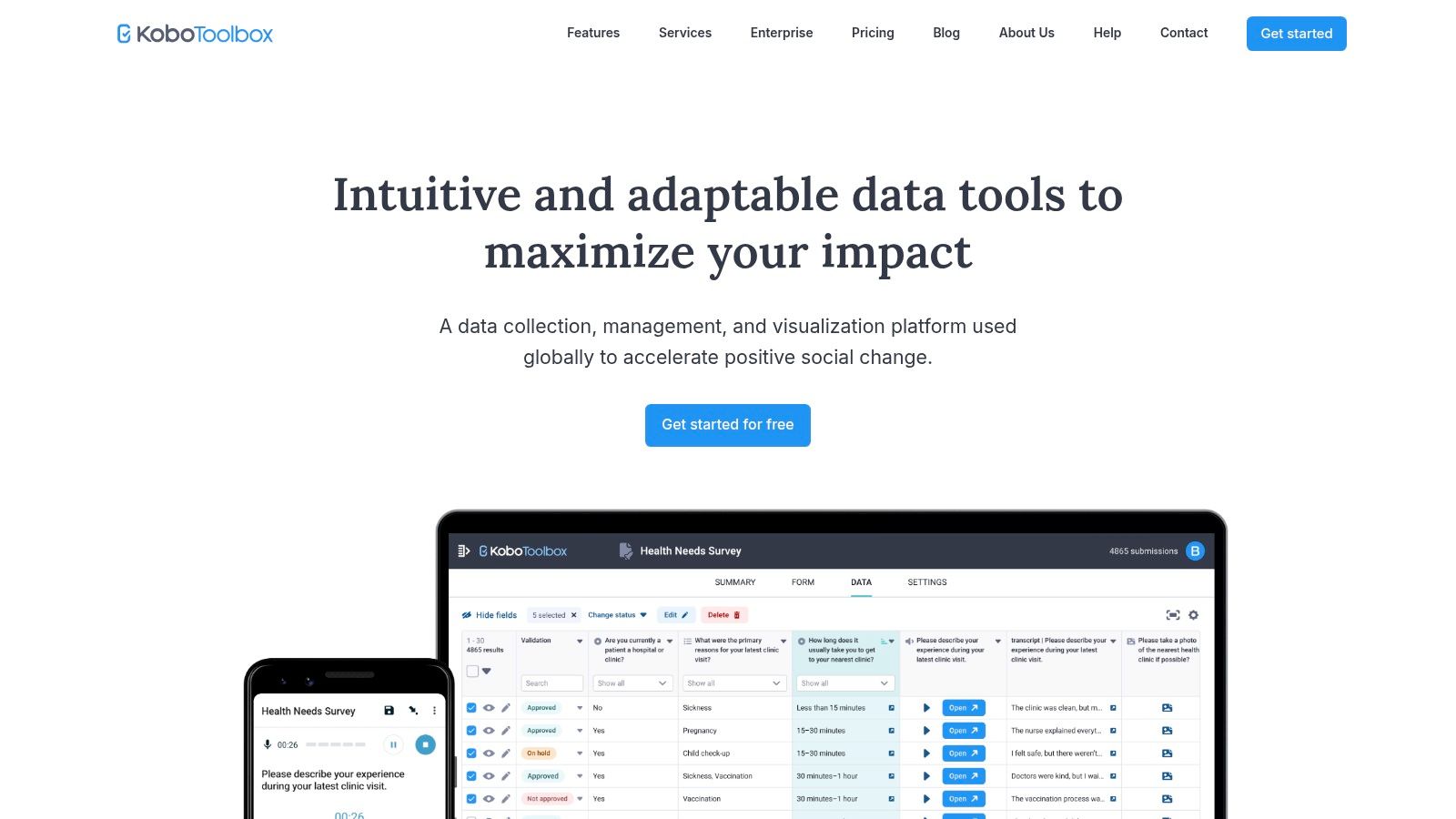
Developed initially for humanitarian aid and field research, KoboToolbox is a powerful, open-source suite of tools for primary data collection. It has become a go-to platform for organizations conducting on-the-ground community needs assessments, especially in environments with limited internet connectivity. Its strength lies in facilitating the creation and deployment of complex surveys for mobile data gathering, making it an exceptional community needs assessment tool for nonprofits that need to collect their own qualitative and quantitative data directly from community members.
Core Features & Use Cases
KoboToolbox's core is its robust form builder, which allows for sophisticated survey design with skip logic, validation criteria, and various question types. Data can be collected offline via the KoboCollect mobile app and synced later, a critical feature for fieldwork in remote areas. The platform also includes basic data visualization and export tools. Uniquely, the free Kobo Academy offers courses, like "Humanitarian Needs Assessment," which equip teams with the skills to design and implement methodologically sound assessments.
Pros & Cons
Integration with Grant Planning
Use KoboToolbox to execute the primary data collection phase of your needs assessment. The data you gather-such as survey responses, interview notes, and focus group findings-can be exported and analyzed to create the compelling narrative and evidence for your grant proposal's Statement of Need. When managing your Fundsprout grant calendar, you can plan a data collection project with KoboToolbox to gather fresh, project-specific evidence right before a major grant deadline, ensuring your application is backed by the most current community insights. For more information, visit kobotoolbox.org.
8. Conduent Healthy Communities Institute (HCI)
The Conduent Healthy Communities Institute (HCI) platform is an enterprise-level solution tailored for hospitals, public health departments, and large community coalitions conducting comprehensive Community Health Needs Assessments (CHNA). It excels at transforming complex health and socioeconomic data into public-facing, interactive dashboards. This makes it one of the more robust community needs assessment tools for organizations that need to not only analyze data but also disseminate findings to a broad public audience in a professional, accessible format.
Core Features & Use Cases
HCI's primary offering is its customizable community health dashboard, featuring over 100 health and demographic indicators with map visualizations. A key feature is the SocioNeeds Index®, which helps organizations pinpoint areas with the highest levels of socioeconomic need for targeted interventions. The platform also includes a "Promising Practices" library, connecting identified needs to evidence-based programs. This is ideal for health systems fulfilling IRS CHNA requirements or for public health agencies seeking to build a long-term community health improvement plan (CHIP).
Pros & Cons
Integration with Grant Planning
While the platform is an investment, the data it provides is invaluable for high-stakes grant applications. You can use your HCI dashboard to generate hyperlocal data visualizations that demonstrate a critical need in your grant's narrative. The SocioNeeds Index® is particularly powerful for justifying funding requests for programs serving vulnerable populations. When planning in Fundsprout, reference the data and priorities from your HCI-powered CHNA to ensure your grant activities align perfectly with documented community needs. For more information, visit the Conduent Healthy Communities Institute website.
9. Community Commons (by IP3)
Maintained by the Institute for People, Place, and Possibility (IP3), Community Commons is less of a single tool and more of an expansive, curated digital library for community change. It serves as a vital starting point for nonprofits scoping out their assessment strategy. Rather than generating a report directly, it provides the frameworks, data resources, and real-world examples needed to design a robust community needs assessment from the ground up, making it a powerful research and planning hub.
Core Features & Use Cases
The platform's main value lies in its curated collections and the CHNA Finder. This feature aggregates thousands of hospital CHNAs, allowing organizations to review existing local assessments to avoid duplicating efforts and identify potential collaborators. Additionally, its resource pages connect users to dozens of external mapping platforms, data portals, and methodological guides, helping teams select the right tools for their specific project needs before committing to a platform.
Pros & Cons
Integration with Grant Planning
Use Community Commons during the initial planning phase of your grant proposal. Before building your project's logic model, explore the CHNA Finder to see what data other local organizations have collected. This can provide a foundational understanding of community issues, which you can then use to develop your program's inputs, activities, and outcomes. Exploring the different program evaluation resources available can further strengthen your proposal's methodology. For more information, visit communitycommons.org.
10. mySidewalk (Health & Wellbeing Dashboards)
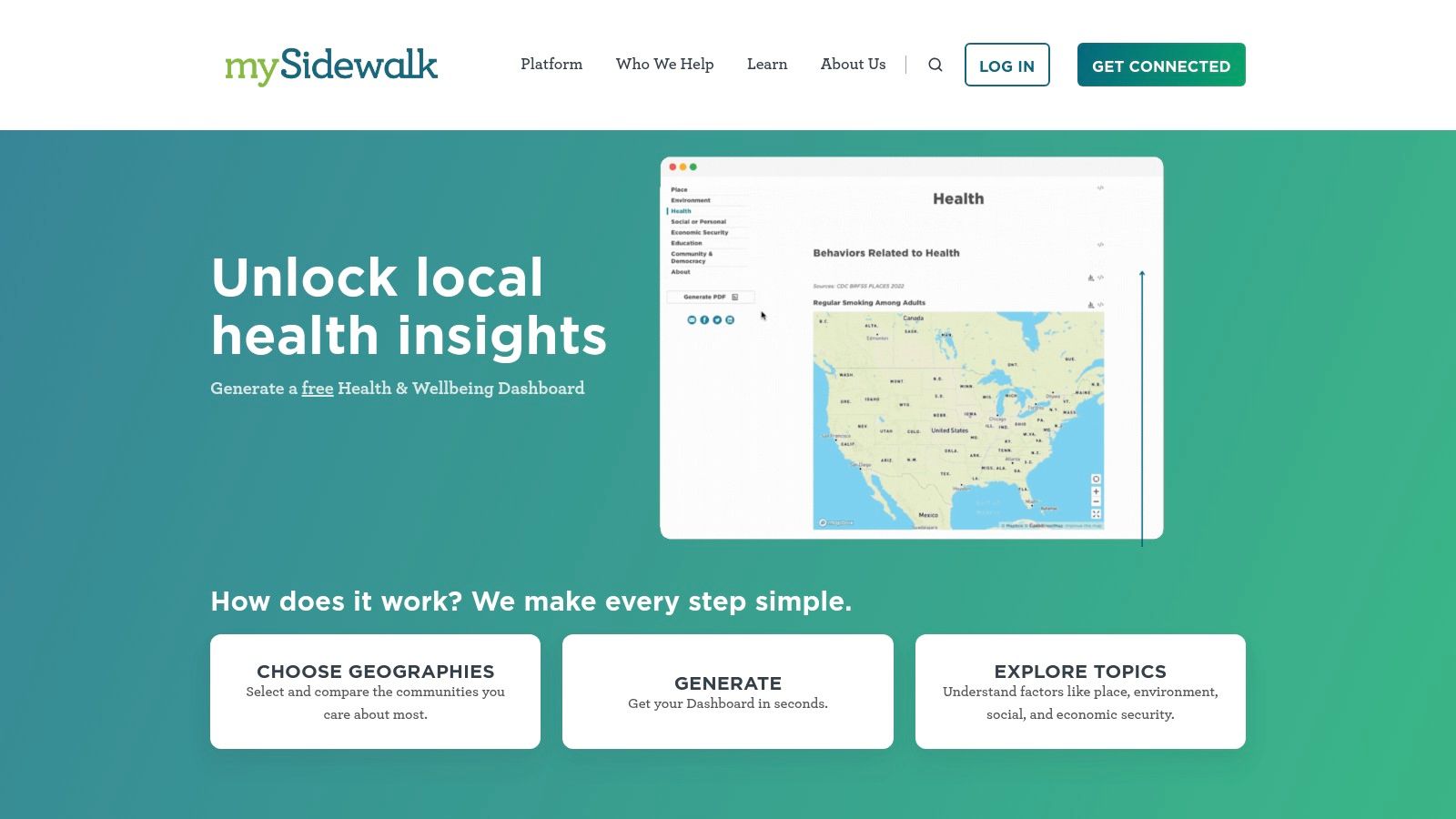
mySidewalk is a U.S.-focused data platform renowned for its ability to quickly generate clean, visually engaging Health & Wellbeing dashboards. This tool excels at creating local profiles for counties, places, or even ZIP codes, making complex data accessible to a non-technical audience. For nonprofits, its primary value lies in its self-serve generator, which transforms raw community indicators into compelling narratives that support strategic planning and prioritization during a community needs assessment. It provides a polished, shareable output that is perfect for board meetings or stakeholder presentations.
Core Features & Use Cases
The standout feature is the self-serve dashboard generator, which allows you to input a location and instantly receive a profile covering social, economic, and health domains. This is ideal for quickly understanding a community's baseline conditions. The platform also allows you to compare multiple geographies, helping you pinpoint areas of greatest need or benchmark your service area against neighboring communities. For organizations with more specific data needs, mySidewalk offers custom "Generator" development with their team to tailor dashboards to your exact specifications.
Pros & Cons
Integration with Grant Planning
Use the mySidewalk dashboard generator to create a concise, data-driven visual for the "Statement of Need" in your grant proposals. The charts and key statistics can be screenshotted or cited to provide clear evidence of the problem your nonprofit is addressing. When using Fundsprout to manage your grant pipeline, you can attach a link to a mySidewalk dashboard for a specific service area, giving your team a quick, visual reference for community demographics and needs. For more information, visit the mySidewalk Health & Wellbeing Generator.
11. SurveyMonkey (Momentive)
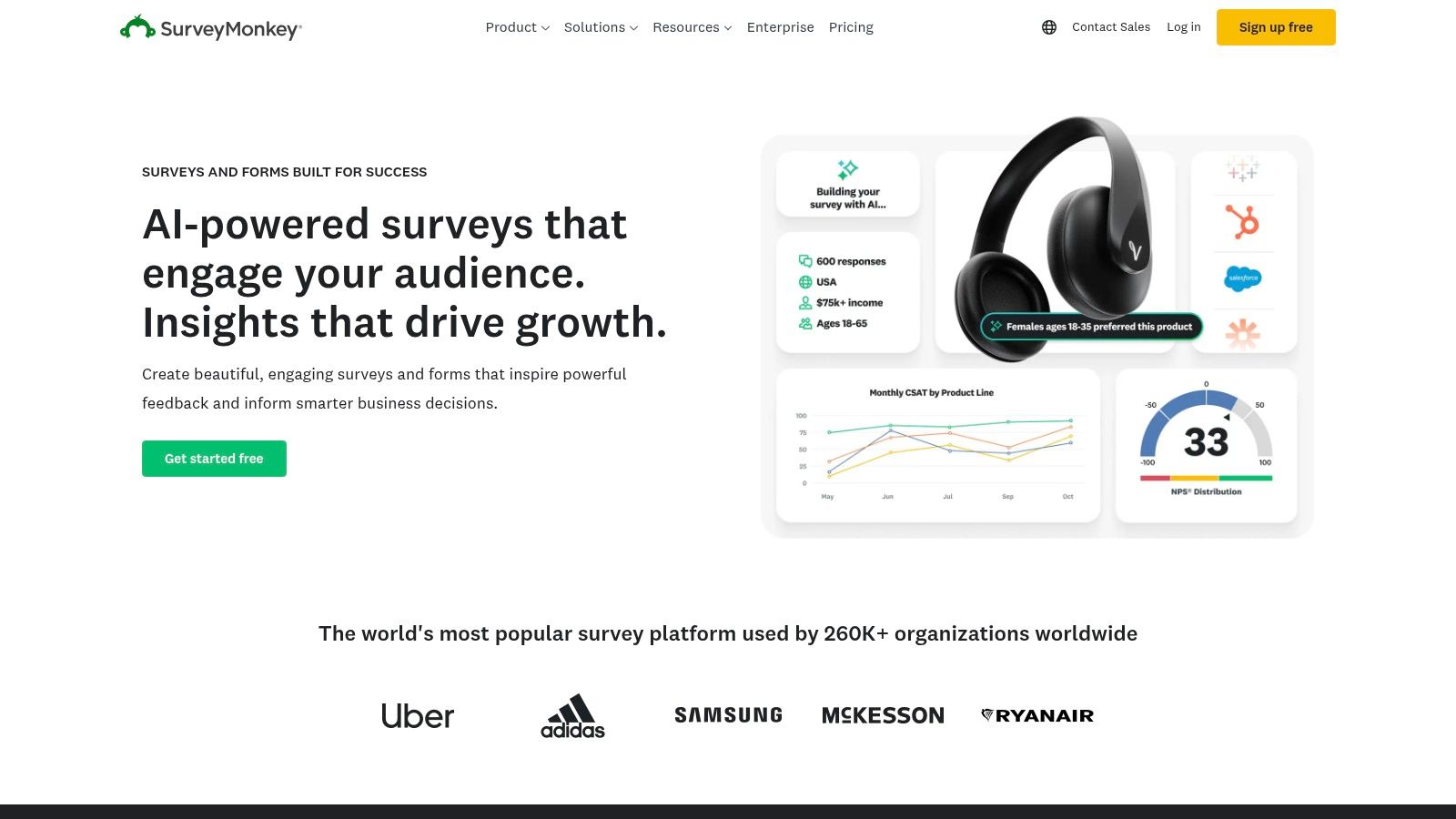
SurveyMonkey is one of the most widely recognized online survey platforms, offering a low-barrier entry point for nonprofits needing to collect primary data for a community needs assessment. Its strength lies in its simplicity and speed, allowing organizations to quickly design and deploy surveys to gather qualitative feedback and quantitative sentiment directly from community members. While not a specialized GIS or data mapping tool, it excels at capturing firsthand perspectives, making it an essential instrument for the primary research phase of your assessment.
Core Features & Use Cases
SurveyMonkey’s primary feature is its intuitive, web-based survey builder, complemented by a library of expert-written templates. For community needs assessment, templates like "Neighborhood Feedback" or "Community Services Evaluation" provide a vetted starting point, saving significant time on question design. Its multi-channel distribution options (email, social media, website embeds) make it easy to reach a broad audience, while the built-in analytics dashboard provides a quick-glance summary of responses, ideal for rapid feedback analysis.
Pros & Cons
Integration with Grant Planning
Use SurveyMonkey to gather powerful testimonials and quantitative data that support the "Statement of Need" in your grant proposal. For example, a survey can quantify the percentage of residents who feel a specific service is lacking. When updating your Fundsprout grant calendar, you can use survey results to prioritize grants that align with the community's self-identified needs, demonstrating to funders that your project is responsive and evidence-based. For more information, visit surveymonkey.com.
12. Amazon (Books / Toolkits Marketplace)
While not a digital tool in the same vein as a data platform, Amazon serves as an essential marketplace for accessing physical and digital resources that guide the needs assessment process. It offers a vast library of books, workbooks, and toolkits on community needs assessment methodologies, stakeholder engagement, and strategic planning. This makes it an indispensable resource for teams that learn best through structured, text-based guides or require physical materials for workshops and training sessions.
Core Features & Use Cases
Amazon’s primary value lies in its extensive selection and rapid delivery. Nonprofits can quickly find and purchase leading guides like "The Community Needs Assessment Toolkit" or specialized academic texts on participatory action research. The platform is ideal for sourcing multiple copies of workbooks for board retreats or team training. User reviews and the "Look Inside" preview feature allow for vetting materials before committing to a purchase, helping ensure the chosen resource aligns with your organization's specific needs.
Pros & Cons
Integration with Grant Planning
Use books purchased from Amazon to establish a foundational methodology for your needs assessment, which strengthens your grant proposal's credibility. Citing established frameworks from these resources in your "Statement of Need" demonstrates a rigorous approach. When planning your Fundsprout grant calendar, a well-regarded toolkit can provide step-by-step instructions for gathering the exact qualitative and quantitative data that funders require. For more information, visit amazon.com.
Community Needs Assessment Tools — 12-Tool Comparison
From Data to Dollars: Turning Your Assessment into a Winning Grant Proposal
Navigating the landscape of community needs assessment tools can feel overwhelming, but as we've explored, the right platform can transform your understanding of the community you serve. From the robust, data-rich dashboards of SparkMap and Community Commons to the participatory frameworks of MAPP 2.0 and the Community Tool Box, each tool offers a unique lens through which to view your community's challenges and assets.
The journey doesn't end with data collection. The ultimate goal is to translate these powerful insights into a compelling narrative that resonates with funders and drives tangible change. A well-executed needs assessment is the bedrock of any successful grant proposal, providing the undeniable evidence that your project is not just a good idea, but a critical, data-backed necessity.
Synthesizing Your Findings for Maximum Impact
After deploying tools like Esri ArcGIS Survey123 for qualitative input or mining quantitative data from County Health Rankings & Roadmaps, your next step is synthesis. The most persuasive grant proposals blend hard numbers with human stories. Use the demographic and health statistics to paint the big picture, establishing the scale and scope of the problem. Then, weave in quotes from surveys, focus group anecdotes, and firsthand observations to give that data a human face.
This fusion of quantitative and qualitative evidence demonstrates a profound level of diligence and community engagement. It shows funders that you haven’t just read reports; you’ve listened to the voices of the people you aim to help.
Choosing the Right Tool for Your Grant Strategy
Selecting the best community needs assessment tools depends entirely on your organization's specific context, from budget constraints to technical capacity and the story you need to tell.
- For Broad, Data-Driven Overviews: If you're establishing baseline needs for a large-scale public health or community development grant, comprehensive platforms like Conduent HCI or mySidewalk provide instant access to professionally visualized, secondary data that can quickly form the core of your problem statement.
- For Hyper-Local, Participatory Projects: When your grant focuses on grassroots engagement and co-designed solutions, tools that facilitate direct community input are essential. KoboToolbox is invaluable for on-the-ground surveys in diverse settings, while the frameworks from NACCHO's MAPP 2.0 and the Community Tool Box guide you in building collaborative, community-led initiatives.
- For Budget-Conscious Organizations: Nonprofits with limited resources can leverage powerful, free tools. The ACHI/AHA Toolkit and County Health Rankings & Roadmaps offer a wealth of data and guidance at no cost, while SurveyMonkey's free tier is often sufficient for targeted community feedback.
The Final Step: Building a Cohesive Grant Proposal
The true power of your assessment is unleashed when it is seamlessly integrated into your grant application. Every statistic, map, and community insight you've gathered should directly support your proposal's core arguments. Your needs assessment data isn't just an appendix; it is the central pillar supporting your statement of need, your program design, and your proposed outcomes. It answers the critical "why" for funders before they even have to ask.
By thoughtfully selecting from the array of available community needs assessment tools, you equip your organization with the evidence needed to move beyond assumptions. You build a case for support that is not just emotional but empirical, not just passionate but precise. This data-driven approach transforms your grant proposal from a simple request for funding into a strategic investment plan for a better community, setting you on a clear path from insightful data to secured dollars.
Ready to turn your powerful community needs assessment data into a winning proposal? The Fundsprout AI Grant Writing Assistant helps you seamlessly integrate your key findings, statistics, and community stories into a persuasive narrative that funders can't ignore. Streamline your writing process and let your data do the talking by visiting Fundsprout today.
Try 14 days free
Get started with Fundsprout so you can focus on what really matters.