Best Proposal Management Software (2026 Buyer's Guide)
Find the best proposal management software for your nonprofit. Our 2026 guide compares top tools on features, pricing, and grant-seeking workflows.

Abdifatah Ali
Co-Founder
Your grant calendar is full, your files live in five different places, and the next deadline is always closer than it looks. One program director has the latest outcomes narrative. Your board chair has an old budget template. The development lead is searching email for a funder attachment that nobody can find quickly. By the time the proposal is ready, the team is exhausted.
This is the buying context for best proposal management software in nonprofits. This isn’t about adding shiny tech to the stack. It’s about reducing last-minute scrambling, protecting institutional memory, and giving a small team a repeatable way to produce strong grant applications without rebuilding the same material every week.
Commercial reviews often judge proposal tools by sales features like quote generation, e-signatures, and contract workflows. Nonprofits need something narrower and harder. They need a tool that helps them track grant opportunities, reuse approved language, manage compliance, coordinate contributors, and support reporting after the award. Those needs change which software is the right fit.
Why Proposal Software Matters for Nonprofits Now
It usually becomes urgent after a near miss. A grant is almost ready, then someone notices the attachment list changed, the budget file is outdated, or the final narrative includes language a funder rejected last year. The problem is rarely writing alone. It is coordination, recordkeeping, and compliance under deadline pressure.
That is why proposal software has become a practical purchase for nonprofits, especially small teams trying to submit more without adding staff. The right system keeps approved language, deadlines, reviewer comments, attachments, and reporting notes in one place, so grant work does not depend on who remembers which folder or inbox thread holds the latest version.
For nonprofits, the value goes beyond drafting. Grant seeking has a longer arc than commercial proposal work. You need to research fit, document eligibility questions, track submission requirements, preserve award conditions, and carry that history into reports and renewals. A tool that only helps you build a polished proposal can still leave major gaps in the actual grant workflow. If your team is also comparing broader systems, this guide to grant management software for nonprofits can help clarify where proposal tools end and grants platforms begin.
The software market itself is growing, but the more useful signal is what buyers are reacting to. Organizations are tired of patching together grant work with shared drives, spreadsheets, and email approvals. That setup can function for a while. It breaks down once deadlines overlap, multiple departments need to review content, and funders expect cleaner follow-through after the award.
What changes when nonprofits adopt the right tool
A nonprofit gains ground in a few specific places:
- Less time lost to retrieval: Staff can pull the latest case for support, logic model language, and standard attachments without hunting across old folders.
- Fewer version mistakes: Program, finance, and development can comment on one current draft instead of passing around renamed files.
- Stronger compliance control: Required forms, character limits, approvals, and submission checkpoints are easier to monitor before something gets missed.
- Better post-award continuity: Notes from the application stage stay connected to reporting deadlines, renewal strategy, and funder preferences.
I usually tell executive directors to watch for one pattern. If the same staff members keep rebuilding standard proposal sections, rechecking basic requirements, or chasing missing files every cycle, the organization already has enough process friction to justify software.
Budget still matters. For many nonprofits, the key question is whether a tool saves enough staff time and enough avoidable errors to earn its cost. In grant work, that threshold arrives sooner than many leaders expect because one missed attachment, one outdated metric, or one weak handoff into reporting can cost far more than the subscription.
Some of the discipline behind strong proposal systems also shows up outside the nonprofit world. Teams that work from approved messaging, current visuals, and a clear review process tend to produce better materials under pressure. The same principle is visible in Founders' Guide to Creating Pitch Decks That Close Deals, even though grant proposals and investor decks serve different audiences.
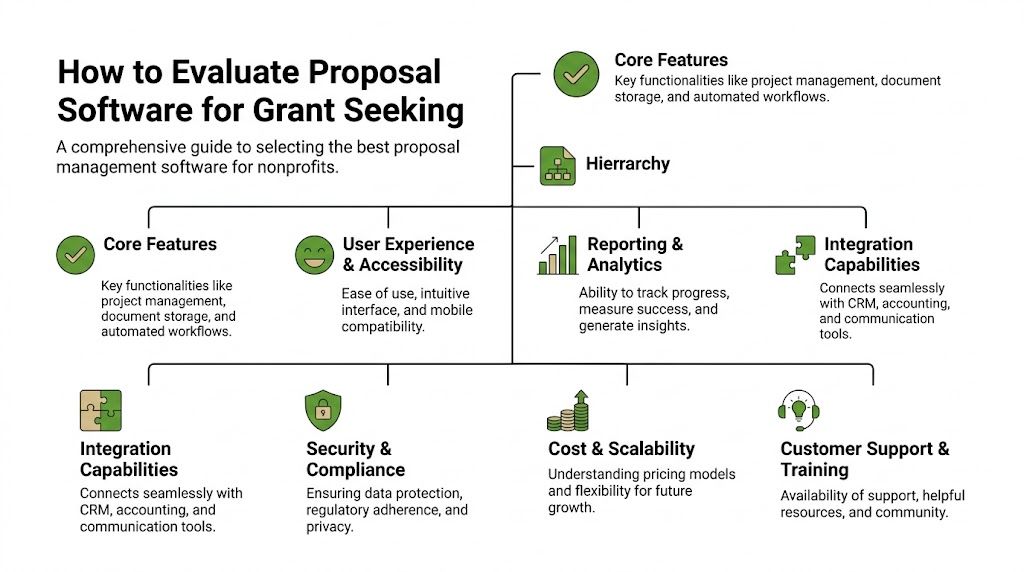
How to Evaluate Proposal Software for Grant Seeking
Nonprofit buyers get misled when they shop proposal software the same way a sales team would. A polished demo can hide the fact that the platform was built for quotes and contracts, not grants. The right evaluation starts with your workflow, not the vendor’s feature list.
Use this infographic as a quick reference while comparing options.
Start with grant workflow fit
Before you ask about AI, ask whether the software understands the work itself. Nonprofits need to move from opportunity review to narrative drafting to submission tracking to reporting. Many proposal tools only cover the middle.
During demos, ask questions like these:
- Opportunity intake: Can we organize grants by deadline, program area, geography, and status?
- Eligibility review: Can staff document why a funder is or isn’t a fit?
- Submission tracking: Can we track required attachments, approvals, and final submission dates?
- Post-award continuity: Can the same record support reporting, renewal notes, and compliance follow-up?
If you’re comparing proposal platforms with broader grants tools, a resource on grant management software for nonprofits can help clarify where proposal creation ends and grant operations begin.
Look past generic AI claims
AI can help. It can also create polished nonsense if it isn’t grounded in your organization’s actual materials. For nonprofits, useful AI does three things well. It pulls from approved content, respects funder structure, and lets humans review everything.
What to ask in the demo:
- Can the AI use our past proposals, program descriptions, and impact data?
- Can it map funder questions into an outline before writing?
- Can we see where content came from and edit collaboratively?
A helpful comparison point comes from pitch work outside nonprofits. The strongest teams don’t start with blank pages. They work from repeatable story structure, then tailor the message to the audience. That same discipline shows up in good grant writing. If you want a useful example of structured narrative thinking, Founders' Guide to Creating Pitch Decks That Close Deals is worth reading for its approach to message architecture, even though it’s aimed at startups.
A short walkthrough can also help buyers see what modern proposal workflows look like in practice.
Prioritize compliance and reporting
Nonprofit buyers should get demanding. A tool that creates beautiful proposals but loses audit history, attachment control, or version clarity will create work later.
Focus on features that protect process:
- Version control: You need a clear record of who changed what.
- Approval workflow: Finance, program, and leadership reviews should be easy to route.
- Attachment management: Budgets, letters, policies, and appendices should stay linked to the application.
- Reporting continuity: Award obligations shouldn’t disappear after submission.
Buy for the full grant lifecycle you actually manage, not the one the homepage screenshot suggests.
Calculate total cost in staff time, not just subscription price
A cheap tool that requires constant manual cleanup often costs more than a pricier one that reduces rework. For small nonprofits, the right question isn’t “What’s the lowest monthly fee?” It’s “What will this save us from doing by hand?”
Watch for these hidden costs:
- Setup burden: Who imports your templates and content library?
- Training load: Can occasional users learn it quickly?
- Admin maintenance: Who keeps the system current?
- Feature mismatch: Are you paying for sales functions your team won’t use?
The best proposal management software for a nonprofit is rarely the one with the longest feature list. It’s the one that helps your team produce accurate, funder-ready applications with the least friction.
The Best Proposal Management Software in 2026
A nonprofit can lose a strong grant opportunity long before the deadline. It happens when the narrative is in one folder, the budget is in another, program staff are editing an old draft, and no one is sure whether the final application answers every requirement. The best proposal software reduces that risk. It gives your team a repeatable way to find, build, review, submit, and track grants without creating more admin work than it saves.
No single platform fits every nonprofit. Some tools are built for grant teams that need research, compliance tracking, and post-award continuity. Others are built for sales teams sending polished proposals and contracts. That difference matters more than feature count.
A quick comparison helps separate the tools that can support grant work from the ones that mainly handle document production.
| Platform | Best For | Grant-Specific Focus | AI Writing Capability | Starting Price | Nonprofit Fit |
|---|---|---|---|---|---|
| Fundsprout | Nonprofits managing grant discovery, drafting, and compliance in one workflow | Strong | Built around grant proposal drafting, requirement analysis, and reuse of organizational materials | Contact vendor | Strong for grant-seeking teams |
| Responsive | Organizations handling complex RFP-style responses with heavy collaboration | Moderate | Strong for response assembly and knowledge reuse | Custom pricing | Better for larger, process-heavy teams |
| PandaDoc | Simple document creation, e-signatures, and proposal sending | Low | General document automation | $19/user/month | Good for basic documents, weaker for grants |
| QorusDocs | Knowledge-heavy teams that need strict content control and proposal assembly | Moderate | Strong in content intelligence and assembly | Custom pricing | Better where compliance and library quality drive the process |
Fundsprout
Fundsprout stands out because it is built around the grant-seeking workflow rather than a general proposal or sales process. For a nonprofit, that changes the day-to-day experience. Staff are not only drafting narrative. They are reviewing eligibility, matching funder requirements to internal programs, reusing approved language, collecting attachments, and keeping reporting responsibilities visible after submission.
That grant-centered structure is useful for small development teams that cannot afford to rebuild the process in a generic document tool. A platform that keeps research, drafting, requirement tracking, and submission management in one place usually creates fewer handoffs and fewer missed details.
The trade-off is focus. Teams that need contract workflows, pricing tables, or sales pipeline features may find it narrower than a commercial proposal platform. For nonprofits where grants are the core revenue development process, that specialization is often a benefit rather than a limitation.
If you are sorting through AI options, this guide to an automated grant proposal generator gives a practical benchmark for what grant-specific drafting support should include.
Responsive
Responsive fits organizations that already operate like a formal response team. That usually means large nonprofits, universities, health systems, and national organizations where grant applications or grant-adjacent submissions involve many contributors, recurring institutional content, and detailed review chains.
Its strength is coordination. Content libraries, workflow controls, and structured response assembly can reduce the back-and-forth that slows down large teams. If legal, finance, programs, and leadership all need to review parts of the same submission, Responsive can support that process well.
The downside for a smaller nonprofit is overhead. A community-based organization applying to a mix of foundation and government opportunities may not get enough value from an enterprise response platform to justify the setup and administration. If your biggest problem is grant fit and draft quality, rather than cross-department routing, this may be more system than you need.
PandaDoc
PandaDoc earns a place on many shortlists because it is accessible, familiar, and priced for teams that need fast document creation without a long buying process. It works well for sponsorship proposals, partnership agreements, service documents, and other cases where presentation and signatures matter more than grant compliance.
That said, grant teams should be careful not to confuse proposal software with grant management support. PandaDoc can help produce polished documents, but most grant applications are not won on polish alone. They depend on requirement tracking, narrative collaboration, supporting document control, and a clear record of what was submitted.
For nonprofits with a very small budget and simple document needs, PandaDoc can still be a reasonable stopgap. It is less convincing as the central system for an active grants program.
QorusDocs
QorusDocs is a better fit for organizations where approved content management is the main challenge. Some nonprofits have a large library of program descriptions, boilerplate, compliance language, outcome statements, and institutional data that must stay consistent across many submissions. In that setting, content governance matters as much as drafting speed.
Its value comes from controlled reuse and proposal assembly. If your team loses time because staff keep pulling old language from shared drives or copying text from past submissions without checking whether it is still approved, QorusDocs addresses a real problem.
The trade-off is complexity and cost. Smaller nonprofits often do not have enough proposal volume, enough standardized content, or enough staff capacity to get full value from a platform like this. It makes more sense where the organization already has mature internal review practices.
What works and what doesn’t
Patterns show up quickly once you evaluate these tools through a grant-seeking lens.
- Best fit for grant-focused nonprofits: Fundsprout is the closest match when the team needs one system that supports research, drafting, compliance, and submission tracking.
- Best fit for large, multi-department institutions: Responsive works better when many subject-matter experts contribute and formal review routing is part of every submission.
- Best fit for simple proposal documents: PandaDoc is useful for polished external documents, but it does not address the full grant lifecycle well.
- Best fit for content-governed environments: QorusDocs makes sense when consistency, approved language, and proposal assembly are the primary concerns.
The practical question is simple. Where does your team lose the most time right now?
If the answer is grant research, draft development, and keeping applications compliant, choose a grant-centered tool. If the answer is managing many reviewers and reusing institutional content at scale, choose a platform designed for that level of process control.
One more practical note. Nonprofits often review adjacent proposal tools during the buying process. If your team is also comparing sales-style proposal builders, this overview of Proposify integrations is useful for understanding how document tools fit into broader automation workflows, even if your final choice needs to support grant work more directly.
Situational Recommendations for Your Nonprofit
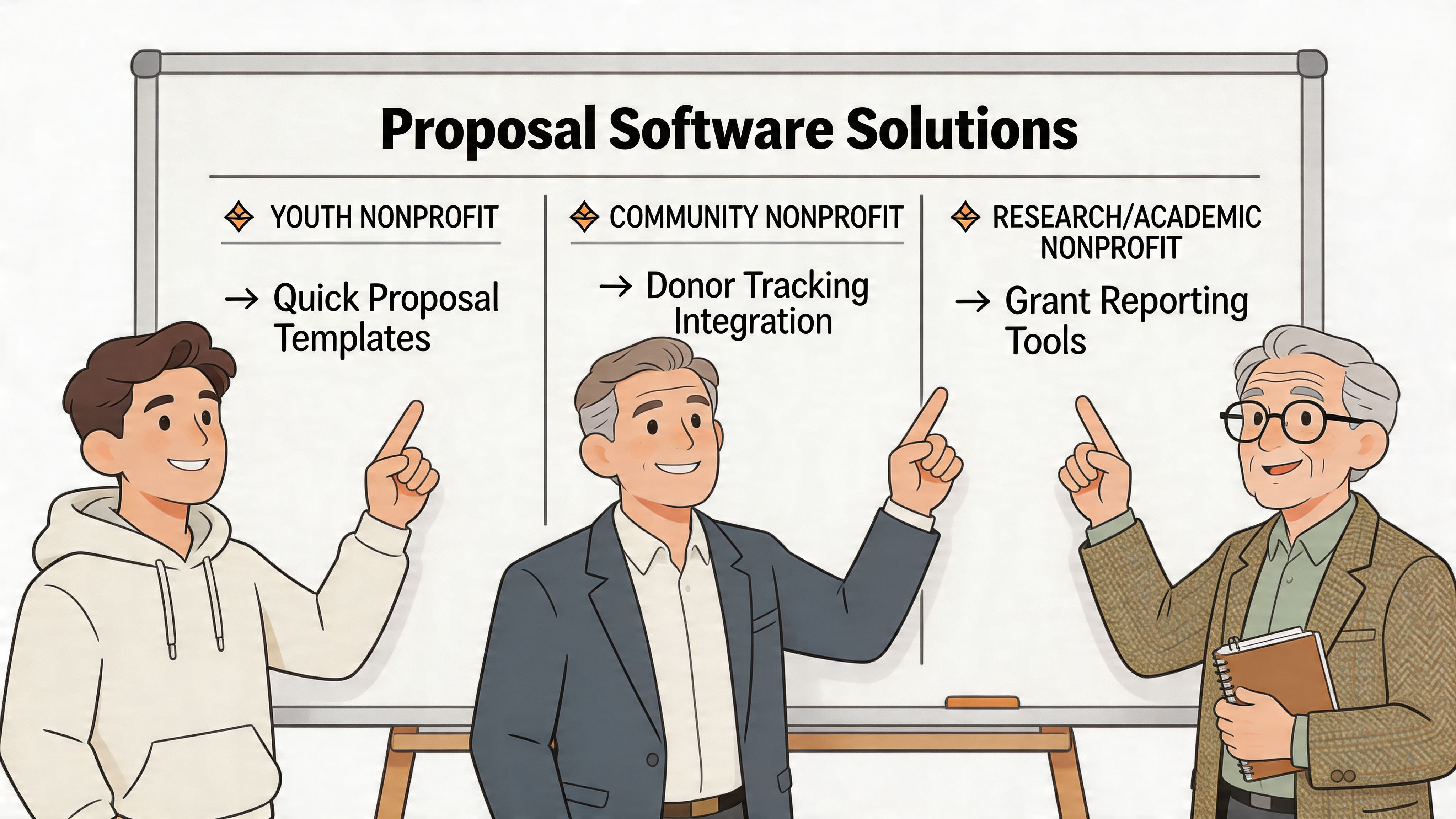
Most executive directors don’t need another list. They need to know what fits their situation. The right answer looks different if you’re volunteer-led, if you have a two-person development shop, or if you run a large grants office with compliance risk on every submission.
The scrappy startup nonprofit
This organization has heart, urgency, and almost no slack. The executive director writes grants at night. A volunteer helps with editing. Program information lives in scattered documents, and nobody has time to learn a system that feels corporate.
What this team needs:
- Simple setup: It can’t take weeks to configure.
- Grant-specific guidance: The tool should help translate funder requirements into a workable draft.
- Basic collaboration: A few people need to comment without version chaos.
- Budget discipline: The software must replace manual work fast.
For this nonprofit, a grant-focused platform is usually the better fit than a broad enterprise proposal system. A sales-oriented document tool may feel cheaper at first, but it often pushes too much grant-specific work back onto the team. The startup nonprofit doesn’t need advanced quote automation. It needs help finding opportunities, drafting consistent narratives, and keeping deadlines from slipping.
A small nonprofit should avoid buying complexity it can’t staff. The best system is the one the ED and one colleague will actually use every week.
The growing community hub
This is the organization with several active programs, a small development team, and enough grant activity that missed handoffs now hurt. The finance lead needs budget inputs. Program managers must review outcomes language. Funder requirements vary, and reporting deadlines are beginning to pile up.
This team needs a platform that can hold structure without becoming a burden.
Good fit priorities include:
- Shared workspace for multi-person drafting
- Clear task ownership
- Reusable content library
- Compliance visibility beyond submission
For this group, the best proposal management software is often the option that bridges writing and grant operations. A generic proposal tool may support templates and polished output, but that won’t solve the handoff problem between development, finance, and programs. The software should reduce dependence on one heroic staff member who remembers where everything is.
A grant-centered platform tends to fit well here because it supports both proposal creation and the surrounding workflow. PandaDoc can still work as a secondary document tool if the team mainly needs branded external materials, but it usually won’t be enough as the core grant engine.
The established institution
This organization has a grants department, recurring submissions, and formal review paths. It may apply for government funding, manage many attachments, and require legal, finance, and leadership approval before submission. Content accuracy matters because one outdated answer can create real problems.
This team should look hard at workflow depth and content governance.
Stronger candidates are the enterprise-focused tools from the comparison above:
- Responsive if the organization handles high-volume, questionnaire-heavy responses with many contributors.
- QorusDocs if approved content control, reuse, and proposal assembly speed matter most.
- Grant-focused software alongside enterprise workflow tools when institutional grants and community grant-seeking needs differ across departments.
What often fails in this environment is buying a lightweight tool because it demos well. Large nonprofits don’t just need faster writing. They need accountability, auditability, and reliable reuse across teams.
A simple matching guide
| If your nonprofit looks like this | Prioritize this | Likely fit |
|---|---|---|
| Volunteer-led or founder-led | Ease of use and grant-specific drafting | Grant-focused platform |
| Small development team with growing volume | Collaboration and compliance continuity | Grant-focused platform with workflow tools |
| Large institution with formal approvals | Enterprise response management and content governance | Responsive or QorusDocs |
The buying mistake I see most often is choosing based on the slickest interface or the lowest entry price. For nonprofits, the better question is narrower. Where does your team lose time now? If the answer is opportunity research and first-draft creation, choose for grant specificity. If the answer is review bottlenecks and content control, choose for workflow discipline.
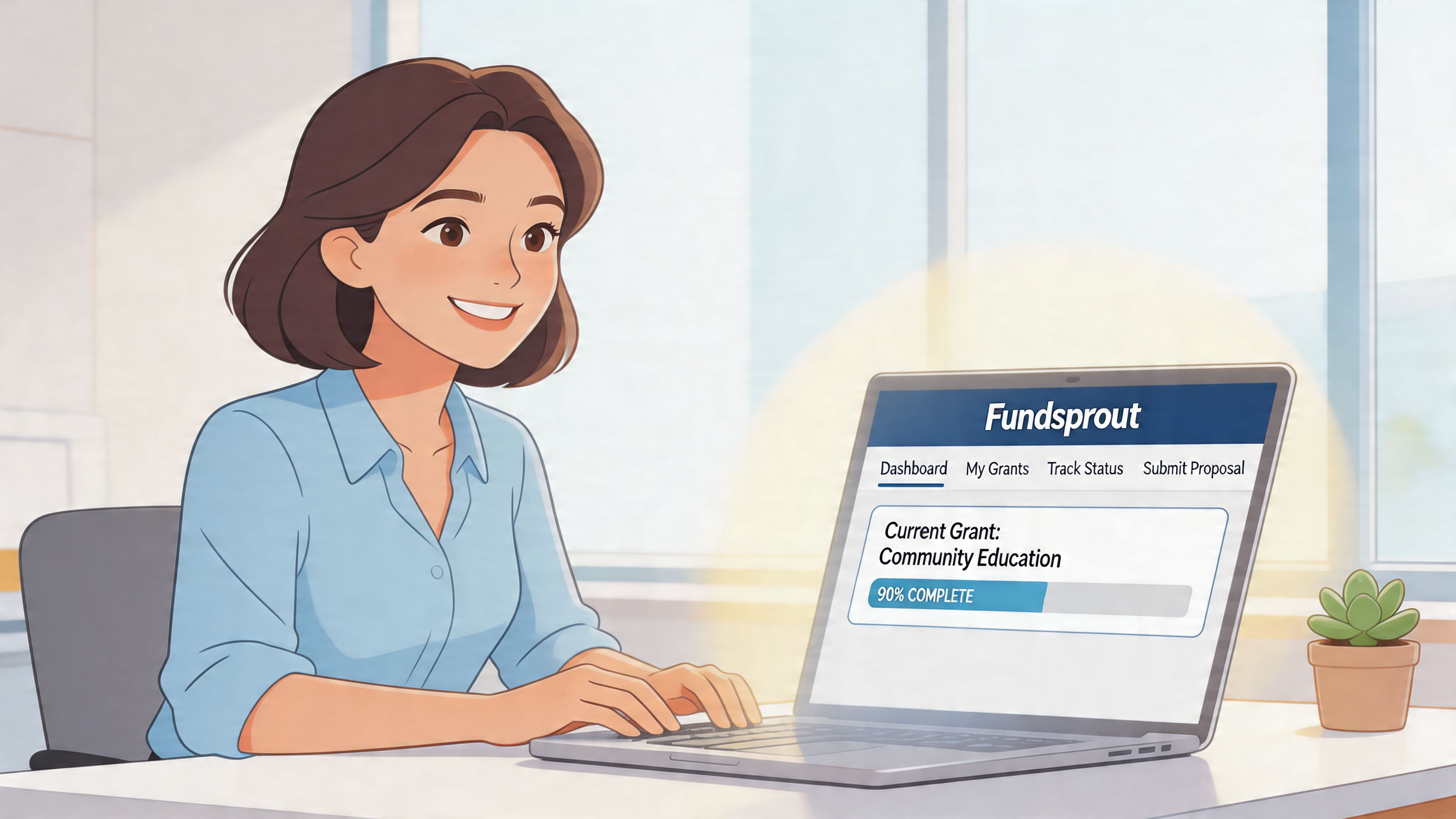
A Deep Dive on Fundsprout for Grant Seekers
When a nonprofit’s work revolves around grants, the biggest gap in many proposal platforms is context. They can help assemble documents, but they don’t understand the sequence of grant work. You still have to find opportunities, screen fit, interpret requirements, gather materials, draft narratives, and keep reporting obligations visible after submission.
That’s the niche where Fundsprout is most relevant.
It starts before the draft
Many software products enter the process too late. They assume you already know which opportunities to pursue. Grant teams usually need help earlier than that.
Fundsprout’s workflow starts with grant discovery and fit. Its opportunity pipeline is designed to surface relevant funding across public and foundation sources, then help teams narrow based on program alignment, geography, and capacity. For small nonprofits, that matters because the first bad habit to fix is chasing every open opportunity.
If grant research is a major bottleneck, the platform’s grant discovery feature is the part to examine first. It addresses a practical nonprofit problem. Teams need fewer random opportunities and more plausible ones.
The strongest feature is requirement handling
A lot of AI writing tools fail because they begin with generation instead of interpretation. Grants don’t work that way. Before anyone writes, someone has to read the notice, extract requirements, identify attachments, and decide what the narrative structure needs to be.
That’s where an RFP analyzer is useful. Turning funder requirements into a structured outline gives the team a working blueprint rather than a blank page. It also reduces the risk of answering the wrong question well, which happens more often than people admit.
This is a meaningful distinction from general-purpose proposal software. A broad proposal tool may help format content. A grant-centered analyzer helps shape the work before drafting starts.
It fits nonprofit collaboration better than sales-first tools
Grant writing is never only writing. Program staff provide service details. Finance supplies budget inputs. Leadership wants a final review. The challenge is keeping all of that coordinated without losing the thread.
Fundsprout’s shared workspace, version control, and planning features speak directly to that reality. The team can see deadlines, missing materials, and section ownership in one place. That’s more useful for a nonprofit than a flashy send-and-track experience built for commercial proposals.
The best grant software doesn’t just help you write faster. It helps the right people contribute at the right moment without derailing the process.
Reporting continuity matters more than buyers expect
A common software mistake is treating submission as the finish line. For nonprofits, submission is often the midpoint. If the proposal is funded, reporting requirements, renewals, and compliance tracking matter just as much as the original narrative.
A grant-specific system has an advantage over most proposal tools. Reporting templates, submission records, audit trails, and renewal visibility belong close to the original application materials. When those records stay connected, nonprofits spend less time reconstructing history later.
Who should consider it
Fundsprout makes the most sense for nonprofits that want one environment for funding discovery, proposal development, and follow-through. It’s especially relevant for organizations that don’t have a dedicated grants operations team but still need process discipline.
It’s a less natural fit for companies or institutions whose primary need is enterprise RFP response management across many non-grant document types. Those teams may still prefer a platform centered on commercial response workflows.
For nonprofit grant seekers, though, the logic is strong. If your current pain comes from fragmented grant work rather than weak document design, a grant-specific platform solves the right problem.
Making Your Final Decision and Getting Started
It is 4:30 p.m. on a Thursday. A foundation deadline is two business days away, finance still needs to confirm the budget numbers, and your program director is working from an older narrative saved in email. That is the moment your software choice either helps or gets in the way.
By the time you are deciding between two or three options, feature lists stop being the main issue. The crucial question is whether the system fits how your nonprofit effectively pursues grants. That includes collecting attachments, checking application requirements, routing approvals, and keeping records you will need again for reporting and renewals.
Run a short pilot with a real grant
A polished demo rarely shows the friction that slows small teams down. Use one live opportunity and test the messy parts.
Pick a grant with enough complexity to reflect real working conditions. Multi-attachment applications, budget review, board approval, or strict funder instructions are all useful pressure points. Include someone from finance or programs in the pilot, because grant work usually breaks down at cross-team handoffs, not at the writing stage.
Use a short checklist:
- Load a real opportunity: Enter the actual deadline, requirements, attachments, and submission steps.
- Draft inside the platform: Test how it handles your past language, boilerplate, and edits from multiple people.
- Route one review cycle: Confirm that comments, approvals, and version control are cleaner than email.
- Check compliance details: Make sure the team can track character limits, required documents, and funder-specific instructions.
- Save reporting context: See whether submission records and final files stay organized for later grant reporting.
Define success before anyone falls in love with the interface
Teams often choose software because the demo felt organized. That is not enough. A grant system earns its cost when it removes recurring friction from the process your staff repeats every month.
Set a few measures for the first 30 to 90 days:
- Did staff spend less time chasing the latest version?
- Were deadlines, attachments, and approvals easier to see?
- Could finance and programs review without creating new confusion?
- Did the system preserve what you need for follow-up reports or renewals?
- Was it easier to reuse approved language without copying old mistakes forward?
As noted earlier, proposal software is becoming more structured and more AI-assisted. For nonprofits, the practical takeaway is simple. Choose tools that help staff review requirements, reuse approved content carefully, and keep a clean record of what was submitted. Speed matters, but compliance and continuity matter more.
Protect adoption early
Poor adoption usually comes from asking a small team to change too much at once.
Assign one internal owner. That person does not need to be technical. They do need authority to maintain templates, clean up duplicate content, manage permissions, and decide what belongs in the shared library. Without that owner, the platform turns into another storage location with a login fee attached.
Training should stay task-based. Show staff how to prepare one grant, request one approval, and find one approved attachment. Do not spend an hour touring every menu.
Buy for the grant process your team can maintain with current staff, current time, and current budget.
Keep setup tight for the first month
Small nonprofits do better with a narrow launch than a full migration. Start with the materials you use repeatedly and the deadlines already on the calendar.
Focus first on:
- Core narratives: mission, need statement, program summaries, outcomes, evaluation language
- Standard attachments: budgets, board list, audited financials, policies, letters of support
- Active opportunities: current grants only, not every historical record
- Approval steps: who reviews budgets, who approves narrative changes, who submits
- Post-award records: award letters, reporting dates, and final submitted files where the system supports them
That approach keeps the project manageable and lets you see value quickly. Once the team trusts the system, you can add older content, more templates, and a better reporting workflow. The first goal is modest and useful. Make the next grant easier to complete, easier to review, and easier to report on later.
Frequently Asked Questions About Proposal Software
Can’t we just use our CRM or Google Docs
Yes. Many small nonprofits start there because those tools are already in place and staff know how to use them.
The gap shows up once grant work gets more demanding. Google Docs is fine for drafting. A CRM is useful for tracking funder relationships and deadlines. But grant teams also need a reliable way to match application questions to approved language, track required attachments, catch compliance issues before submission, and keep a clean record for post-award reporting. In practice, that work ends up scattered across folders, inboxes, spreadsheets, and staff memory.
General proposal platforms can still help, especially if your organization also handles sponsorships or fee-for-service proposals. But many of the strongest commercial tools are built around sales documents, signatures, and deal analytics. Grant seeking has a different pressure point. Accuracy matters more than presentation, and reporting continuity matters long after the proposal is submitted.
What’s the typical implementation timeline for a small nonprofit
For a small nonprofit, a practical rollout usually takes a few weeks, not a few days.
The software itself is rarely the slow part. The real work is deciding which narratives are current, which budget files are approved, who can edit shared content, and how your team will handle final review. If those decisions are fuzzy, even a good system will feel messy.
Teams usually get better results by setting up one live grant workflow first. Use one template set, one approval path, and one place for standard attachments. Once that works, add older materials and reporting records in stages.
Is proposal software overkill for one-off or simple grant applications
Sometimes it is.
If your organization submits only a handful of short applications each year, and the same person manages the whole process, a disciplined folder structure may be enough. Software starts to pay for itself when coordination becomes the problem.
It is usually worth a closer look if your team keeps running into issues like these:
- The same narrative gets rewritten because no one knows which version is approved
- Budget, program, and leadership staff all need to review parts of the application
- Funder requirements change from one application to the next
- Submitted materials are hard to find when a report or renewal is due
- You spend too much time hunting for attachments, past answers, or reporting dates
That is the point where software stops being an extra expense and starts reducing avoidable mistakes.
If your team wants a more structured way to manage grant research, application drafting, compliance checks, and follow-up reporting, take a look at Fundsprout. It is built for nonprofits that need support across the full grant workflow, not just document creation.
Try 14 days free
Get started with Fundsprout so you can focus on what really matters.