12 Annual Report Template Non Profit You Should Know
Discover the top 12 annual report template non profit strategies and tips. Complete guide with actionable insights.

Abdifatah Ali
Co-Founder
Crafting a compelling annual report is a critical task for any nonprofit. It's more than just a financial summary; it's a powerful storytelling tool that showcases your impact, builds trust with donors, and inspires continued support. However, starting from a blank page can be daunting, especially for teams with limited design resources or time. This is where a high-quality annual report template for a non profit becomes an invaluable asset. It provides the structural and visual foundation needed to present your data and narratives professionally and effectively.
This curated listicle is designed to eliminate the guesswork and hours of searching. We've compiled the best platforms and marketplaces for finding a template that aligns with your organization's brand and mission. Whether you need a highly customizable design, an interactive digital format, or a simple, print-ready layout, this guide has a solution for you. To kick off your annual report creation, consider exploring a comprehensive guide to annual report templates for nonprofits that can provide a solid foundation.
Each resource listed below includes a detailed breakdown, direct links, and screenshots to help you visualize the final product. We will cover a range of options, from robust design platforms like Canva and Visme to marketplaces like Creative Market and Etsy, ensuring you find the perfect fit for your specific needs and budget. Our goal is to streamline your workflow so you can focus less on formatting and more on what truly matters: communicating your organization's incredible achievements from the past year. Let's explore the templates that will help you create a report that resonates with your stakeholders.
1. Canva
Canva is an immensely popular online design platform offering one of the largest and most accessible libraries of editable report templates available. Its intuitive drag-and-drop interface makes it a go-to choice for nonprofits seeking a professional annual report template non profit without the steep learning curve of traditional design software. The platform is particularly effective for teams with varying levels of design skill, allowing staff and volunteers to collaborate seamlessly on a single document.
The sheer volume of templates ensures that organizations can find a starting point that aligns with their branding and mission. Customization is straightforward, with access to millions of stock photos, icons, and fonts. For eligible 501(c)(3) organizations, the Canva for Nonprofits program provides free access to premium Canva Pro features, unlocking powerful tools like Brand Kits, Magic Resize, and a vast content library. This makes it an incredibly cost-effective solution.
Key Features & Implementation Tips
- Ease of Use: The drag-and-drop editor is perfect for users without any graphic design background.
- Collaboration: Teams can comment, edit, and share designs in real-time, streamlining the review process.
- Versatile Outputs: Export your final report as a print-ready PDF, a shareable web link, or even an interactive digital flipbook.
To get the most out of Canva, prepare your financial data beforehand. While Canva has basic chart tools, you may need to create complex financial visualizations in a spreadsheet program first, then import them as images. This process is similar to structuring financial data for grant proposals, a skill you can refine with a nonprofit program budget template.
Website: https://www.canva.com/create/reports/
2. Venngage
Venngage specializes in transforming dense data into compelling visual stories, making it an excellent resource for nonprofits that want to create an infographic-style annual report template non profit. The platform excels at data visualization, offering a wide array of charts, icons, and maps that are designed to make financial data and impact metrics easily digestible for donors, stakeholders, and the public. Its templates are structured to guide users through a narrative, perfect for showcasing a year's accomplishments in a visually engaging format.
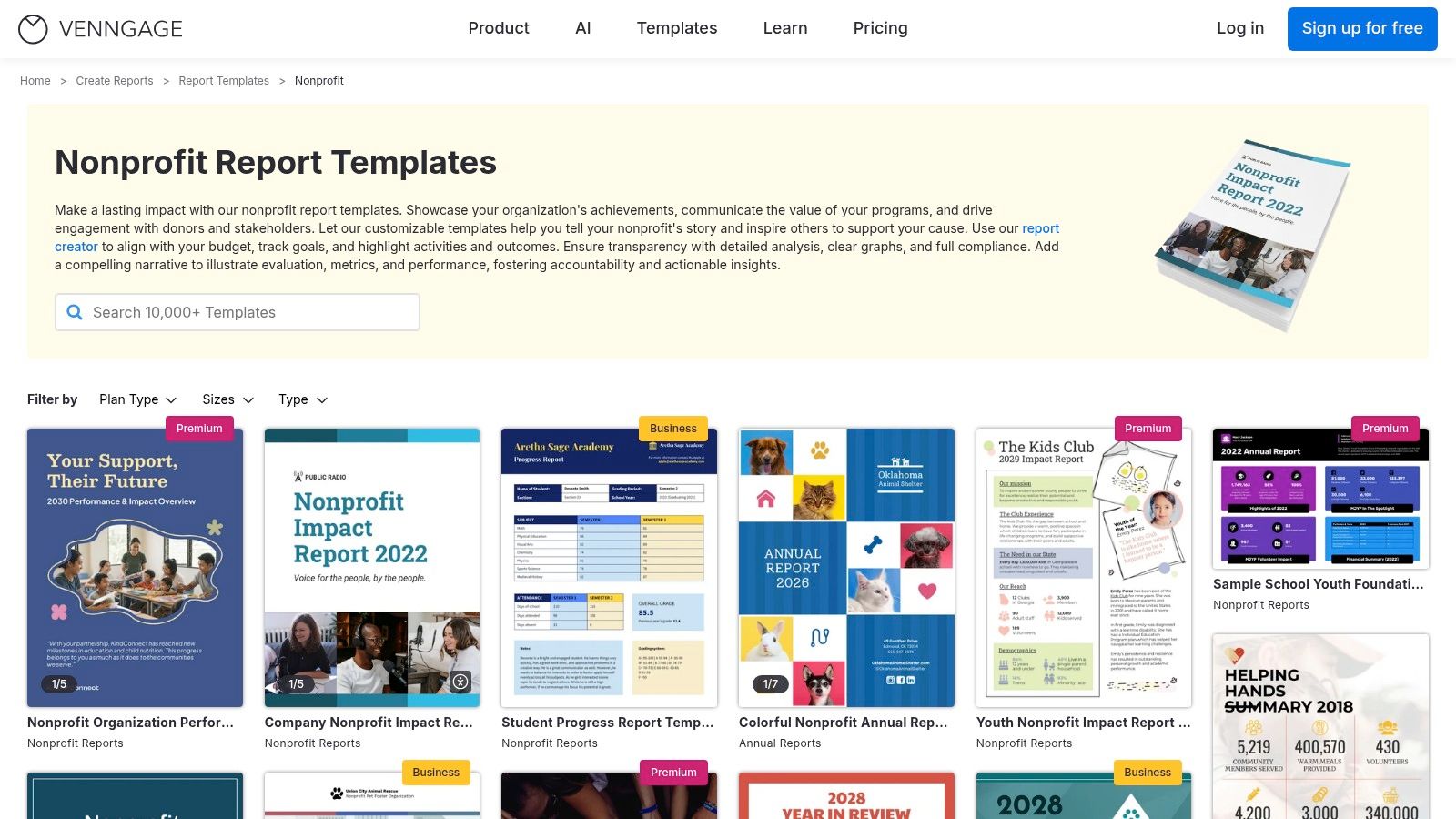
Unlike general design platforms, Venngage’s strength lies in its curated focus on professional reports and infographics. This makes it particularly helpful for teams without an in-house designer who need to produce a high-impact summary or a one-page annual report. While a free plan exists, many of the most useful templates and export features (like high-resolution PDF or PowerPoint) require a Premium or Business subscription. However, Venngage does offer a discount for nonprofit organizations.
Key Features & Implementation Tips
- Data Visualization Focus: Built-in charts and graphs are easy to populate and customize with your brand colors.
- Infographic Layouts: Templates are designed to present information in a narrative, scannable format ideal for digital sharing.
- Brand Kit: Store your logo, fonts, and color palette for quick and consistent branding across all designs.
For the best results, start by outlining the key story you want to tell with your data. Venngage is less of a blank canvas and more of a storytelling tool, so having your core metrics and achievements ready will help you select the most effective template.
Website: https://venngage.com/templates/reports/nonprofit
3. Visme
Visme positions itself as more than just a design tool, offering a powerful platform that excels in data visualization and interactivity. For nonprofits looking to create an engaging digital experience, Visme provides a robust annual report template non profit that can incorporate animated charts, data widgets, and interactive maps. This makes it an excellent choice for organizations that want to bring their impact data to life beyond static pages.
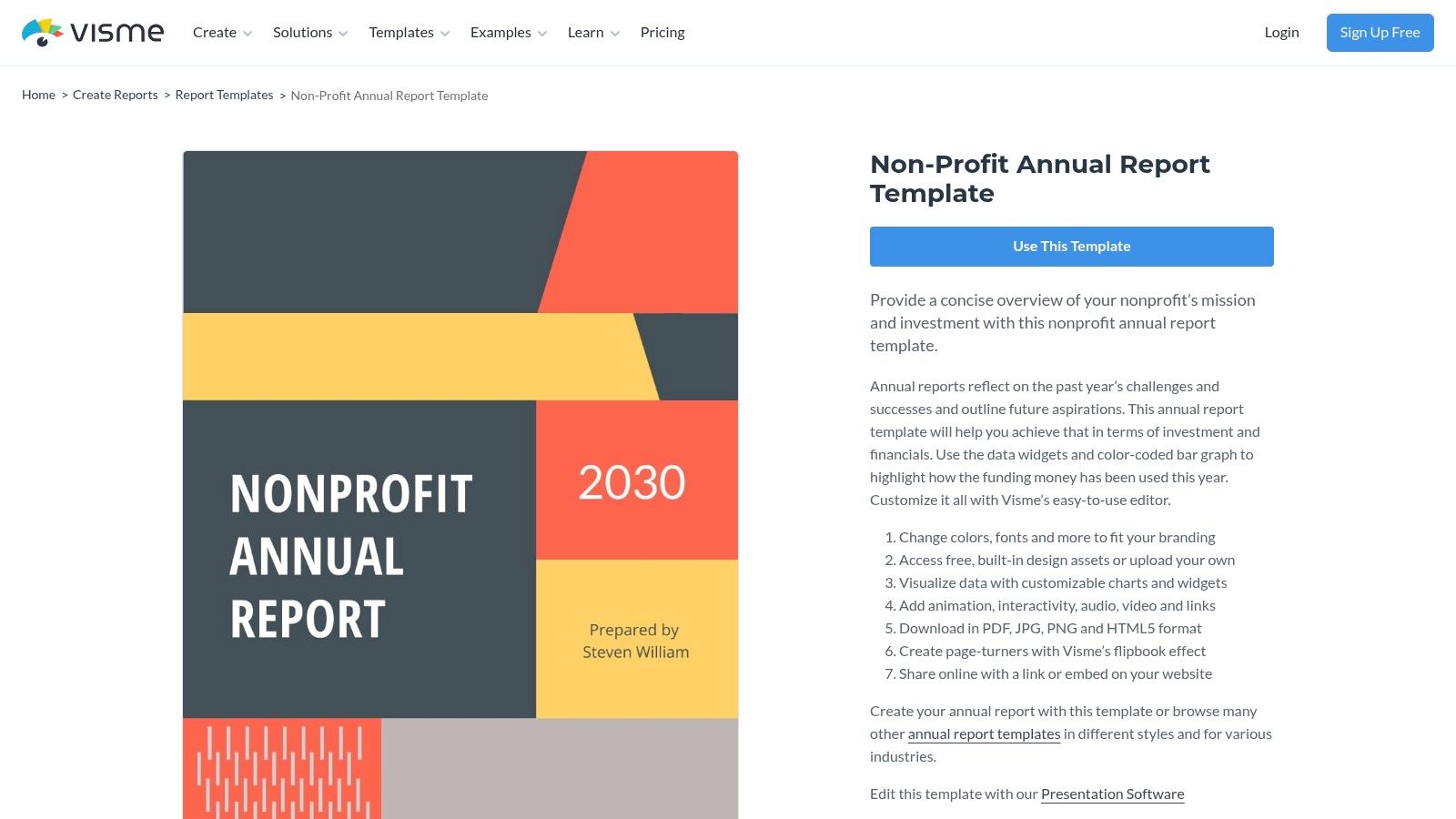
The platform bridges the gap between traditional design software and presentation tools, allowing users to build a report that can be shared online as a live link, embedded on a website, or downloaded as a PDF or HTML5 file. Its brand control features are particularly useful for ensuring consistency across all communications. While there is a learning curve for some of its more advanced data tools, the payoff is a dynamic report that can capture donor attention in a crowded digital landscape.
Key Features & Implementation Tips
- Data Visualization: Utilize customizable charts, graphs, and data widgets that can be directly edited with your nonprofit's metrics.
- Interactivity: Add links, videos, and pop-up effects to create a rich, web-based experience for your stakeholders.
- Brand Controls: Upload your logo, color palette, and fonts to a brand kit to maintain brand consistency throughout the report.
To maximize Visme’s impact, plan your report with a digital-first mindset. Think about which data points would benefit most from animation or interactivity. Similar to managing project timelines with tools like a nonprofit project management plan template, structuring your narrative around key interactive elements will make the creation process smoother.
Website: https://www.visme.co/templates/reports/nonprofit-annual-report-1425292545/
4. Adobe Express
Adobe Express, formerly Adobe Spark, is a powerful web-based design tool that provides a robust alternative for creating professional reports. For nonprofits, it stands out with a generous program offering free access to its Premium plan for qualifying 501(c)(3) organizations. This unlocks a vast library of templates, high-quality Adobe Stock photos, and sophisticated brand management tools, putting enterprise-level design capabilities within reach of any budget.
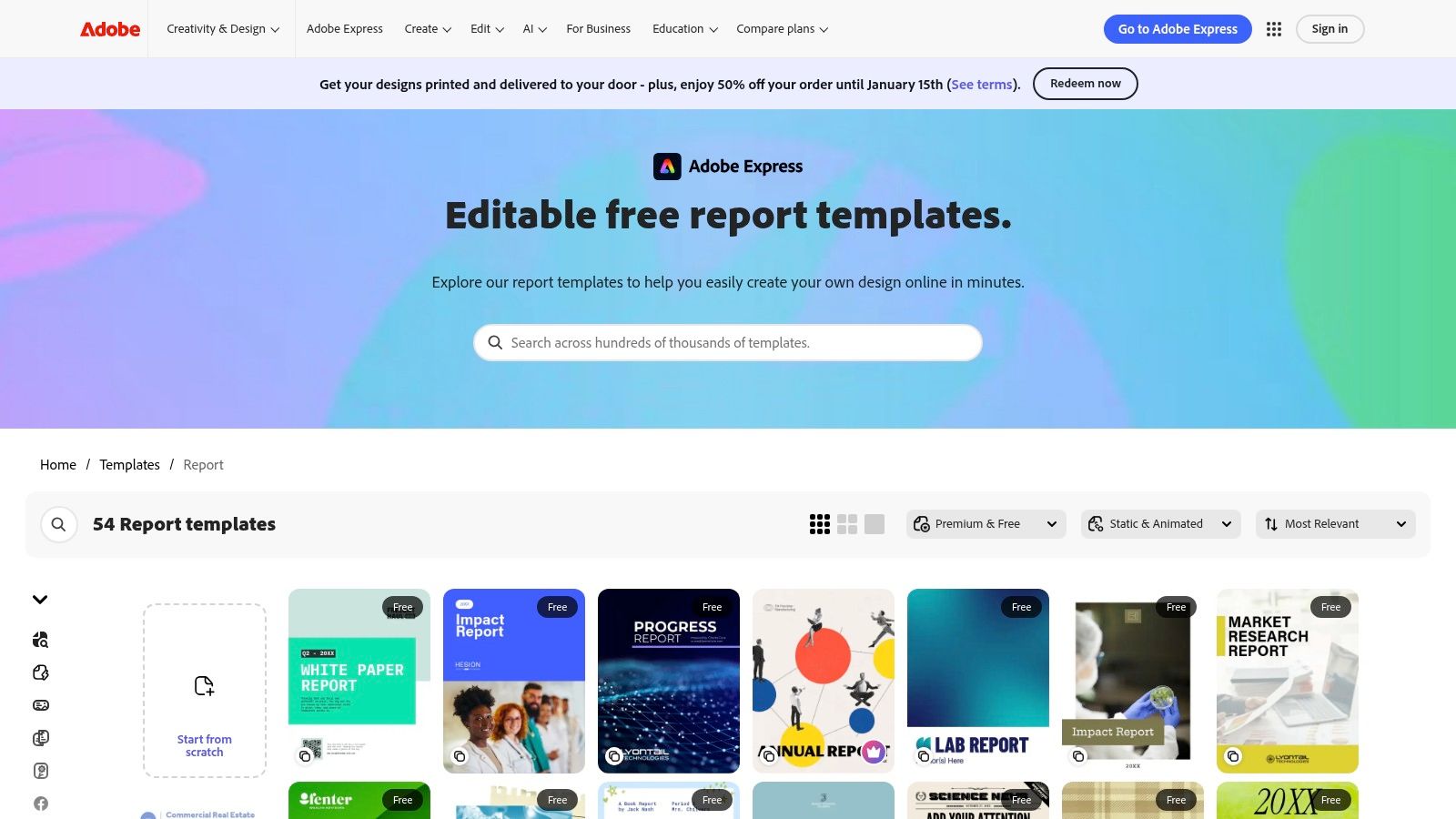
While the platform offers a wide array of general report templates, finding a dedicated annual report template non profit may require more creative adaptation compared to niche platforms. However, its clean interface and strong feature set make customization intuitive. The integration with the broader Adobe ecosystem is a significant advantage for organizations already using tools like Photoshop or Acrobat, ensuring a smooth workflow.
Key Features & Implementation Tips
- Brand Management: Use the brand kit feature to upload your logo, color palette, and fonts for consistent branding across all pages.
- Stock Asset Access: The premium plan includes access to a curated collection of Adobe Stock, providing high-quality imagery to elevate your report.
- Multi-Page Support: Easily add, duplicate, and reorder pages to structure your annual report logically, from the executive summary to the financial statements.
Before starting, be prepared to complete the verification process to gain free Premium access, as this can take some time. Once approved, explore the template library by searching for terms like "report," "summary," or "impact" to find starting points that can be quickly adapted for a nonprofit context.
Website: https://www.adobe.com/express/templates/report
5. Marq (formerly Lucidpress)
Marq, previously known as Lucidpress, is a brand templating platform that excels at helping nonprofits maintain consistent branding across complex documents. It offers a selection of professionally designed layouts, including a high-quality annual report template non profit organizations can adapt. The platform's core strength lies in its brand-locking features, which allow administrators to set approved colors, fonts, and logos, ensuring all contributors stay on-brand.
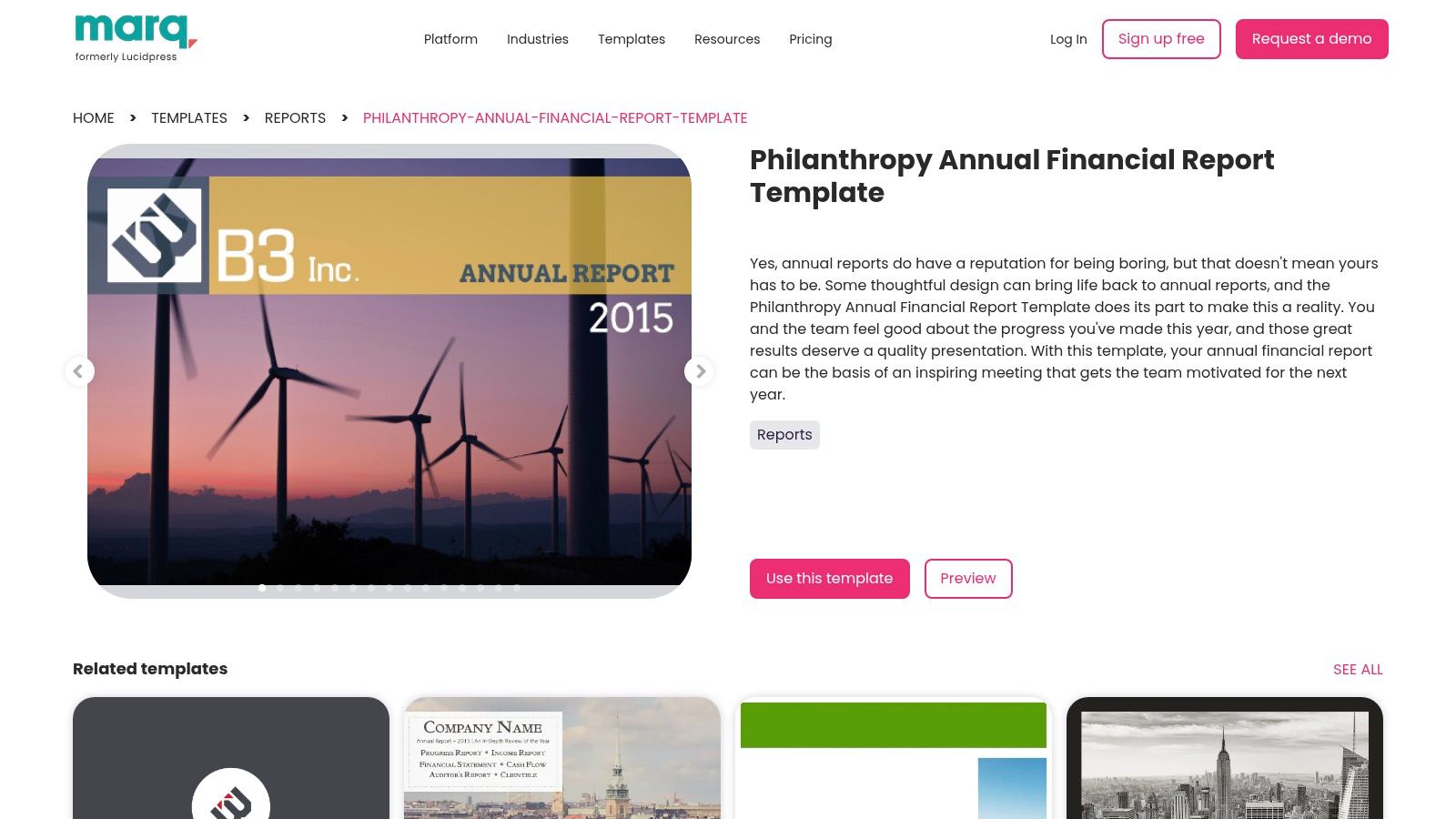
This makes Marq ideal for mid-sized to larger organizations where multiple team members or departments contribute to the annual report. The web-based editor supports real-time collaboration, but with guardrails that prevent accidental deviations from the established brand identity. While its template library is more curated and less expansive than platforms like Canva, the focus is on quality and brand integrity, making it a powerful tool for producing a suite of professional, coordinated marketing and fundraising materials beyond just the annual report.
Key Features & Implementation Tips
- Brand Control: Lockable templates ensure every page adheres to your nonprofit's visual guidelines, which is crucial for brand recognition.
- Team Collaboration: Multiple users can work on the document simultaneously within a controlled, on-brand environment.
- Professional Outputs: Easily export high-resolution, print-ready PDFs suitable for professional printing services.
To maximize Marq, set up your brand assets (logos, color palettes, fonts) before starting the report. This initial setup streamlines the entire design process, allowing your team to focus on content and storytelling rather than formatting. This structured approach is particularly useful for organizations that produce multiple collateral types and need to maintain a cohesive look.
Website: https://www.marq.com/pages/templates/reports/philanthropy-annual-financial-report-template
6. Piktochart
Piktochart specializes in turning data into compelling visual stories, making it an excellent resource for nonprofits that want to create an impact-focused and graphically rich annual report template non profit. Its strength lies in its infographic-style templates and robust charting tools, allowing organizations to present key metrics and achievements in a format that is easy for donors and stakeholders to digest quickly. The platform is designed for users who need to create visually engaging summaries without getting bogged down in complex design software.
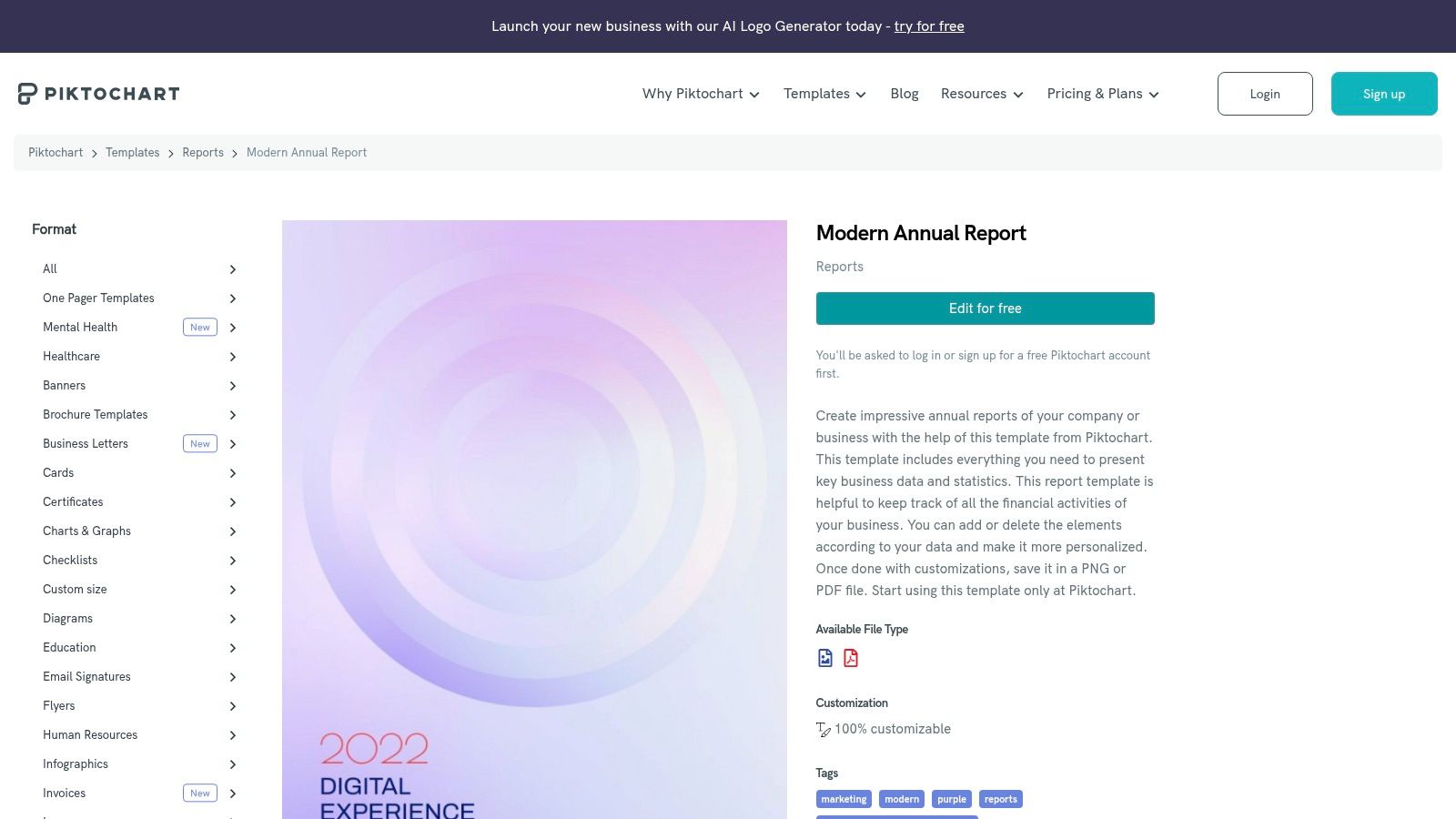
While less suited for long-form, text-heavy reports, Piktochart excels at creating donor-friendly one-pagers, impact summaries, or supplementary visuals for a larger report. Nonprofits can apply for discounted pricing, which unlocks premium features like PDF exports without a watermark, custom brand assets, and a wider selection of templates. The platform's intuitive drag-and-drop editor and focus on data visualization make it a powerful tool for communicating impact effectively.
Key Features & Implementation Tips
- Data Visualization: Integrated charts and maps allow you to easily import data and create custom graphs.
- Brand Assets: Store your nonprofit’s logos, color palette, and custom fonts to ensure brand consistency across all visuals.
- Infographic Focus: Templates are optimized for concise, high-impact visual storytelling rather than lengthy narratives.
To maximize Piktochart, focus on creating a visual "highlight reel" of your year. Use it to design a powerful summary page or a standalone infographic to share on social media, in email newsletters, or as a handout at events. The concise format forces you to distill your most important achievements into clear, persuasive visuals.
Website: https://piktochart.com/templates/reports/2255-modern-annual-report/
7. Flipsnack
Flipsnack excels at transforming a standard annual report template non profit into an engaging, interactive digital experience. Instead of a static PDF, Flipsnack creates a dynamic flipbook that can be embedded on your website or shared via a simple link, eliminating the need for bulky email attachments. This digital-first approach is perfect for organizations looking to captivate online audiences with rich media like videos, hyperlinks, and immersive visuals.
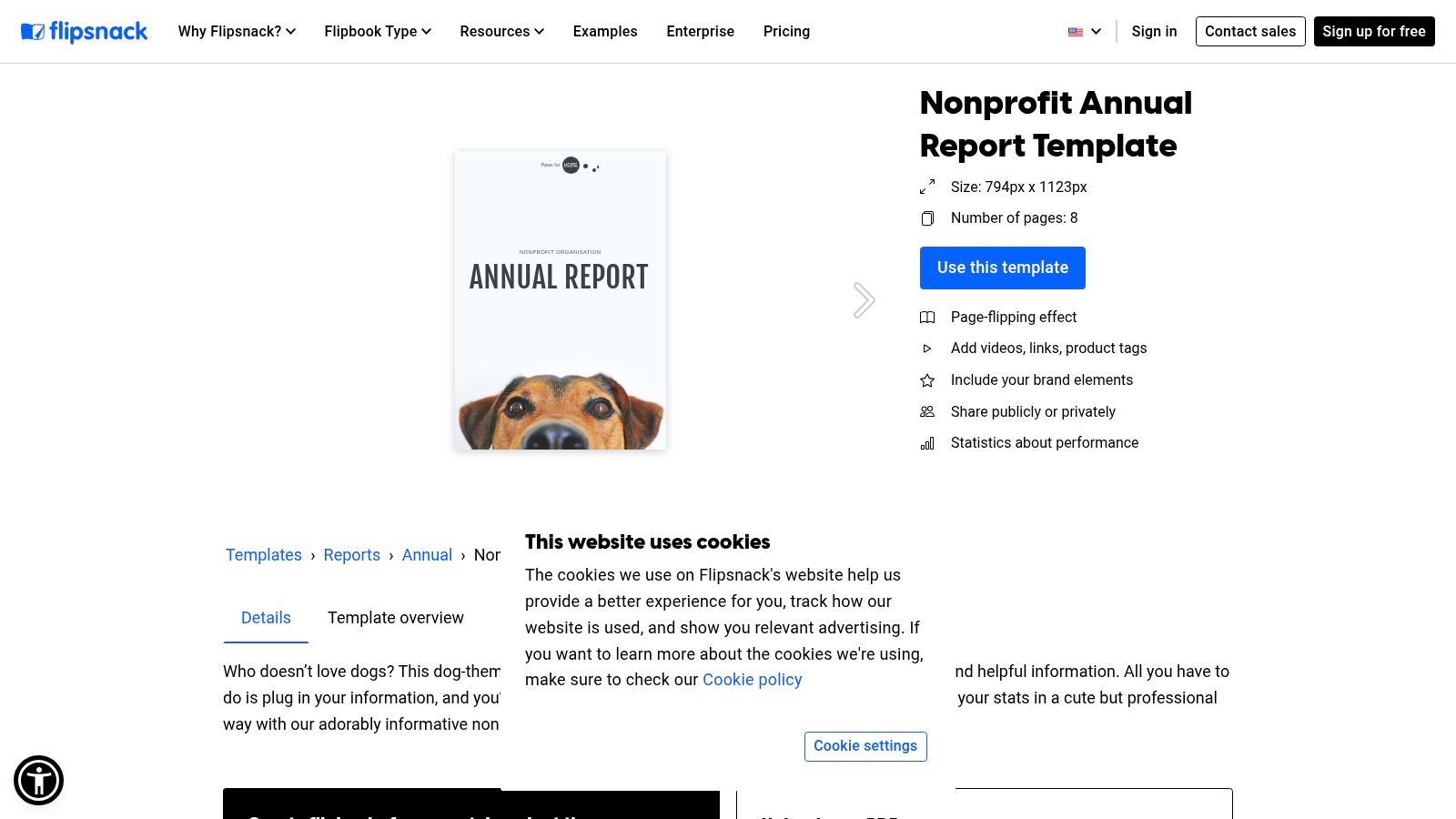
The platform offers a range of editable templates, but its standout feature is the ability to upload a PDF designed elsewhere (like in Canva or Adobe InDesign) and instantly convert it into a flipbook. For nonprofits focused on donor engagement, Flipsnack's analytics provide valuable insights into which pages viewers spend the most time on, helping you understand what content resonates most with your supporters. This focus on digital interaction sets it apart from traditional design tools.
Key Features & Implementation Tips
- Interactive Elements: Embed YouTube videos of testimonials or program highlights directly into your report pages.
- Analytics: Track views, clicks, and average time spent on your report to measure its impact and inform future communications.
- Easy Distribution: Share your annual report with a single URL, making it accessible on any device without downloads.
For best results, design your report with interactivity in mind from the start. Plan where to insert links to donation pages, volunteer sign-up forms, or extended stories on your blog. This strategic approach turns your annual report from a retrospective document into an active fundraising and engagement tool, much like how a strong nonprofit donation request letter prompts immediate action.
Website: https://www.flipsnack.com/templates/nonprofit-annual-report-template
8. Envato Elements
Envato Elements is a subscription-based marketplace that provides access to a massive library of high-quality, professionally designed assets. For organizations looking for a premium annual report template non profit, Envato offers thousands of multi-page layouts created by professional designers. These templates are typically available for software like Adobe InDesign and Microsoft Word, providing a polished foundation that can be adapted to fit a nonprofit's specific brand identity and narrative.
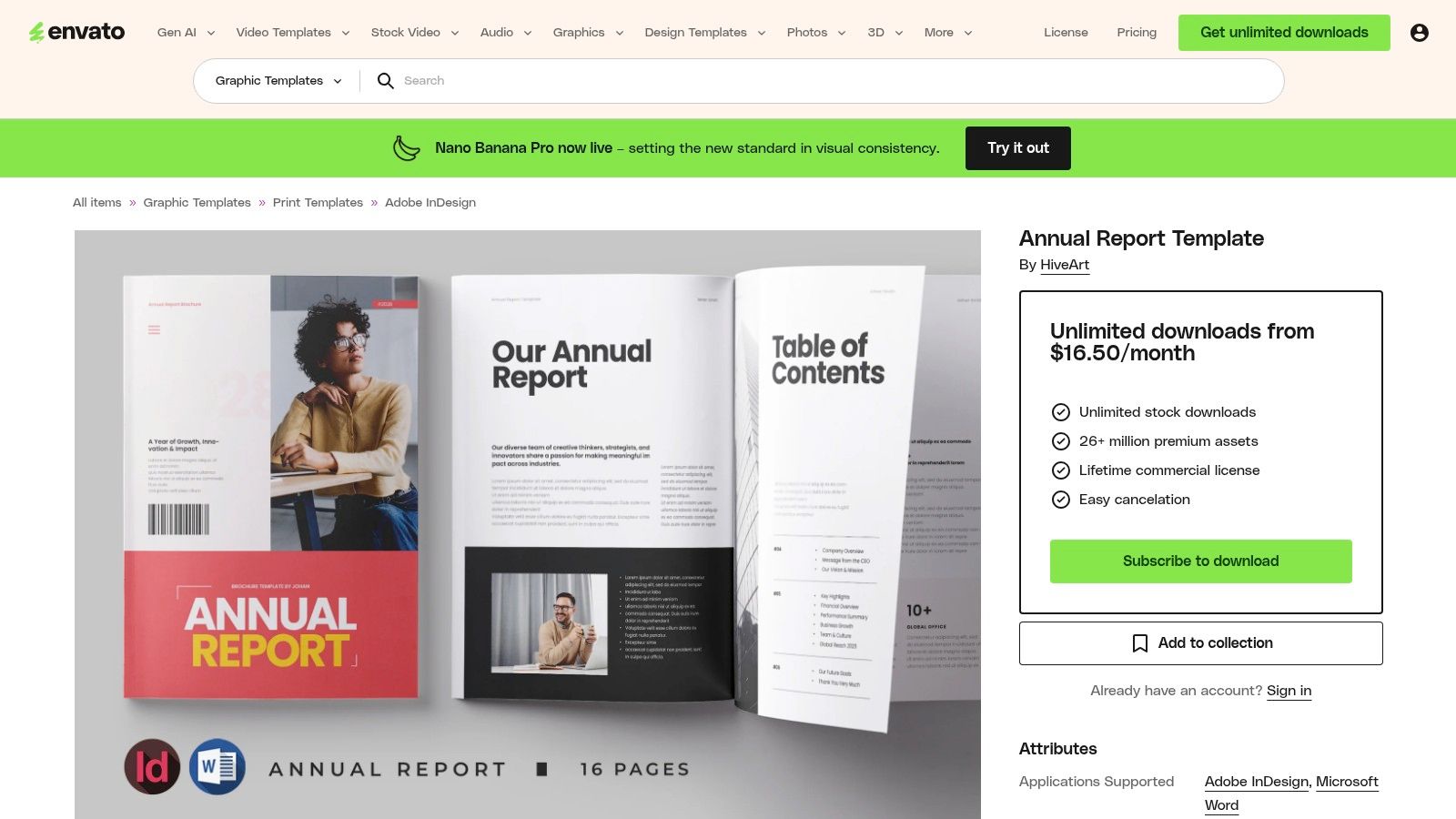
The primary advantage of Envato is the sheer quality and variety of the designs, which often surpass what is available on free platforms. An active subscription allows for unlimited downloads, making it a great value for nonprofits that frequently need design assets like stock photos, graphics, or presentation templates beyond just their annual report. The included commercial license simplifies usage rights, ensuring your organization can use the templates without legal concerns.
Key Features & Implementation Tips
- Professional Layouts: Access templates crafted by design experts, featuring sophisticated typography and data visualization elements.
- Software Compatibility: Templates are typically provided in InDesign (.INDD) and Word (.DOCX) formats, catering to different skill levels.
- Unlimited Assets: A single subscription provides access to millions of creative assets, from report templates to website themes.
Before committing to a subscription, ensure your team has the necessary software (like Adobe InDesign) and the skills to edit these more complex files. If your design capabilities are limited, it might be more practical to choose a template specifically formatted for Microsoft Word to simplify the editing process.
Website: https://elements.envato.com/annual-report-template-2F9UX2Y
9. Creative Market
Creative Market is a massive online marketplace where independent creators sell digital assets, including a vast selection of high-quality report templates. Unlike subscription services, it operates on a pay-per-item model, making it an excellent resource for sourcing a unique annual report template non profit without a long-term commitment. The platform is particularly strong for organizations that have specific design software like Adobe InDesign or Microsoft Word and want a professionally designed, print-ready file.
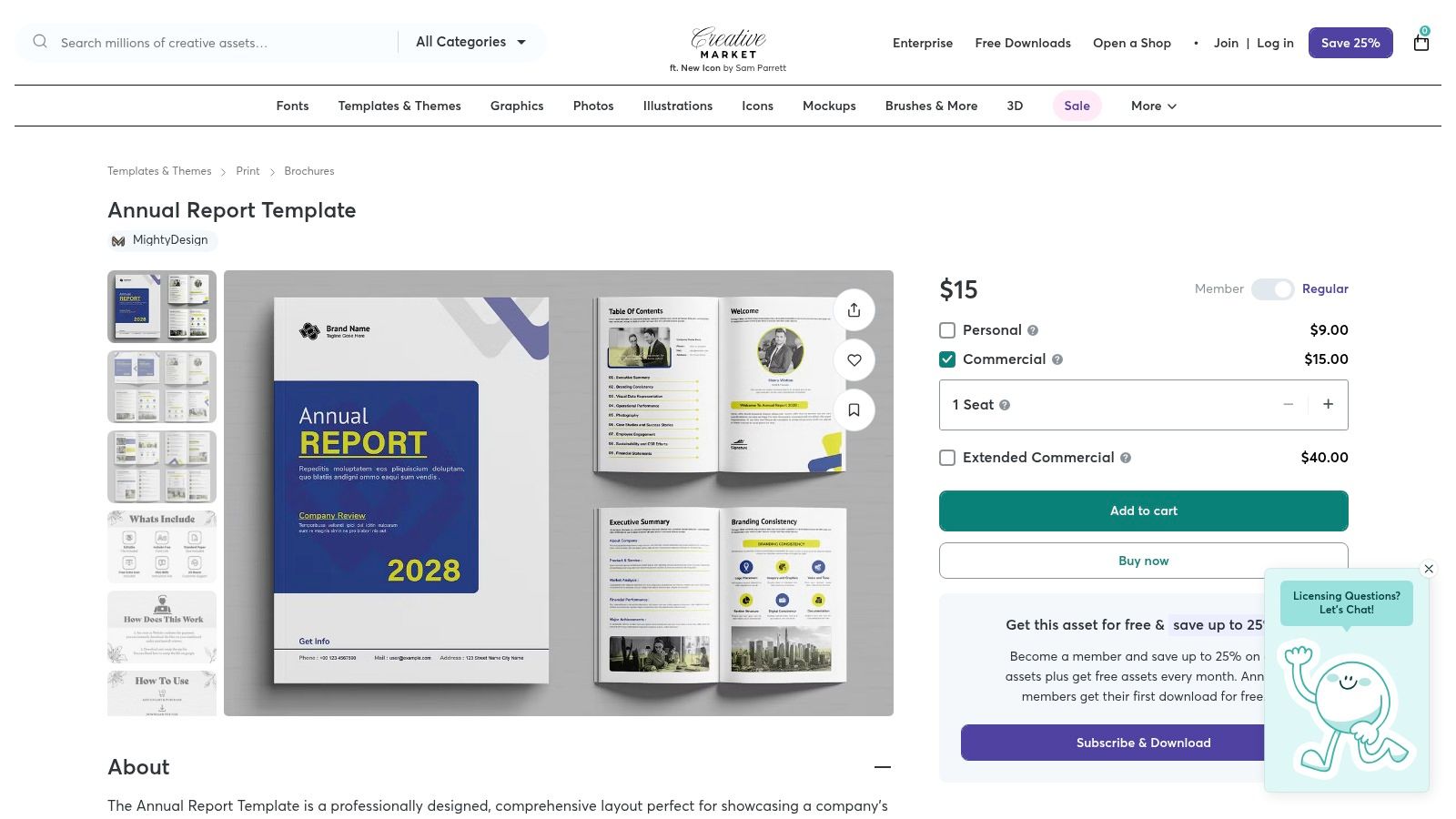
The variety is a key differentiator, with styles ranging from minimalist and corporate to bold and editorial. Many templates come bundled with different page layouts, infographics, and paragraph styles, giving you a cohesive toolkit to build your report. Since quality and support vary by the individual seller, it's crucial to read reviews and check the file specifications before purchasing to ensure compatibility with your team's software and skills.
Key Features & Implementation Tips
- One-Time Purchases: Buy only what you need, making it a budget-friendly option for single projects.
- Professional Formats: Many templates are designed for InDesign, Word, and even Canva, offering flexibility.
- Wide Stylistic Range: Find templates that perfectly match your nonprofit's unique brand identity and story.
When browsing, use specific keywords like "impact report" or "nonprofit annual report" to narrow down the thousands of options. Always check the license terms to ensure the template can be used for your organization's needs. Since you're purchasing a static file, be prepared to manually input all your data, graphics, and photos.
Website: https://creativemarket.com/Mighty-Design/289064136-Annual-Report-Template
10. Etsy
Etsy serves as a vast marketplace for independent creators, offering a surprisingly rich and affordable collection of annual report template non profit options. These are typically designed by freelance graphic designers and sold as instant digital downloads, often formatted as editable Canva templates. This makes Etsy an excellent choice for smaller nonprofits or those on a tight budget who want a unique, designer-quality look without the high cost of custom work.
The platform's strength lies in its variety and affordability. For a small one-time fee, organizations can purchase a multi-page template that often includes instructions and helpful tips directly from the designer. Because these templates are frequently built for Canva, they are easy to customize with your organization's branding, photos, and content. The user review and seller rating system provides social proof, helping you vet the quality and reliability of a template before purchasing.
Key Features & Implementation Tips
- Independent Designs: Access unique, creative layouts that you won't find on major template platforms.
- Canva Compatibility: Most templates are designed for easy editing in Canva, leveraging its user-friendly interface.
- Cost-Effective: Pay a small, one-time fee for a professional design, making it ideal for limited budgets.
When selecting a template on Etsy, carefully read the product description to confirm it includes the number of pages you need and is compatible with software you already use. Check the seller's reviews and ratings for feedback on template quality and ease of use. This approach ensures you get a plug-and-play solution that accelerates your report creation process.
Website: https://www.etsy.com/market/nonprofit_annual_report_canva
11. Whole Whale University
Whole Whale University offers a unique package that combines a paid, expertly designed annual report template non profit with valuable educational content. Developed by a B Corp agency that exclusively serves nonprofits, this Canva-based template is built with a deep understanding of impact storytelling. The bundle includes a video tutorial that goes beyond aesthetics, teaching best practices for data visualization and crafting a compelling narrative around your organization's achievements.

This approach makes it an ideal choice for organizations looking not just for a template, but for guidance on how to create a more effective report. The layouts are specifically structured for nonprofit needs, featuring dedicated sections for mission statements, impact metrics, donor recognition, and financial summaries. While the template requires a one-time purchase, the included training elevates its value, turning a design task into a strategic communications opportunity.
Key Features & Implementation Tips
- Expert Guidance: The included video course provides strategic insights into creating a report that resonates with stakeholders.
- Nonprofit-Centric Design: Pages are pre-structured to highlight key areas like program impact and donor contributions.
- Canva Compatibility: The template is fully editable in Canva, accessible even with a free account.
To maximize the value of this resource, watch the tutorial before you begin designing. The strategic advice offered can help you gather the right data and frame your narrative effectively, aligning your report with broader nonprofit fundraising best practices. Be aware that some graphic elements within the template might require a Canva Pro account or an individual purchase.
Website: https://wholewhale.com/university/nonprofit-annual-report-template/
12. Template.net
Template.net offers a practical and straightforward resource for nonprofits comfortable working within standard office software. Unlike graphic-design-centric platforms, its strength lies in providing a ready-to-download annual report template non profit in familiar formats like Word, Google Docs, and PDF. This approach is ideal for teams that prioritize content and data over intricate visual design and prefer a document-based workflow for drafting and review.
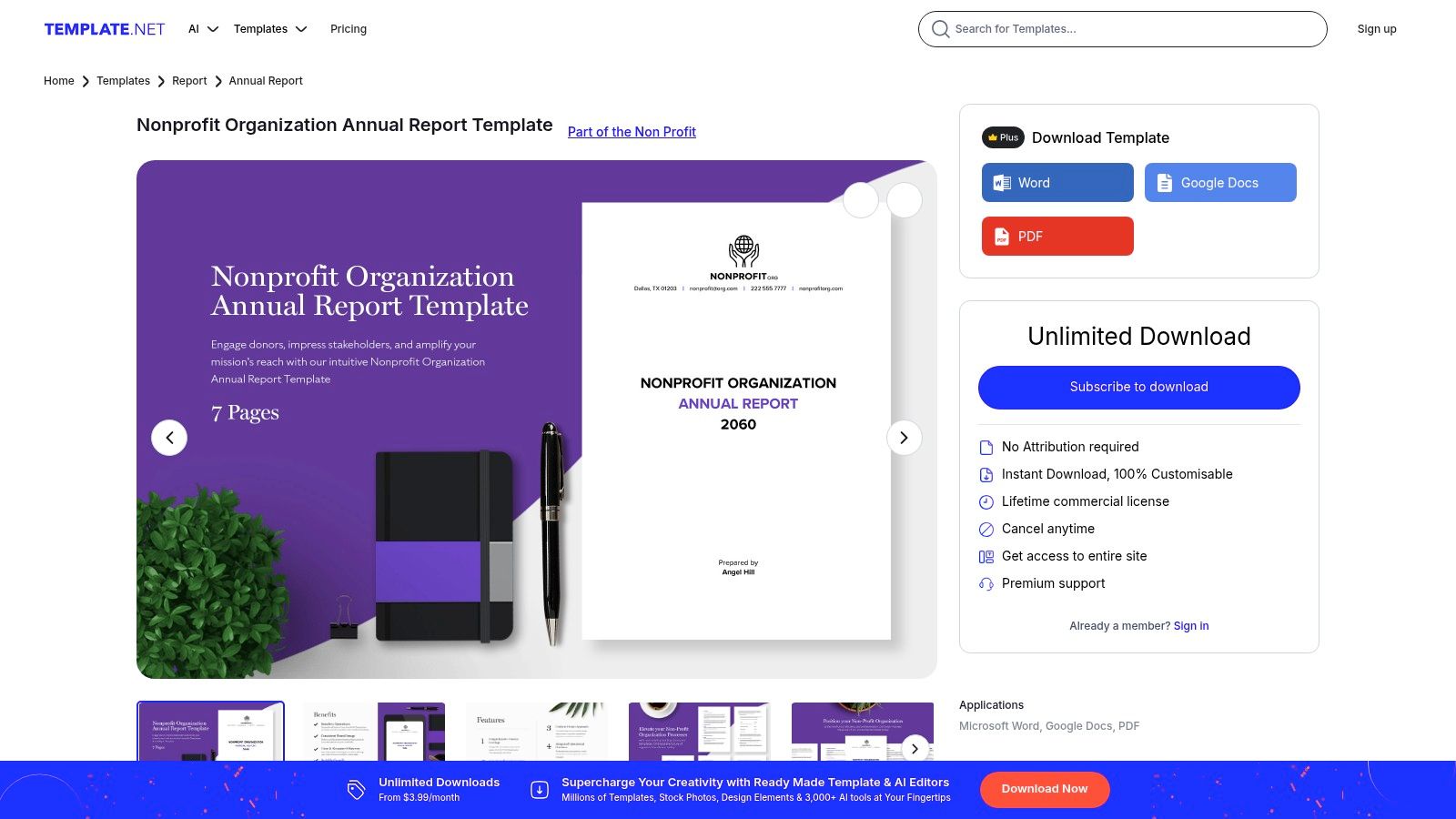
The templates come with pre-populated, editable sections for core components such as the mission, program highlights, and financial summaries. This structure provides a solid foundation, allowing users to quickly insert their text and data without building a layout from scratch. While some templates are free, the most professional designs are often locked behind a subscription, making it a "try before you buy" scenario for many organizations.
Key Features & Implementation Tips
- Office-Friendly Formats: Instantly downloadable templates for DOCX and Google Docs make editing accessible to anyone.
- Structured Content: Pre-defined sections guide you through the reporting process, ensuring key areas are covered.
- Fast Turnaround: Perfect for organizations on a tight deadline who need a functional report without a design bottleneck.
For the best results, use these templates as a starting point. Your final document's quality will depend heavily on your own branding and data presentation. To ensure you have all the necessary components, review a comprehensive nonprofit annual report format guide before you begin populating the template.
Website: https://www.template.net/editable/151241/nonprofit-organization-annual-report
12 Nonprofit Annual Report Template Comparison
Final Thoughts
Crafting a compelling annual report is no longer a daunting, resource-intensive task reserved for the largest nonprofits. As we've explored, the modern digital landscape offers an incredible array of tools and templates that empower organizations of any size to tell their stories with clarity, impact, and professional polish. From the user-friendly drag-and-drop interfaces of Canva and Venngage to the sophisticated data visualization capabilities of Visme and Piktochart, the right resources are available to transform your raw data into a narrative that resonates with donors, stakeholders, and your community.
The key takeaway from this extensive guide is that the "perfect" annual report template for a non profit is not a one-size-fits-all solution. Your choice should be a strategic one, deeply rooted in your organization's specific needs, technical capabilities, and storytelling goals. What works for a data-heavy research institute will differ vastly from what a grassroots community arts program requires.
Your Path from Template to Impactful Report
As you move forward, the most crucial step is to transition from simply choosing a template to actively implementing it as a strategic communication tool. This involves more than just filling in the blanks. It means thoughtfully curating your highlights, translating your financial data into accessible visuals, and weaving a consistent narrative thread from the first page to the last.
Remember, your annual report is a powerful opportunity to reinforce trust, demonstrate accountability, and inspire continued support. It’s a testament to the hard work your team has accomplished and a clear vision for the future you are building together. Don't let the process intimidate you.
Selecting the Right Tool for Your Mission
To help you make a final decision, consider these guiding questions based on your nonprofit's profile:
- For the Small Team with Limited Design Skills: If you need something fast, intuitive, and visually appealing without a steep learning curve, start with Canva or Adobe Express. Their extensive libraries of free templates and simple interfaces are designed for quick wins.
- For the Data-Driven Organization: If your report needs to showcase complex metrics, program outcomes, and financial breakdowns, tools like Visme and Piktochart are your best bet. Their advanced charting and infographic features will help you make sense of the numbers.
- For Those Seeking Ultimate Creative Control: If you have a designer on your team or a strong brand identity to uphold, platforms like Marq or premium assets from Envato Elements and Creative Market offer the flexibility and high-quality design elements needed for a truly custom publication.
- For Interactive, Digital-First Reports: To create an engaging online experience, look no further than Flipsnack. Its page-turning effect and ability to embed multimedia content can captivate a digital audience and track engagement.
Ultimately, the best annual report template non profit organizations can use is one that empowers them to communicate their impact effectively and efficiently. By leveraging the right template and focusing on authentic storytelling, you can create a document that not only fulfills an obligation but also becomes a cornerstone of your fundraising and community engagement strategy. Let this report be a celebration of your achievements and a powerful call to action for the year ahead.
Ready to streamline your reporting process even further? Fundsprout helps nonprofits automate grant research, writing, and management, freeing up your team to focus on impact. Imagine automatically populating your annual report's data sections with up-to-date grant performance metrics directly from your fundraising platform. Learn more and see how we can help at Fundsprout.
Try 14 days free
Get started with Fundsprout so you can focus on what really matters.